What to do If Something Goes Wrong
70
3
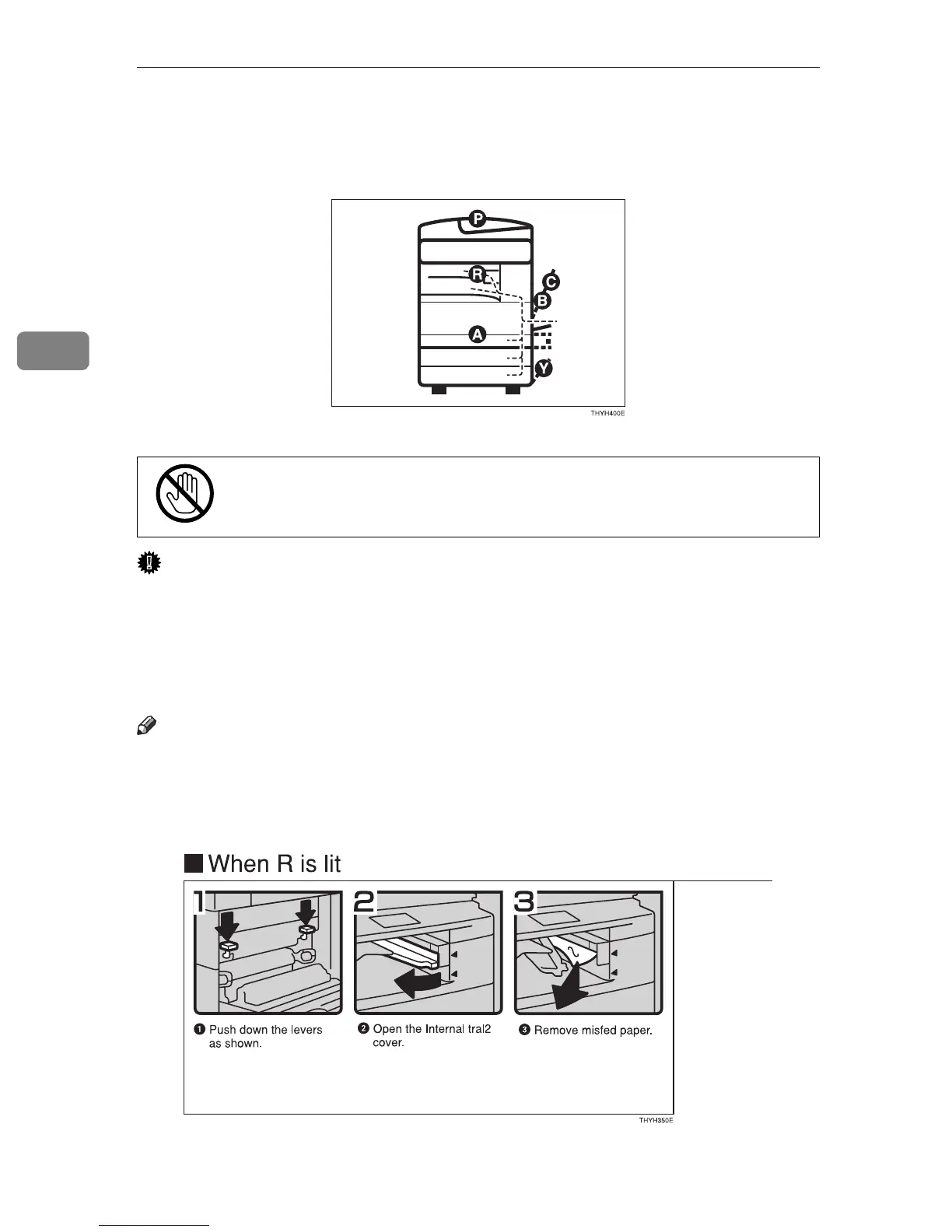
x Clearing Misfeeds
CAUTION:
Important
❒ When clearing misfeeds, do not turn off the power switch. If you do, your
copy settings are cleared.
❒ To prevent misfeeds, do not leave any torn scraps of paper within the ma-
chine.
❒ If paper misfeeds occur repeatedly, contact your service representative.
Note
❒ More than one misfed areas may be indicated. In this case, check every appli-
cable area. Refer to the following charts: A, B, C, D, R, P, Y
❒ You can find a sticker explaining how to remove misfed paper inside of the
rightside cover.
•
When removing misfed paper, do not touch the fusing section be-
cause it could be very hot.



 To Next Page