Copying
30
2
Note
❒ To avoid a multi-sheet feed,
shuffle the originals before set-
ting them in the document feed-
er.
❒ You can set one original at a
time. See ⇒ P.29 “Setting one
original at a time (SADF) mode”
C Press the 0
00
01
11
1 key to choose the
tray from the paper tray, paper
tray unit (option), or the bypass
tray.
D Press the {
{{
{
#
}
}}
} key.
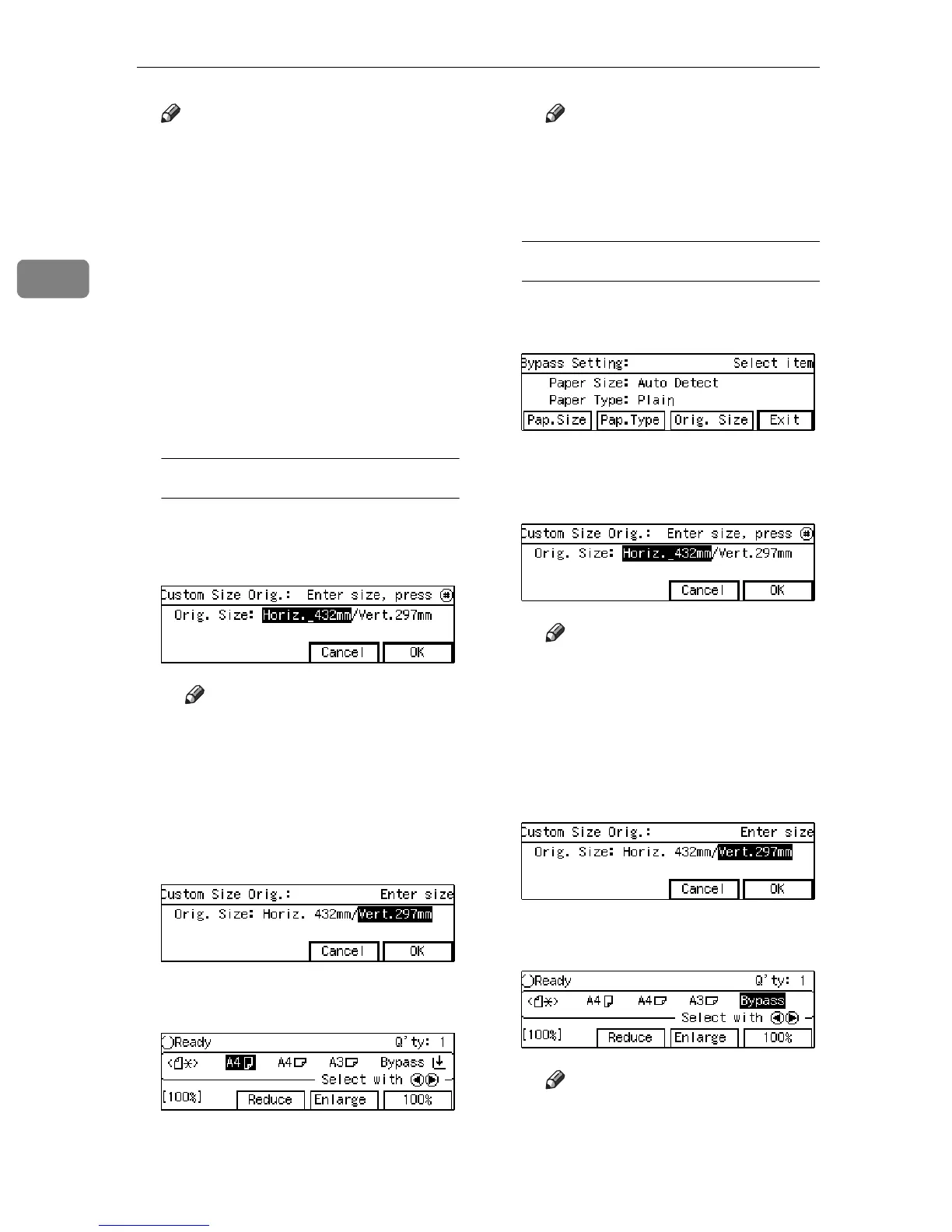
When you select tray1 – 3
A Enter the Horizontal size with
the {
{{
{
Number
}
}}
} keys. Then press
the {
{{
{
#
}
}}
} key.
Note
❒ To change the number en-
terd, press the {
Clear/Stop
}
key and enter the new
number.
B Enter the Vertical size with the
{
{{
{
Number
}
}}
} keys. Then press the
[
OK
]
key.
<Kp> appeared in exchange
for
[
Auto
]
after the sizes setted.
Note
❒ To change the number en-
terd, press the {
Clear/Stop
}
key and enter the new
number.
When you select the bypass tray
A Press the {
{{
{
#
}
}}
} key.
B Press the
[
Orig. Size
]
key.
C Enter the Horizontal size with
the {
{{
{
Number
}
}}
} keys. Then press
the {
{{
{
#
}
}}
} key.
Note
❒ To change the number en-
terd, press the
[
Clear/Stop
]
key and enter the new
number.
D Enter the Vertical size with the
{
{{
{
Number
}
}}
} keys. Then press the
[
OK
]
key.
<Kp> appeared in exchange
for
[
Auto
]
after the sizes setted.
Note
❒ To change the number en-
terd, press the {
Clear/Stop
}
key and enter the new
number.



 To Next Page