What to do If Something Goes Wrong
68
3
A Open the side cover.
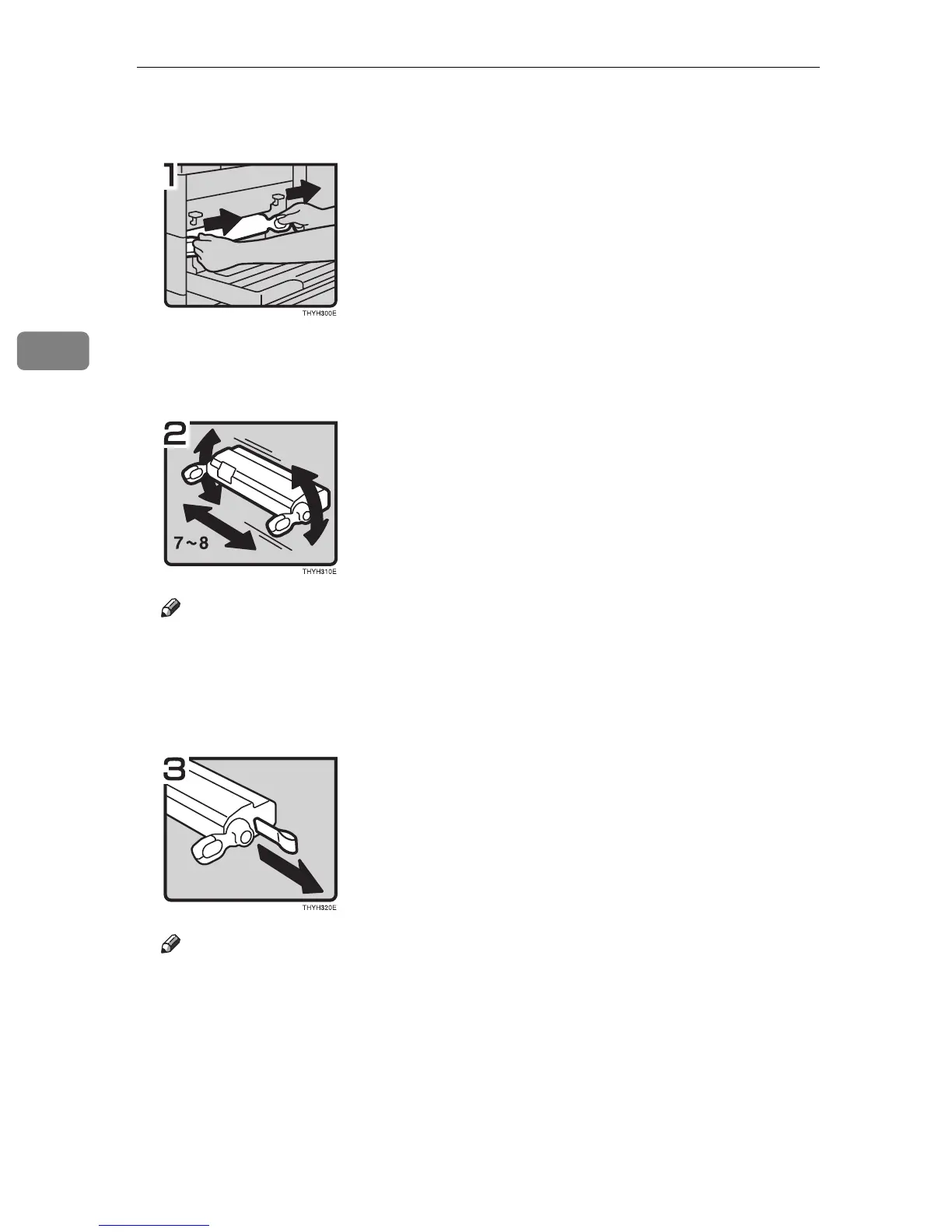
B Pull the used toner cartridge out of the machine by holding the grips of it.
C Take a new toner cartridge from the box.
D Hold the toner cartridge as shown in the illustration, and shake it side to side
about 7-8 times.
Note
❒ If the toner cartridge is not shaken enough, toner might not be evenly dis-
tributed in the cartridge. In this case, the print quality might be reduced.
E Place the toner cartridge on a flat surface. Pull out the tape inside the unit hor-
izontally while holding the cartridge with one hand as shown in the illustra-
tion.
Note
❒ Be sure to remove the tape completely before installing the new toner car-
tridge. Otherwise, the machine might be damaged.
❒ Be sure to pull the tape horisontally. Pulling it upward or downward caus-
es toner scattering.
❒ Be careful not to make your cloths dirty toner.
❒ After pulling out the tape from the cartridge, toner scatters easily. Do not
shake or give a shock to the cartridge.



 To Next Page