VerifyInstallationandTroubleshootNI-Serial
Problems
TheNI-SerialTroubleshootingWizardsupportsportsonlyonyourlocal
Windowssystem.ItdoesnottestyourLabVIEWReal-Timeserialports.
ToverifythehardwareandsoftwareinstallationandtroubleshootNI-
Serialproblems,followthesestepstoruntheTroubleshootingWizard:
1. LaunchMAX.
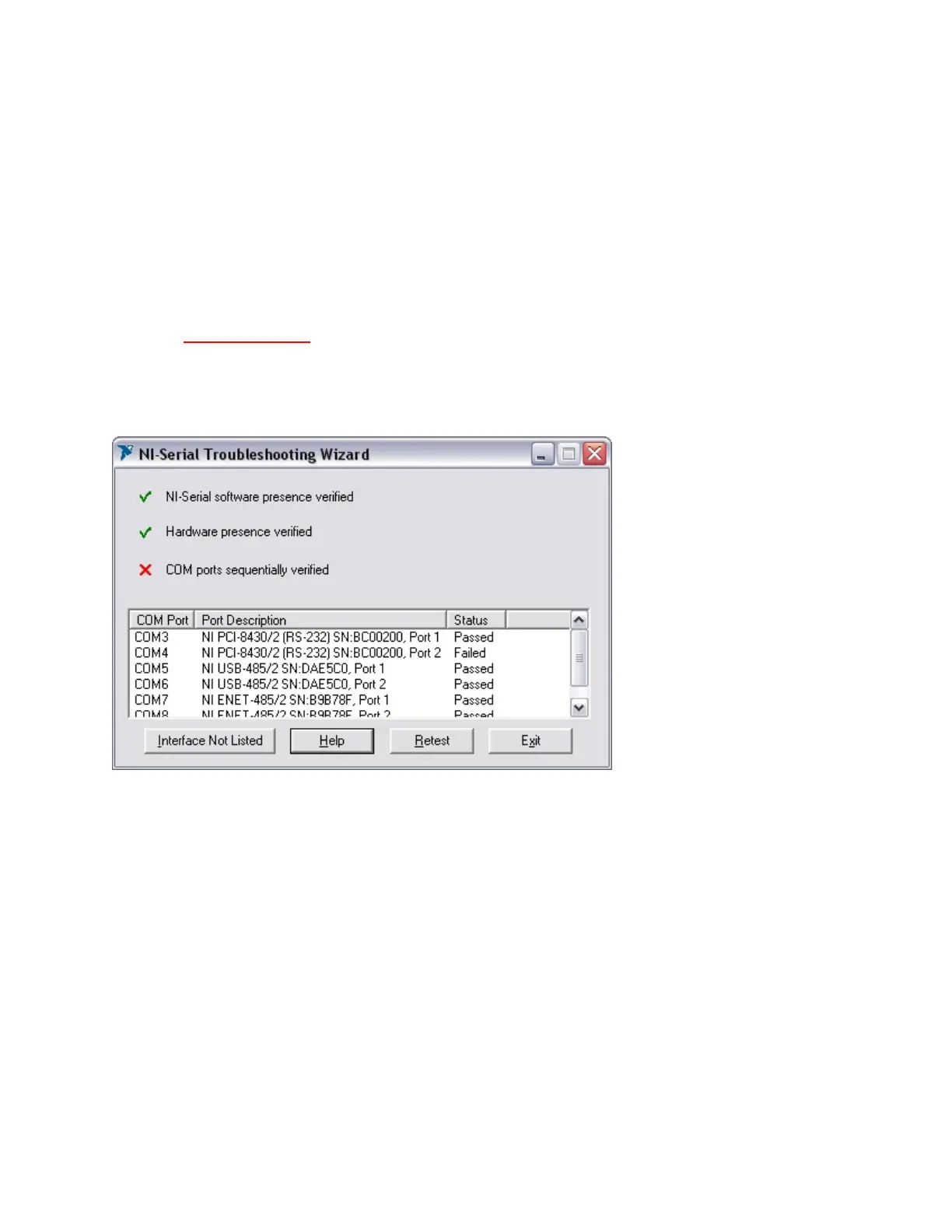
2. SelectHelp»Troubleshooting»NI-SerialTroubleshooting
Wizard.TheTroubleshootingWizardtestsyourserialinterface
anddisplaystheresultsasshownbelow.
NI-SerialTroubleshootingWizard
TheTroubleshootingWizardverifiesthatyourserialdriverisinstalled
properly,thattheconfigurationofyourhardwaredoesnotconflictwith
anythingelseinyoursystem,andthattheserialdrivercancommunicate
withyourhardwarecorrectly.
ToviewonlinehelpfortheTroubleshootingWizard,clicktheHelpbutton.



 To Next Page
 Loading...




