NV30/NV40 Operations and Maintenance Manual Operating the transmitter
Issue 3.3 2014-12-10 Page 2-17
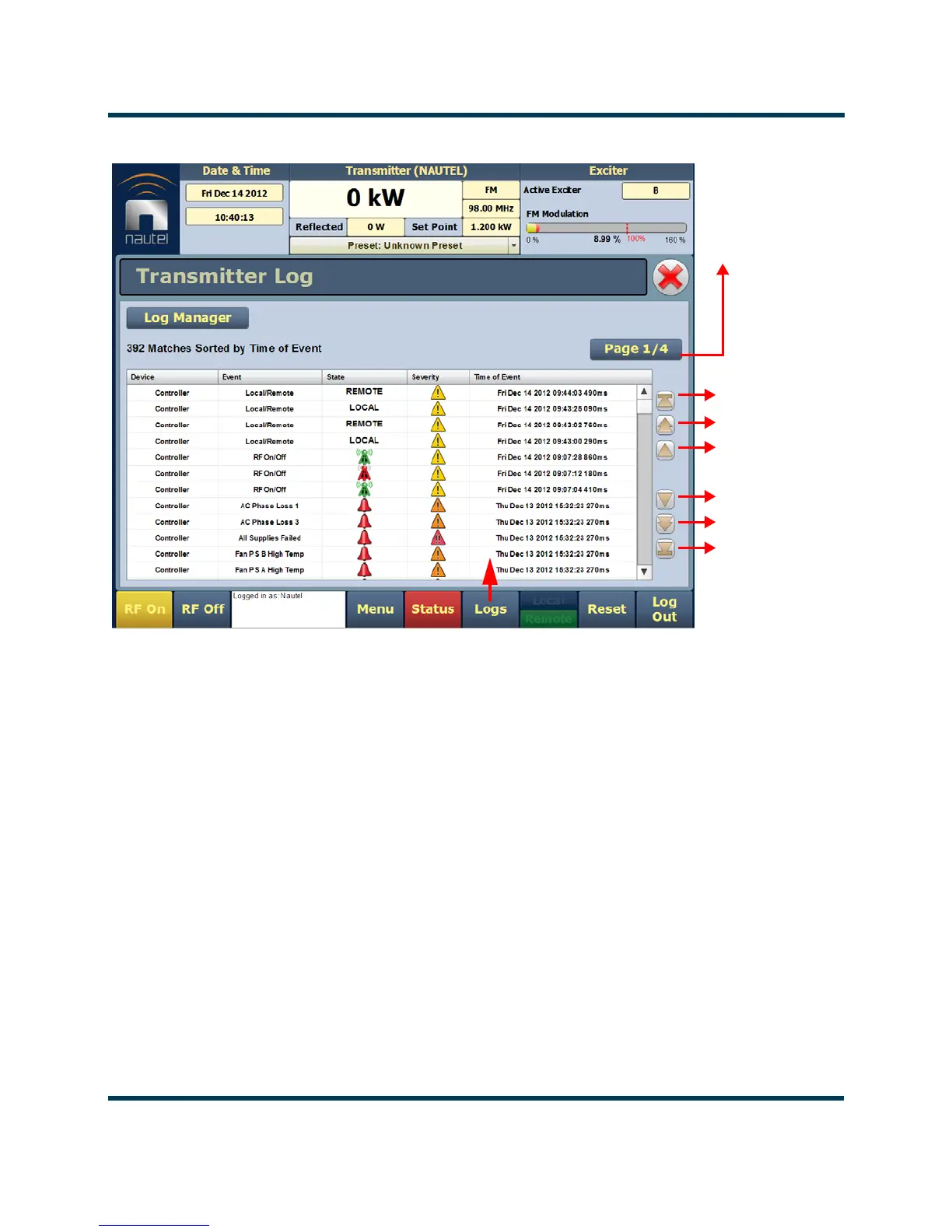
Figure 2.8: Log page
Viewing event logs
The Logs page displays a “read only” chronological table of log events under the following column
headings (see Figure 2.8):
• Device - identifies the origin device of the alarm (e.g., Controller, Exciter, or RF Module).
•
Event - identifies the alarm name.
•
State - indicates whether the alarm state is active (red bell) or cleared (green checkmark) and
in some cases, indicates whether the RF was turned on or off. This column will also display
which control state (Local or Remote) the transmitter is in, which preset index was selected,
the frequency that is set and the power level.
• Severity - indicates how seriously the alarm affects transmitter operation.
Page number of
displayed page
Navigate through
the table using
these arrows
first page
last page
page-by-page
row-by-row
page-by-page
row-by-row



 To Next Page