NV30/NV40 Operations and Maintenance Manual Operating the transmitter
Issue 3.3 2014-12-10 Page 2-19
Understanding the log manager window
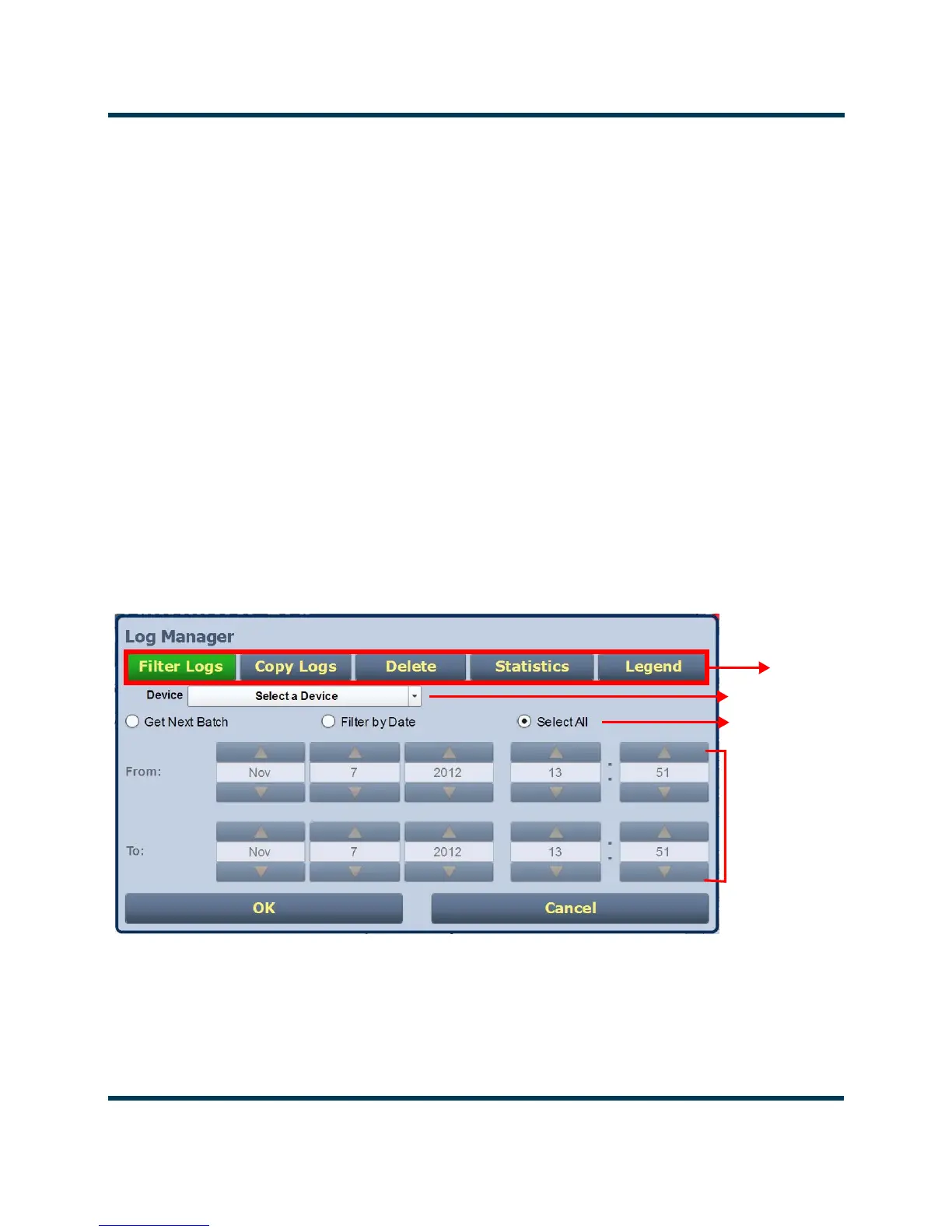
The Log Manager window contains the functions that edit the logs listed in the Logs page. Press the
Log Manager button to open a configurable window with the following display options identified by
tabs across the top of the screen (see Figure 2.9):
• Filter Logs: Press to determine filter parameters by date and frequency.
• Copy Logs: Press to copy the selected logs (remote view only).
• Delete: Press to remove all selected logged events.
•
Statistics: Press to display detailed information about an event(s).
•
Legend: The Legend tab opens a “read only” display of alarm symbols to help you interpret
the ones listed in the Logs page or in the Statistics window (see Figure 2.14 on page 2-24).
Each of these tabs, opens a secondary window or changes the active window options to suit the tab
function.
Figure 2.9: Log Manager Window
Tabs
Device type
Selection
Methods
Calendar
and Clock



 To Next Page