NV30/NV40 Operations and Maintenance Manual Operating the transmitter
Issue 3.3 2014-12-10 Page 2-65
Thresholds
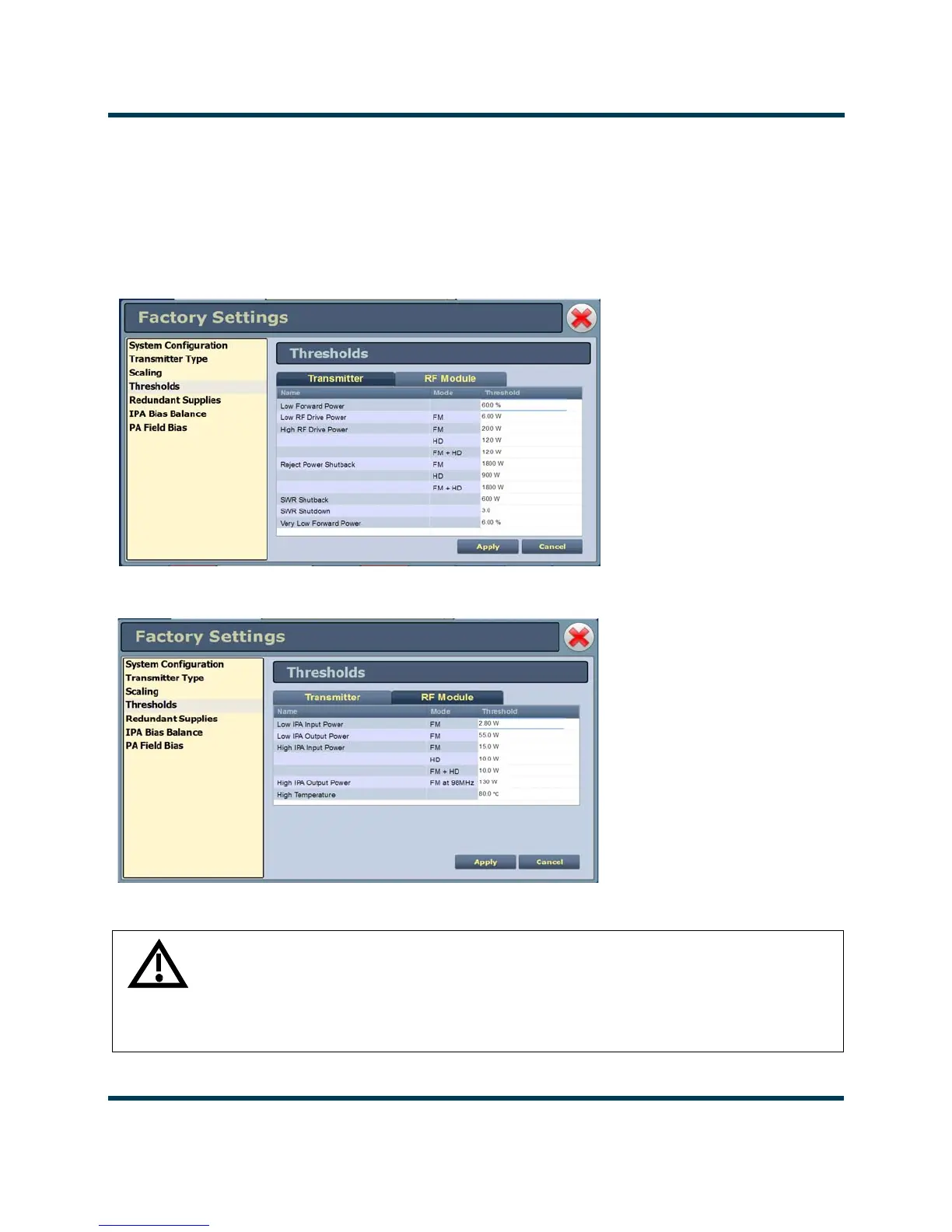
This factory setting (see Figure 2.46 and Figure 2.47) supports the setting of alarm thresholds for
critical parameters. Select the desired threshold from the list located in either the
Transmitter or RF
Module
tabs and touch the applicable field to enable editing. The current threshold is displayed.
Enter the new threshold and press Apply to save changes.
Figure 2.46: Factory Settings - Thresholds (Transmitter) - Default Values Shown
Figure 2.47: Factory Settings - Thresholds (RF Modules)- Default Values Shown
WARNING: Device settings are established at the factory and should not
require any adjustment. These settings affect critical system protection
circuits. Making changes to these settings may void your warranty.
Contact Nautel before making changes.



 To Next Page