NV5/NV3.5 Troubleshooting Manual Responding to alarms
Page 1-4 Issue 3.2 2014-12-10
Identifying an alarm
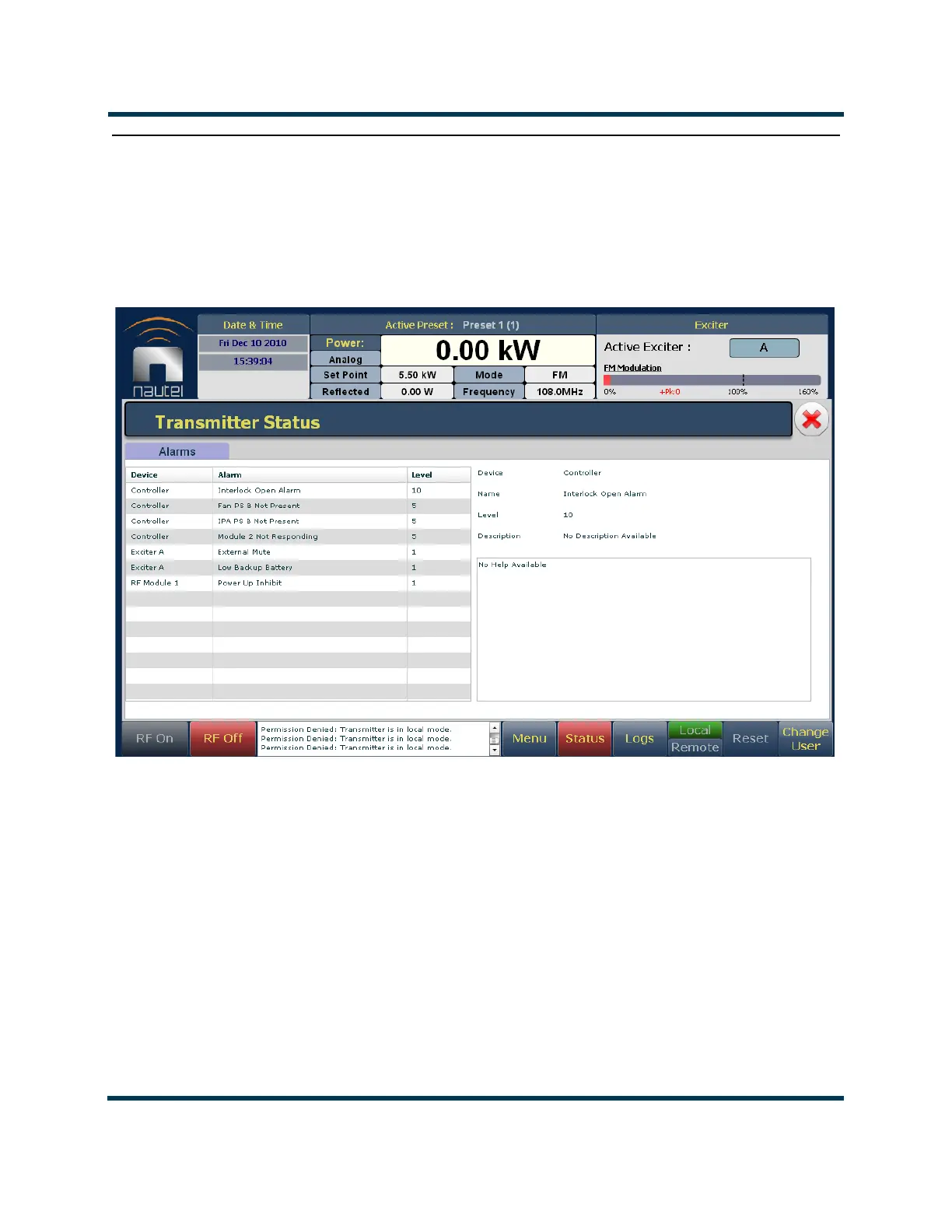
The best way to identify an alarm is by viewing the front panel’s Transmitter Status page
(Figure 1.1). If an alarm exists, the
Status button at the bottom of the AUI display will be red. Press
or click the Status button to go to the Transmitter Status page.
Figure 1.1: Transmitter Status Page
1. View the list of active faults by pressing the Alarms tab. Alarms are listed by their origin
(Device column), then by name (Alarm column), and then by severity [1 = low (RF output
not affected), 5 = medium (RF output is reduced), 10 = high (RF output is inhibited); see
Level column]. See “List of current alarms” on page 1-5.
2. Attempt to clear any latching alarms by pressing the
Reset button on the bottom banner of
the page. If the alarm persists, it will not be cleared from the display.
3. Refer to Table 1.1 on page 1-7 for troubleshooting tips on the offending alarm(s), which may
also reference replacement (see Table 1.2 on page 1-22) and subsequent re-calibration
procedures. Note the origin of the alarm (i.e., contained within Controller, Exciter, or
Module # sub-system folders).



 To Next Page