18
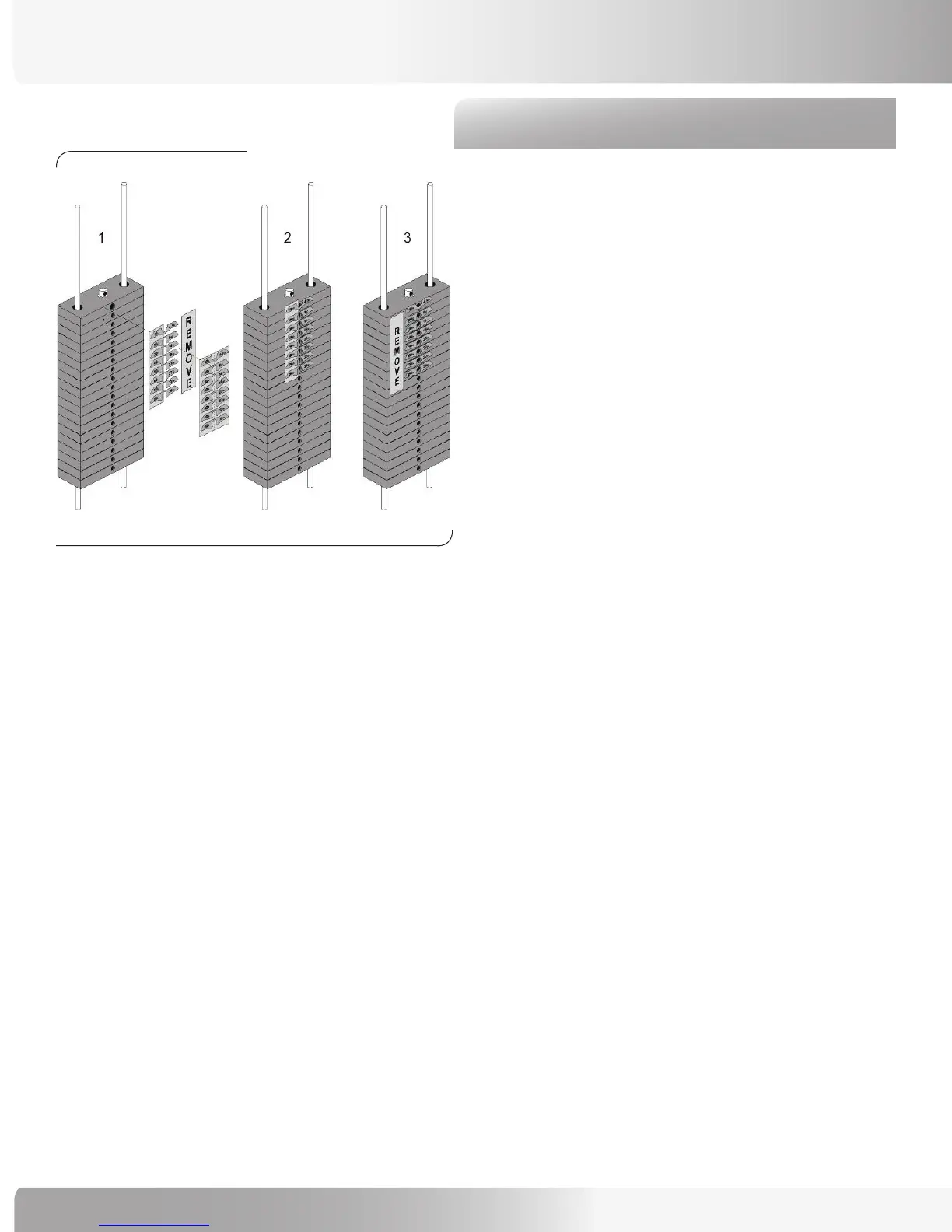
Step 8: Adhere Weight Stack Decals
Locate the following for this step:
Parts:
• 10 lb Weight Plate Decals Qty. 23
Hardware:
• None
Tools:
• None
Refer to Figure 10:
8-1 Prepare the Weight Plates by degreasing with
denatured alcohol and a primer solution.
8-2 From each Decal strip (12 Decals to a strip
column), remove, separately, one side of the
backing.
8-3 Align the backing to the Plates and press gently
against the backing.
8-4 Firmly rub the decals to secure adhesion to the
Weight Plates.
Figure 10:
ASSEMBLY GUIDE







 To Next Page