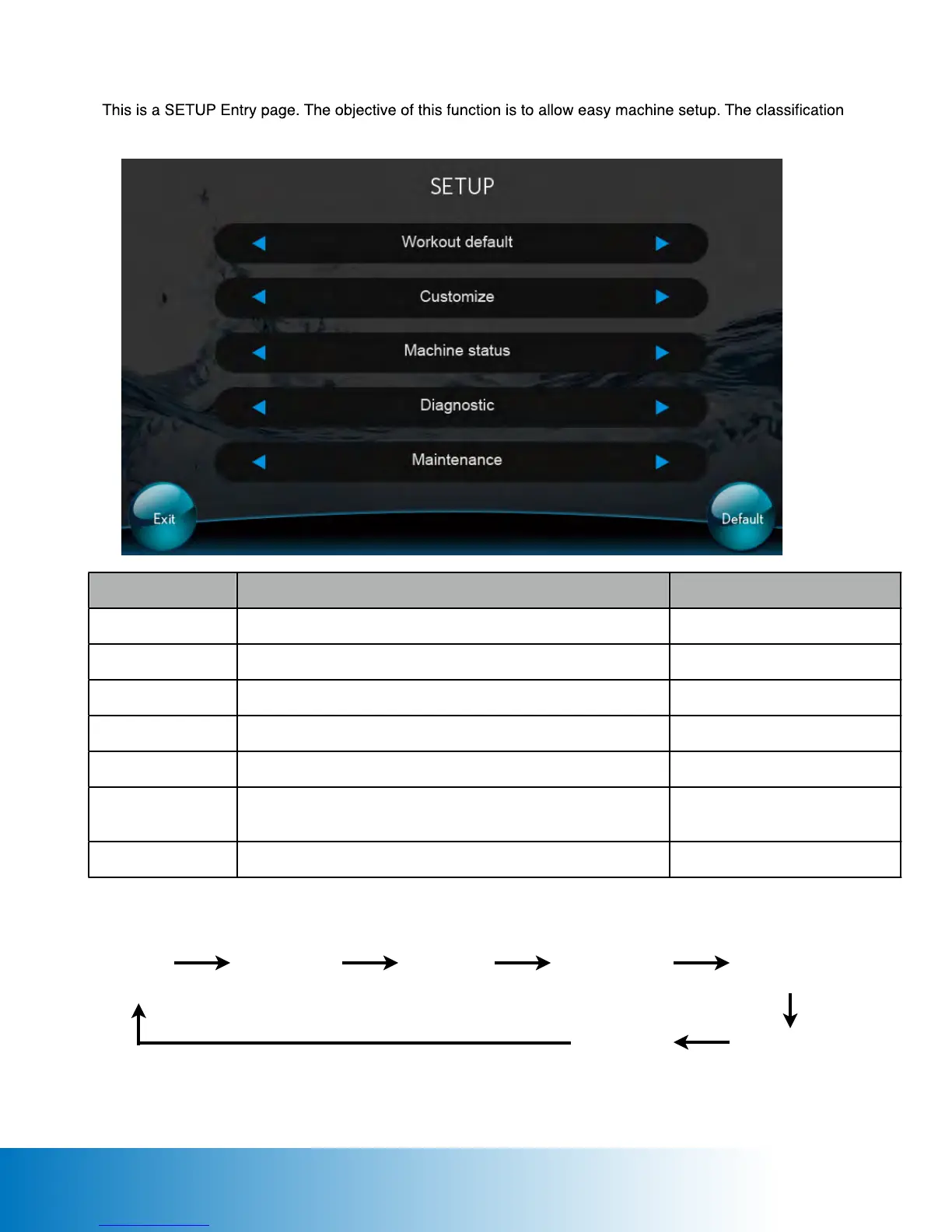
SETUP PAGE
of SETUP for dierent needs are as follows:
Keypad Control:
Tap the Workout Default icon to enter Workout Default page
Workout Default page shows
Tap the Customize icon to enter Customize page
Tap the Machine Status icon to enter Machine Status page
Machine Status page shows
Tap the Diagnostic icon to access the Diagnostic page
Tap the Maintenance icon to enter Maintenance page
Default all values for the above
functions.
Workout
Default
Customize
Machine
Status
Diagnostic Maintenance
Upgrade App.
Default
Message “Default all values?” and Yes or No Icons displayed for
conrmation.
56






 To Next Page