AE- 1 5 0 s y s t e m – U s e r M a n u a l
52
available to adjust the graphical view (acoustic and PD), refer to
the information below:
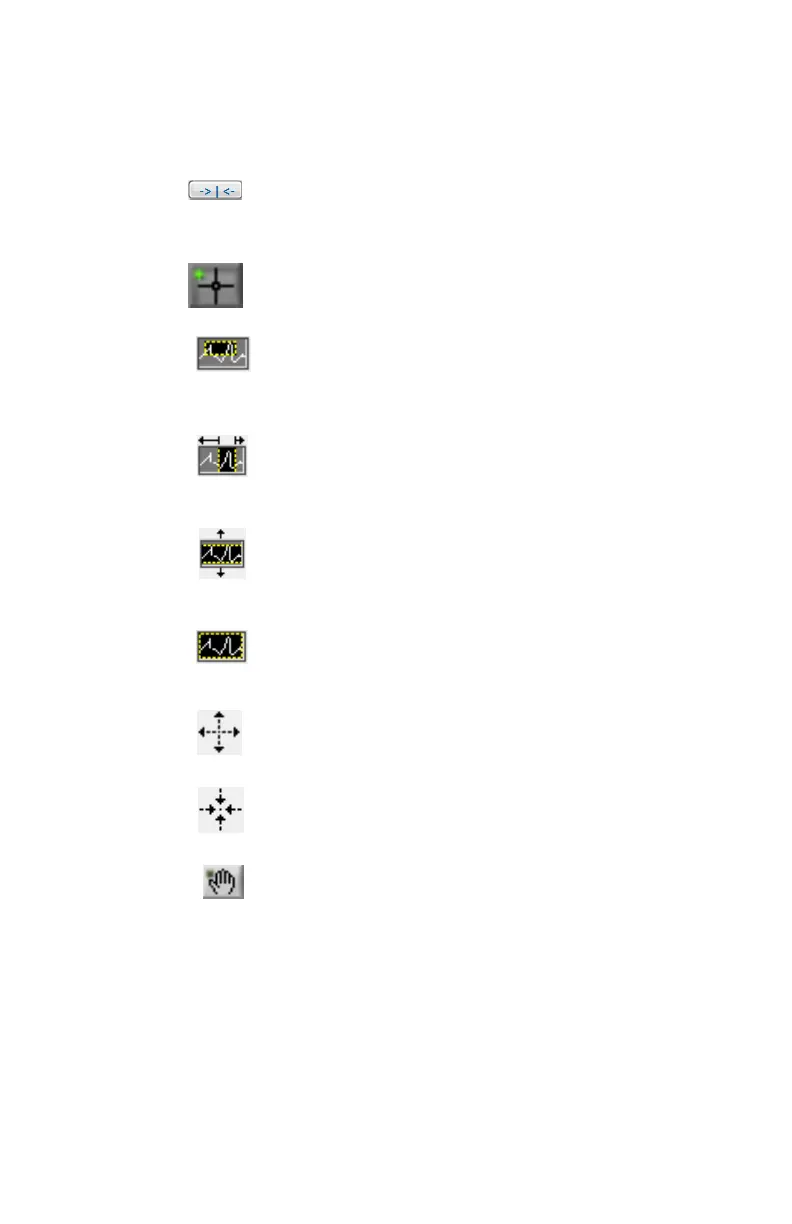
Center cursor: Click the ‘’cursor home’’ buttons to bring
the cursor to center of current window.
Cursor: Used to move cursors on the horizontal axis.
Free magnifier: Used to select and zoom on a particular
area in the graph.
Horizontal magnifier: Magnifies the signal on the time axis
(horizontal).
Vertical magnifier: Magnifies the signal on the amplitude
axis (vertical).
Original view: Automatically adjust the zoom to its default
values where the entire signals are viewable.
Zoom in: Zoom in based on the cursor location.
Zoom out: Zoom out based on the cursor location.
Pan: Pan the signal view.
A 3-dimension graphical representation of the transformer tank outline is
present on the bottom left area where the four acoustic sensors are
represented as green dots. Vectors and pinpoints will also be displayed on this
3-dimension graph.


 To Next Page