69
3. Convenient Features
Toview3Dimages,seepage67.
Select[COMPUTER],[HDMI1],[HDMI2],or[VIDEO].
NOTE:
• Themaximumdistanceforviewing3Dimagesis10m/394inchesfromthescreensurfaceunderthefollowingrestrictions:
- Brightnessontheprojector:2000lumensorgreater
- Screengain:1
- Viewingposition:Facingstraighttowardsthescreencenter
- Outsidelight:None
- LCDshuttereyeglasses:DLP
®
Linkcompatible3Deyeglasses
• If3DcontentisplayedbackonyourcomputerandtheperformanceispooritmaybecausedbytheCPUorgraphicschip.Inthis
caseyoumayhavedifcultyseeingthe3Dimagesastheywereintended.Checktoseeifyourcomputermeetstherequirements
providedinyouruser’smanualincludedwithyour3Dcontent.
• TheDLP
®
LinkcompatibleLCDshuttereyeglassesallowyoutoview3Dimagesbyreceivingsynchsignals,whichareincluded
inlefteyeandrighteyeimages,reectedfromthescreen.Dependingonenvironmentsorconditionssuchastheambientbright-
ness,screensizeorviewingdistance,theLCDshuttereyeglassesmayfailtoreceivesynchsignals,causingpoor3Dimages.
• Whenthe3Dmodeisenabled,theKeystonecorrectionrangewillbenarrower.
• Whenthe3Dmodeisenabled,thefollowingsettingsareinvalid.
[WALLCOLOR],[PRESET],[REFERENCE],[COLORTEMPERATURE]
• Refertothe[SOURCE]screenunderthe[INFO.]menuforinformationonwhethertheinputsignalis3Dcompatible.
• Signalsotherthanthoselistedin“CompatibleInputSignalList”onpage143willbeoutofrangeorwillbedisplayedin2D.
Using a 3D emitter
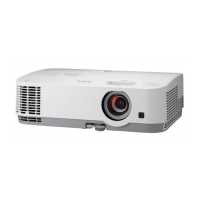
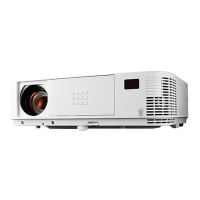
Thisprojectorcanbeusedtowatchvideosin3Dusingcommercially-availableactiveshutter-type3Deyewear.In
ordertosynchronizethe3Dvideoandeyewear,acommercially-available3Demitterneedstobeconnectedtothe
projector(ontheprojectorside).
The3Deyewearreceivesinformationfromthe3Demitterandperformsopeningandclosingontheleftandright.
3Deyewearand3Demitterpreparations
Pleaseuseanactiveshutter-type3DeyewearthatconformswiththeVESAstandard.
Acommercially-availableRFtypemadebyXpandisrecommended.
3D eyewear ������������ Xpand X105-RF-X2
3D emitter
�������������� Xpand AD025-RF-X1
Connectyour3Demittertothe3DSYNCconnectoroftheprojector.
NOTE:
• Useanactiveshutter3Deyewear(compliancewithVESA)
• ChecktheoperatingconditionsdescribedintheusermanualoftheBlu-rayplayer.
• PleaseconnecttheDINterminalofthe3Demittertothe3DSYNCoftheprojector.
• The3Deyewearallowsvideostobeviewedin3Dbyreceivingsynchronizedopticalsignalsoutputfromthe3Demitter.Asaresult,
the3Dimagequalitymaybeaffectedbyconditionssuchasthebrightnessofthesurroundings,screensize,viewingdistance,
etc.
• Whenplayinga3Dvideosoftwareonacomputer,the3DimagequalitymaybeaffectedifthecomputerCPUandgraphicschip
performancearelow.Pleasechecktherequiredoperatingenvironmentofthecomputerthatisstatedintheoperatingmanual
attachedtothe3Dvideosoftware.


 To Next Page