EasyManua.ls Logo

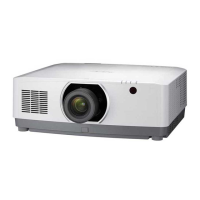
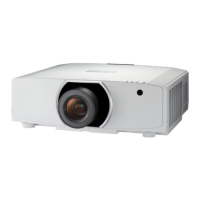
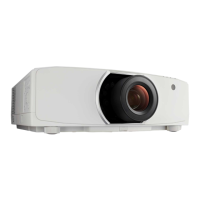
NEC PA723U - User Manual

NEC PA723U
208 pages
Print Icon
To Next Page IconTo Next Page
Loading...
Projector
PA803U/PA723U/PA653U/
PA853W/PA703W/PA903X
Users Manual
Please visit our web site for User’s Manual in the latest version:
http://www.nec-display.com/dl/en/pj_manual/lineup.html
• ThePA723UandPA703WarenotdistributedinNorthAmerica.
ModelNo.
NP-PA803U/NP-PA723U/NP-PA653U/NP-PA853W/NP-PA703W/NP-PA903X

Table of Contents

Questions and Answers

  • K
    Kara CruzAug 19, 2025
    Why won't my NEC PA723U turn on?
    • W
      wrightmelissaSep 12, 2025
      If your NEC Projector doesn't turn on, it might be due to its internal temperature being too hot or too cool as a protective measure. Wait a moment and try turning it on again. Also, the lamp may fail to light. Wait a full minute and then turn on the power again. If you're using the projector at high altitudes (approximately 5500 feet/1700 meters or higher), make sure to set the [FAN MODE] to [HIGH ALTITUDE] to prevent overheating.
  • J
    John WeberAug 23, 2025
    How to fix NEC Projector remote control that is not working?
    • D
      Deanna DoyleAug 23, 2025
      If the remote control for your NEC Projector isn't working, try these steps: * Install new batteries. * Ensure there are no obstructions between the remote and the projector. * Make sure you are within 40 m/1575 inch of the projector.
  • J
    Joseph ConwayAug 26, 2025
    Why does my NEC Projector keep turning off?
    • H
      Henry AcostaAug 26, 2025
      If your NEC Projector keeps turning off, make sure that the [OFF TIMER], [AUTO POWER OFF], and [PROGRAM TIMER] settings are disabled.
  • S
    Sheila BondAug 27, 2025
    How to fix a blurred picture on NEC PA723U?
    • H
      heidigonzalezAug 28, 2025
      If the picture on your NEC Projector is blurred: * Adjust the focus. * Reposition the projector to improve its angle to the screen. * Ensure that the distance between the projector and screen is within the adjustment range of the lens. If the lens has been shifted beyond its guaranteed range or there is condensation on the lens, let the projector stand until the condensation clears.
  • K
    Kyle SandersAug 29, 2025
    How to correct an image that isn't square on my NEC PA723U?
    • E
      Eric MossAug 29, 2025
      If the image from your NEC Projector isn’t square to the screen, try repositioning the projector to improve its angle. If the image is trapezoidal, use the [GEOMETRIC CORRECTION] feature.
  • S
    stevenallenSep 1, 2025
    Why does the picture on my NEC PA723U Projector suddenly become dark?
    • S
      Sarah ThomasSep 1, 2025
      If the picture on your NEC Projector suddenly becomes dark, it might be in Forced ECO mode due to high ambient temperature. Try lowering the internal temperature by selecting [HIGH] for [FAN MODE].
  • J
    James GalvanSep 3, 2025
    How to stop image scrolling on NEC PA723U Projector?
    • A
      Antonio CopelandSep 3, 2025
      If the image on your NEC Projector is scrolling vertically or horizontally, check the computer’s resolution and frequency. You can also manually adjust the computer image using the Horizontal/Vertical settings in the [IMAGE OPTIONS].
  • N
    Natalie BarnesSep 5, 2025
    How to fix unusual color on NEC PA723U Projector?
    • M
      Megan TurnerSep 5, 2025
      If the color tone or hue on your NEC Projector seems unusual, check if an appropriate color is selected in [WALL COLOR]. You can also adjust the [HUE] setting in [PICTURE].
  • L
    Laura BryantSep 7, 2025
    How to resolve screen flicker on NEC Projector?
    • N
      Nichole BrownSep 7, 2025
      If a flicker appears on the screen of your NEC Projector, and you are using it at altitudes less than approximately 5500 feet/1700 meters, setting the [FAN MODE] to [HIGH ALTITUDE] can cause the lamp to overcool. Set the [FAN MODE] to a mode other than [HIGH ALTITUDE].
  • M
    Mitchell DodsonSep 9, 2025
    What to do if my NEC Projector is in sleep mode?
    • H
      Henry GeorgeSep 9, 2025
      To wake up your NEC Projector from sleep mode, simply press any button on the device or remote.

NEC PA723U Specifications

General IconGeneral
Resolution1920 x 1200 (WUXGA)
Display Type3LCD
Projection System3LCD
Contrast Ratio10000:1
ConnectivityHDMI, VGA, USB
Lens ShiftVertical: +/- 60%
Output ConnectorsHDMI, VGA
Noise Level37 dB (Normal mode), 32 dB (ECO mode)
Power Consumption320W (Eco)

Related product manuals