28
3. Convenient Features
❺ Using 4-Point Corner to Correct Keystone Distortion
[CORNERSTONE]
Usethe[CORNERSTONE]and[PINCUSHION]featurestocorrectkeystone(trapezoidal)distortiontomakethetop
orbottomandtheleftorrightsideofthescreenlongerorshortersothattheprojectedimageisrectangular.
Before performing correction
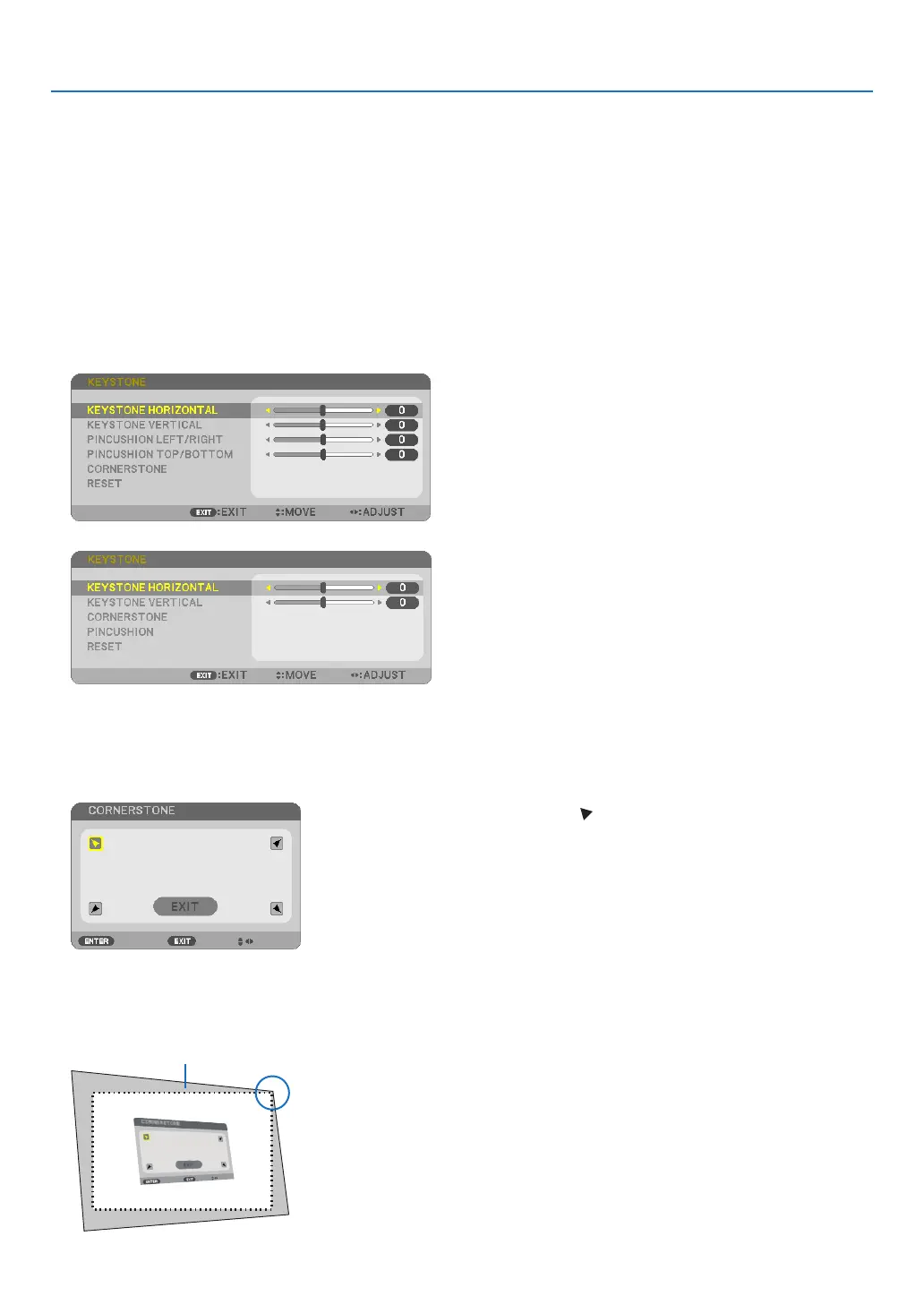
TheKEYSTONEcorrectionhasfeatures,KEYSTONE(HORIZONTAL/VERTICAL),PINCUSHION,andCORNERSTONE.
IfthevalueofeitherCONERSTONEorPINCUSHIONhascorrected,KEYSTONEHORIZONTALandKEYSTONE
VERTICALaredisabled.Inthiscase,RESETthecorrectedvaluesandrestarttocorrectdistortion.
Cornerstone
1. PresstheKEYSTONEbuttonwithnomenudisplayed.
[P554W/P474W/P604X/P603X/PE523X]
[P554U/P474U]
The KEYSTONE screen will be displayed.
• PresstheKEYSTONEbuttonwhenusingtheremotecontrol.
• SeepageforPINCUSHION.
2. Press the ▼buttontoselect[CORNERSTONE]andpresstheENTERbutton.
The drawing shows the upper left icon ( ) is selected.
The CORNERSTONE screen will be displayed.
3. Project an image so that the screen is smaller than the area of the raster.
4. Pick up any one of the corners and align the corner of the image with a corner of the screen.
Projected image
The drawing shows the upper right corner.



 To Next Page