50
4. Using the Viewer
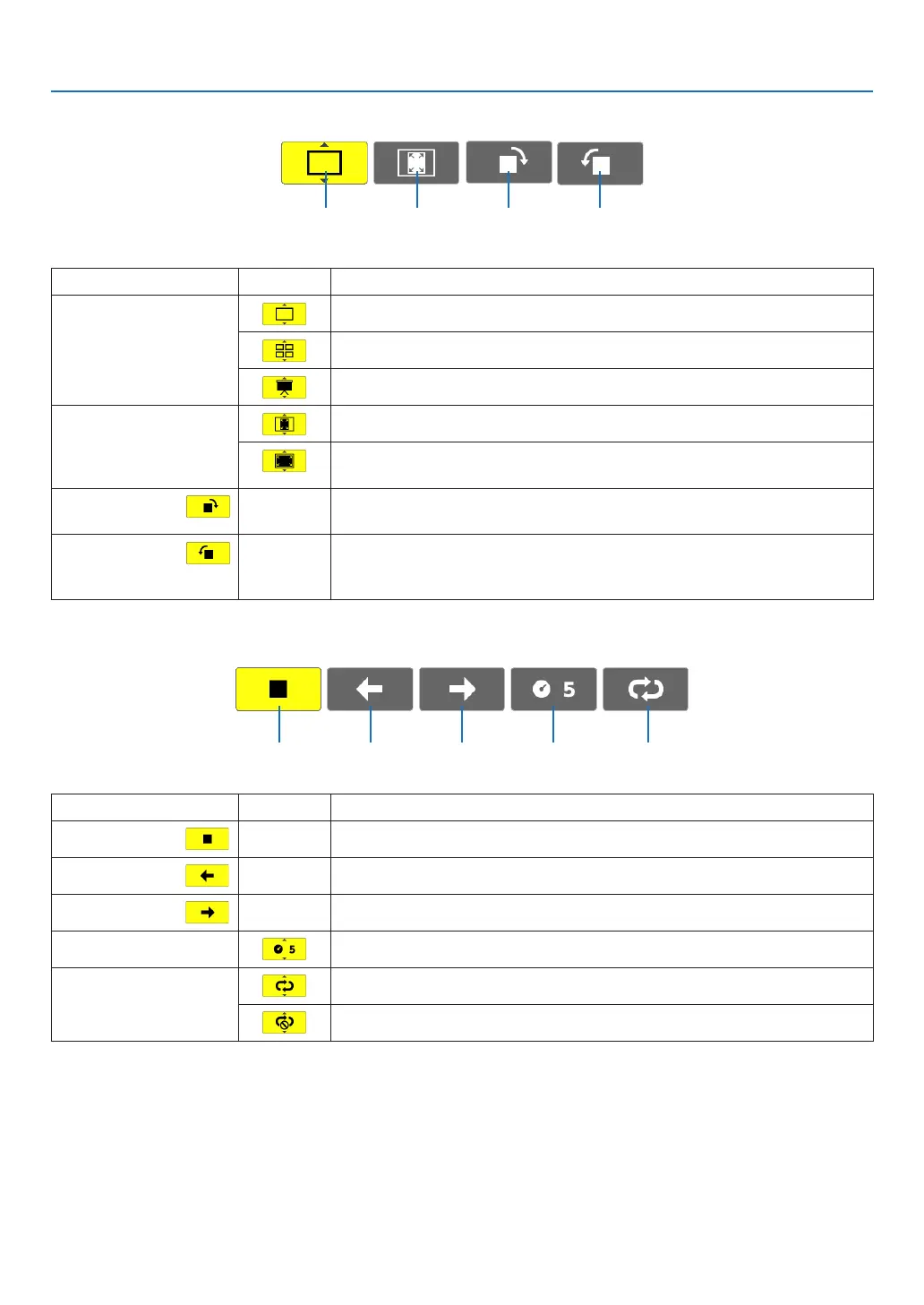
Slide toolbar
Menu Options Description
(1)Display
Closesthemenuandswitchestotheslidescreen.
Closesthemenuanddisplaysthethumbnailscreen.
Closesthemenuandstartstheslideshowfromthehighlighteditem.
(2)Imagedis-
play
Closesthemenuanddisplaystheimageinitsactualsize.
Closes the menu and displays the image in the projector’s maximum
resolution.
(3)Clockwise
rotation
— Closethemenuandrotatetheimage90°clockwise.
(4)Counter-
clockwise
rotation
— Closethemenuandrotatetheimage90°counterclockwise.
Slideshowtoolbar
Menu Options Description
(1)Stop
— Closesthemenuandchangestotheslidescreen.
(2)Back
— Goesbacktothepreviousimage.
(3)Forward
— Goestothenextimage.
(4)Interval
Speciesintervaltimewhenplayingbacktheslides.
(5)Repeat
Repeatstoplaybacktheimagesinthefolder.
Returnstothethumbnailscreen.
TIP:
• Apictureiconatthecenterofthescreenshowsthatthelecannotbedisplayedintheslidescreenorthumbnailscreen.
• Slidetoolbarsettingforrotationwillbecancelledifthefolderismovedfromoneplacetoanother.
(1) (2) (3) (4)
(1) (2) (3) (4) (5)



 To Next Page