1-10 System Overview
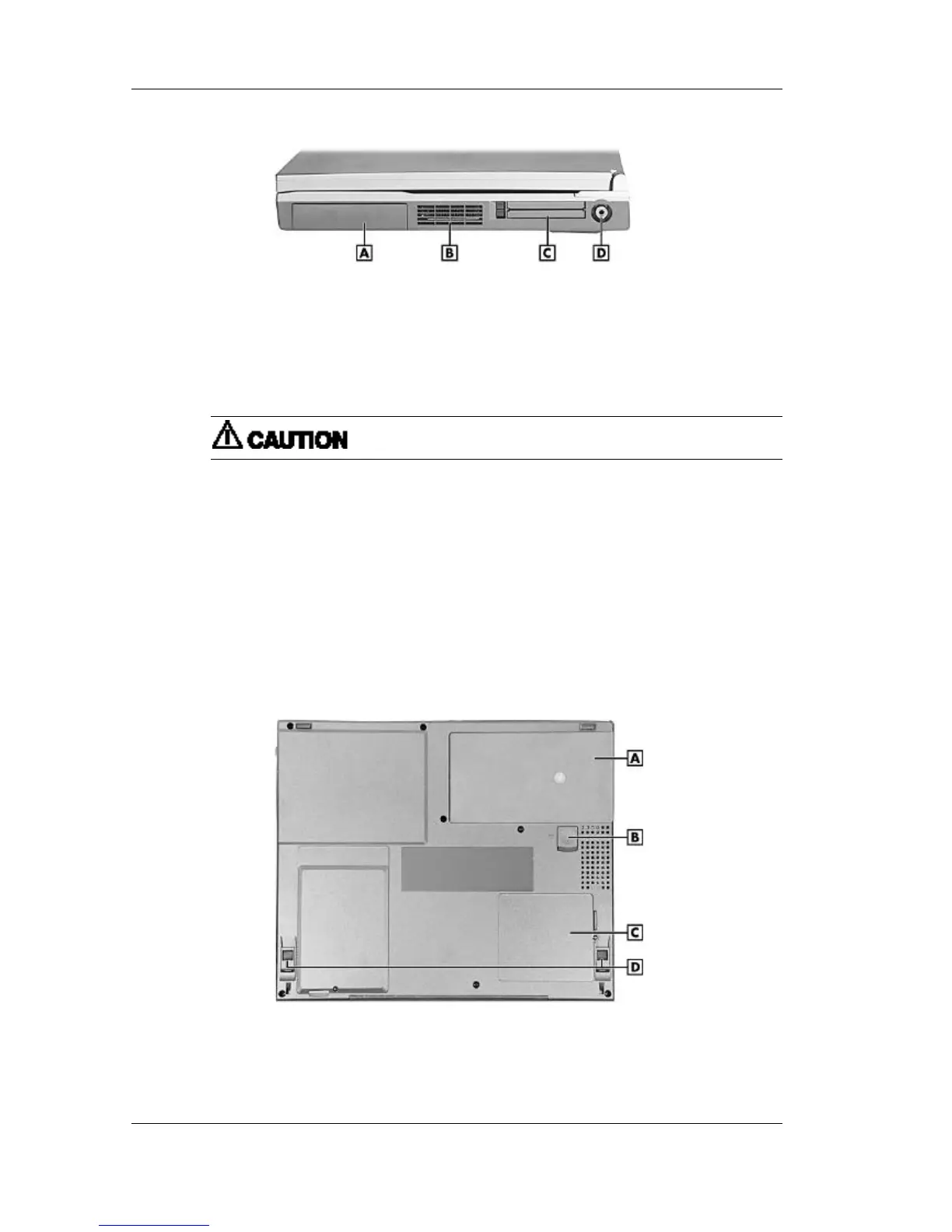
Right side features
A – Battery Bay C – PC Card Slots
B – Fan D – TV Out
n Battery Bay — Depending upon the model, the battery bay contains a rechargeable
Nickel-Metal-Hydride (NiMH) or Lithium-Ion (Li-Ion) battery pack.
n Fan — Allows your system to cool properly and maintain a safe operating environment.
Do not block the fan while the Versa Note VX is in use.
n PC Card Slots — Two PC card slots allow you to insert two Type II PC cards or one
Type III PC card in the bottom slot. Card BUS cards are supported and Zoom Video is
supported in the top slot.
n TV Out — Allows you to connect to a television.
Around the Bottom of the System
The bottom of the Versa Note VX offers the following features. The features are described after
the figure.
Bottom features
A – Battery Bay C – Memory Module Bay Cover
B – Battery Release Latch D – Tilt Foot



 To Next Page