3-4 Disassembly and Reassembly
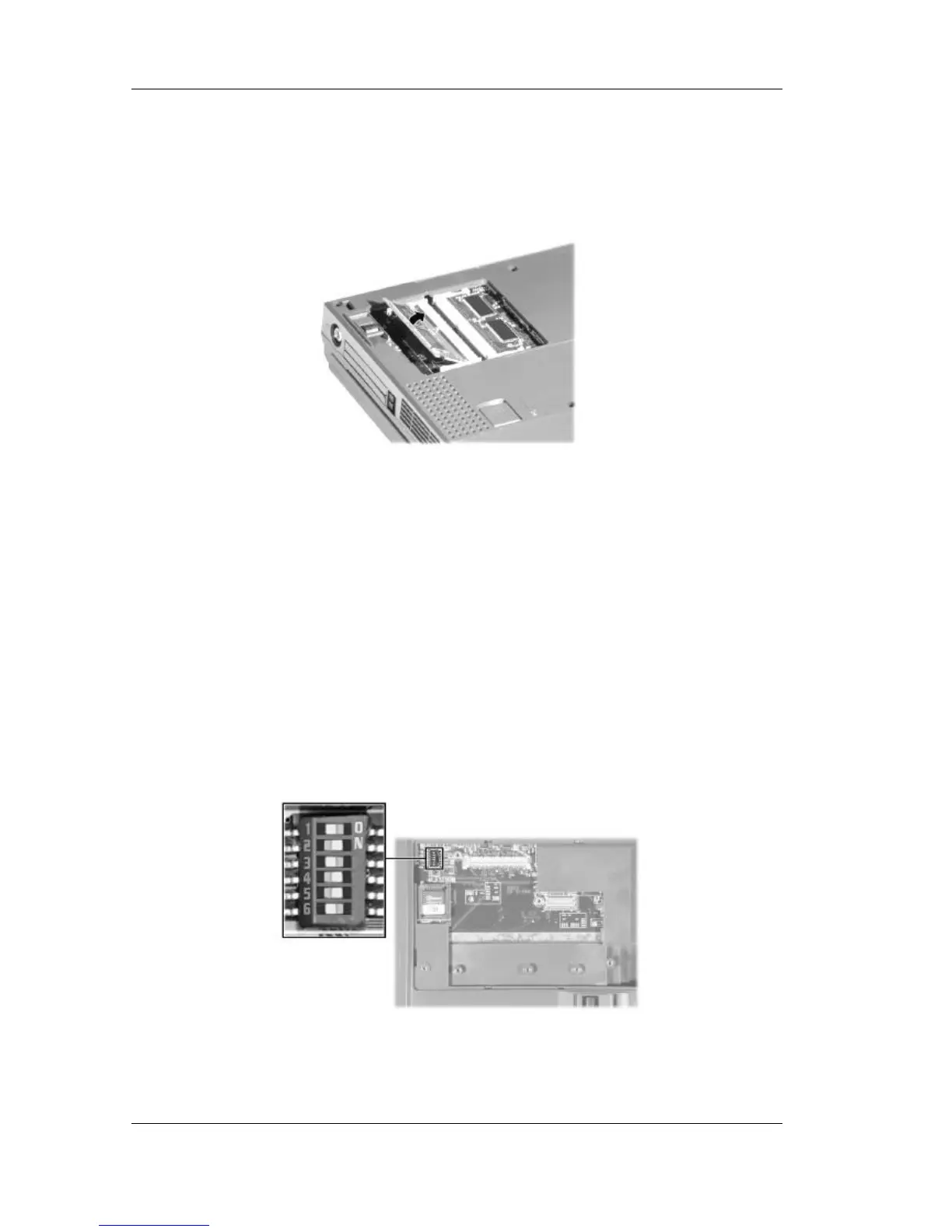
4. Locate the memory module slot.
5. To remove a SO-DIMM, press the locking tabs away from the sides of the module until the
module pops up. Then, remove the SO-DIMM.
Removing the memory module
Switch Settings
A six-position dip switch is located on the bottom of the system. The switch is accessible by
removing the access panel beneath the CD-ROM drive. The following list identifies each switch
setting and its function.
n Switch 1, Password override — The default setting is “OFF.” If you forget your
password and cannot access the data on your Versa, change the setting to “ON” and
your current password is erased.
n Switch 2 — Keyboard select; Default is “ON” for U.S. 85 key keyboard.
n Switch 3 — Reserved for factory use; Default is “OFF.”
n Switch 4 — Keyboard select; Default is “ON” for U.S. 85 key keyboard.
n Switch 5 — Password enable; Default is “ON” (enabled).
n Switch 6 — Logo select; Default is “OFF” for U.S.
Default switch settings



 To Next Page