Disassembly and Reassembly 3-7
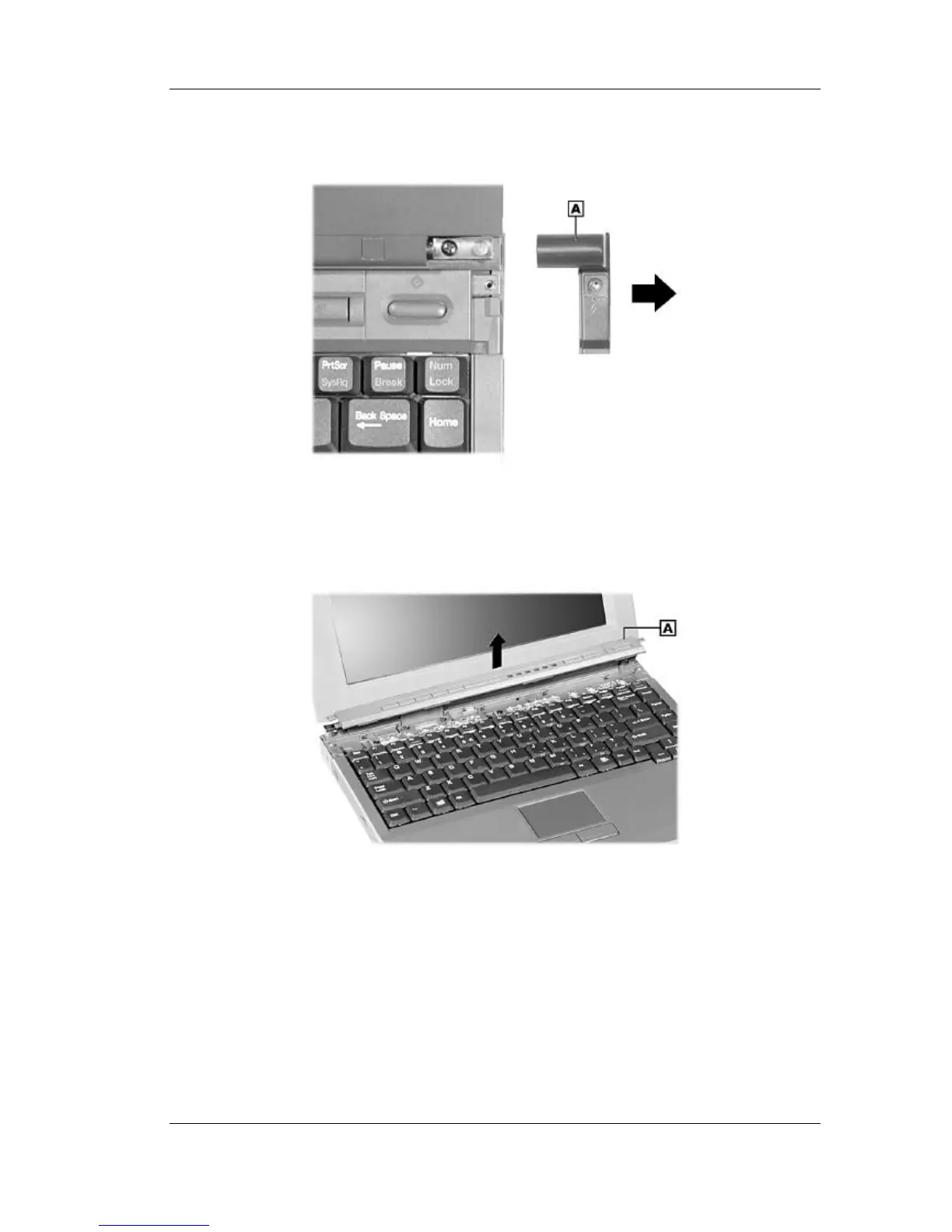
3. Slide each hinge cover toward the outside edge of the system and remove.
Removing the hinge covers
A – Hinge Cover
4. Lift the LED/button assembly away from the system.
Removing the LED/button assembly
A – LED/Button Assembly
LCD Panel
Use the following steps to remove the LCD panel.
1. Remove the LED/button assembly from the system.
2. Close the LCD panel and turn the system over.



 To Next Page