3-20 Disassembly and Reassembly
Main Board
Follow these steps to remove the main board.
1. Remove the LCD panel, keyboard, heat plate, top cover, audio board, I/O board, diskette
drive, and Kensington lock latch from the system.
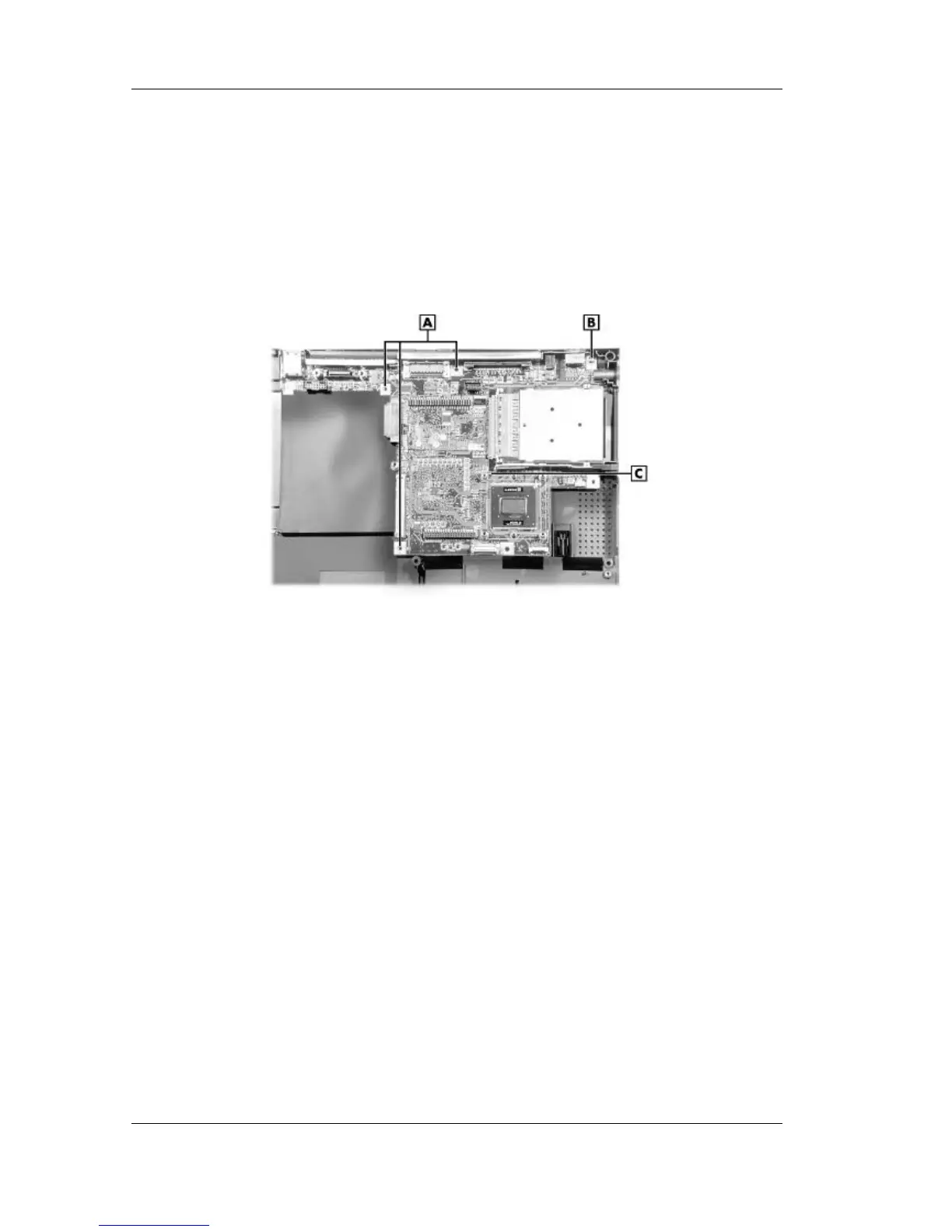
2. Locate and remove the four screws that secure the main board to the base assembly. Use the
needle-nose pliers to remove the three hex screws.
Removing the main board screws
A – Hex Screws C – Main Board
B – Screw
3. Lift the main board out of the base assembly.
Celeron/Pentium II Removal
Follow these steps to remove the
Celeron/Pentium II CPU.
1. Remove the LCD panel, keyboard, heat plate, top cover, audio board, I/O board, diskette
drive, Kensington lock latch, and main board from the system.



 To Next Page