21
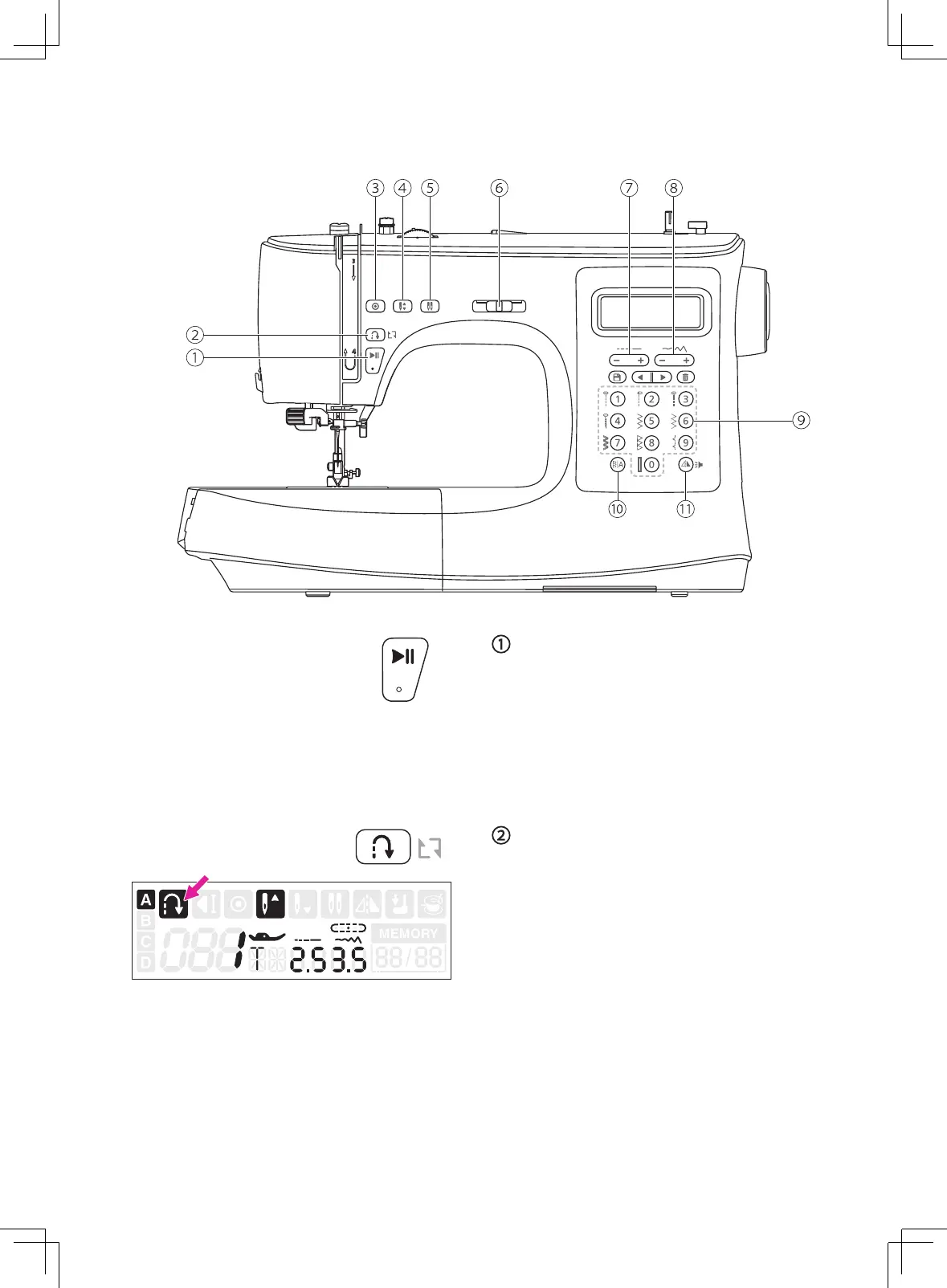
Operation buttons
Start/stop button
Press the start/stop button to start machine
running. Press the start/stop button again to
stop machine.
This way you may operate the machine
without foot control.
Reverse button
When the A-Direct Pattern Group number
1-5 or B-Regular Pattern Group number 000
is selected, the machine will sew reverse at
a low speed if the reverse button is pressed.
The machine will sew forward after the button
is released.
When the A-Direct Pattern Group number
6-9 or B-Regular Pattern Group number 001-
007 or 021-105 is selected, the machine will
immediately sew 3 locking stitches when the
reverse button is pressed, then automatically
stop.
The LCD screen will display the reverse icon.


 To Next Page