31
v
Editing stitches
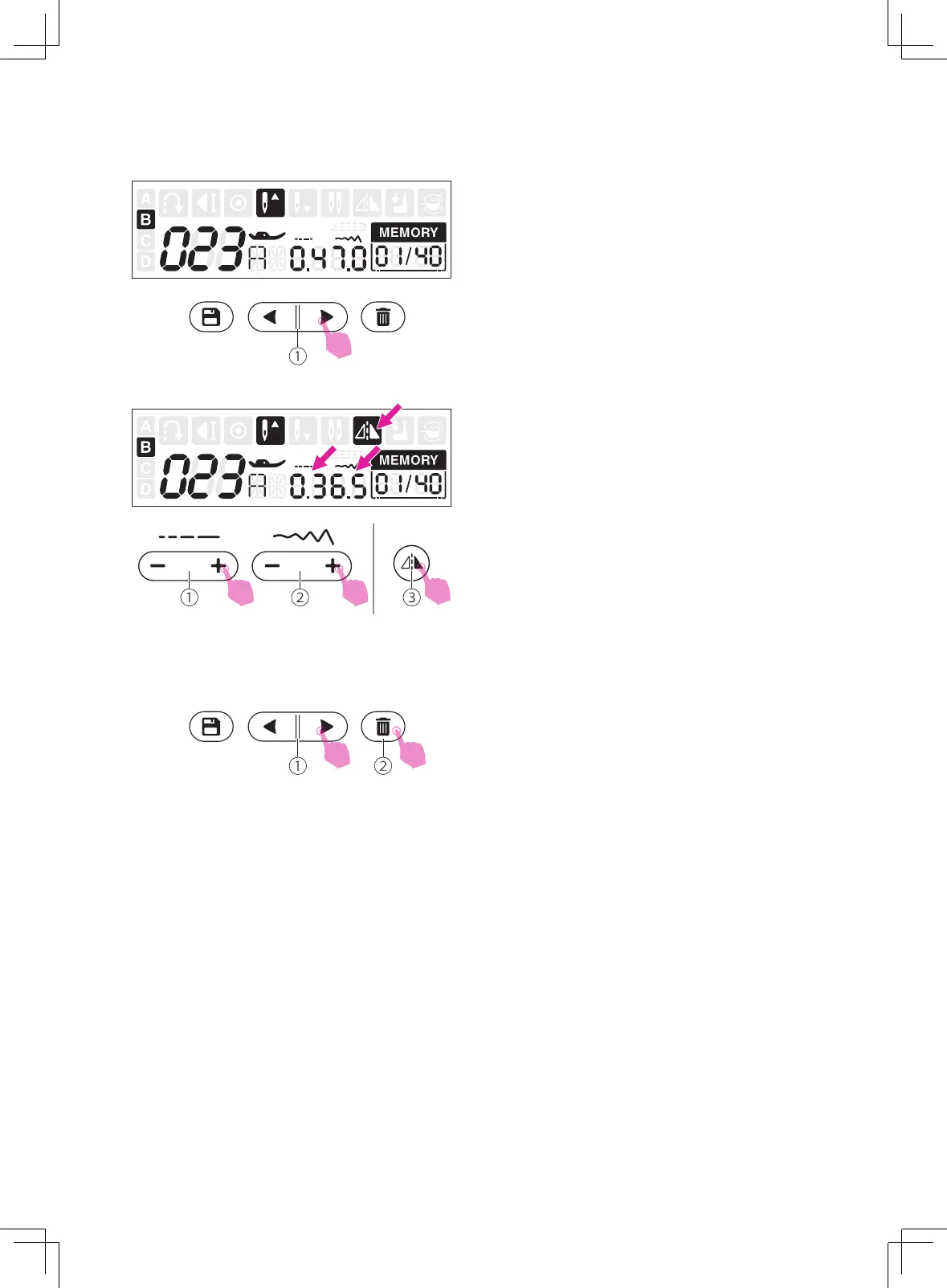
Use the memory stitch selecting button "left"
or "right" to select the stitch to edit.
①
Memory stitch selecting button
v
Clearing stitches
Use the memory stitch selecting button "left"
or "right" to select the stitch that you want to
clear.
Press the clear button to delete the selected
stitch and the next stitch in the back will move
forward.
①
Memory stitch selecting button
②
Clear button
The stitch length, stitch width and mirror of
the stitches can be adjusted manually.
①
Stitch length adjustment button
②
Stitch width adjustment button
③
Mirror button


 To Next Page