27
Selecting stitch
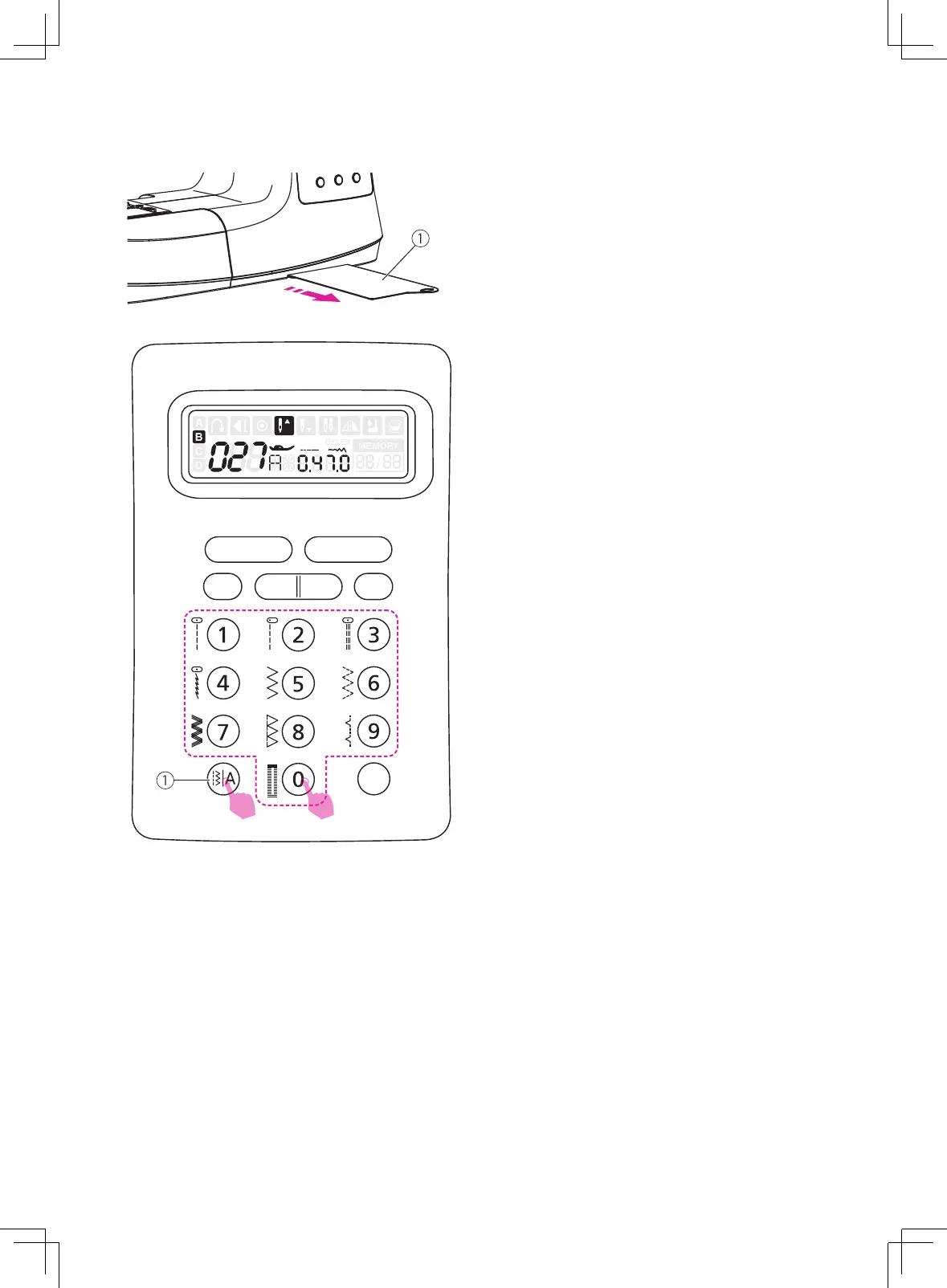
Select the desired stitch from those shown on
the stitch pattern plate.
①
Stitch pattern plate
The LCD screen will be set at A-Direct
Pattern Group. By pressing the pattern group
switch button to select the stitch mode.
①
Pattern group switch button
1
2
Press 2 or 3 digits under the pattern group
which selection.
A-Direct Pattern Group:
Use the numeric buttons 0-9 to select the
most often used stitches.
B-Regular Pattern Group:
Refer to stitch pattern plate, use the number
buttons 0-9 to select the preference stitches.
C-Alphabet Group-Block style:
Refer to stitch pattern plate, use the number
buttons 0-9 to select the preference
alphanumeric stitches.
D-Alphabet Group-Script style:
Refer to stitch pattern plate, use the number
buttons 0-9 to select the preference
alphanumeric stitches.


 To Next Page