32
v
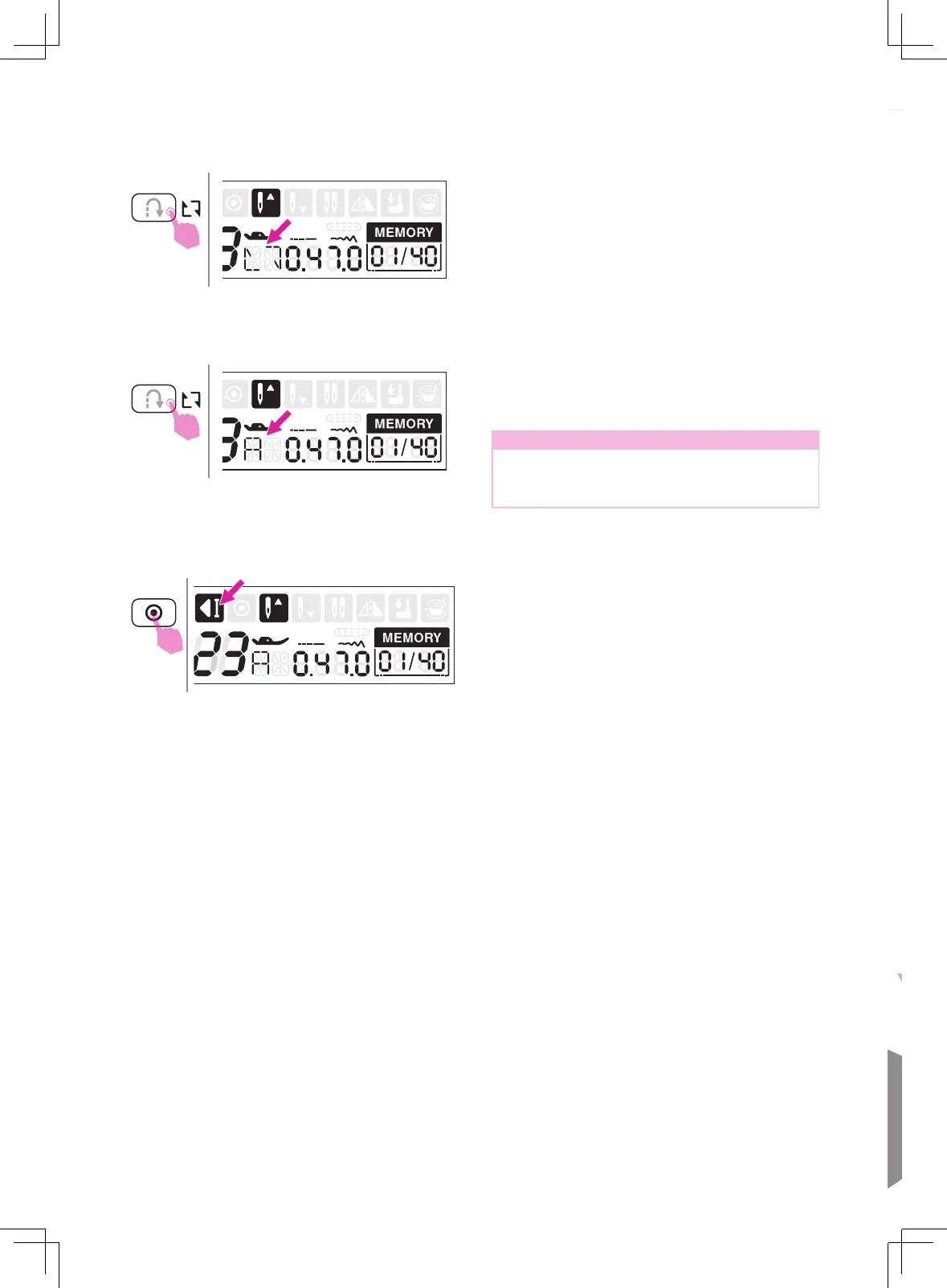
Repeat setting
Under the memory mode, the reverse
button is using for repeat sewing. The stitch
combination can be sewn continuously if the
icon appeared.
Press the reverse button again to cancel
repeat sewing function, the icon will be
disappeared on LCD screen.
Note
The repeat sewing function setting returns
to off as its default setting while leave the
memory mode.
During machine is sewing, the machine
will sew 3 locking stitches at the end of the
current stitch if the auto-lock button pressed.
Then it will stop automatically. The LCD
screen will display the auto-lock icon. If
pressing the start/stop button again, it will
sew from the next stitch.


 To Next Page