25
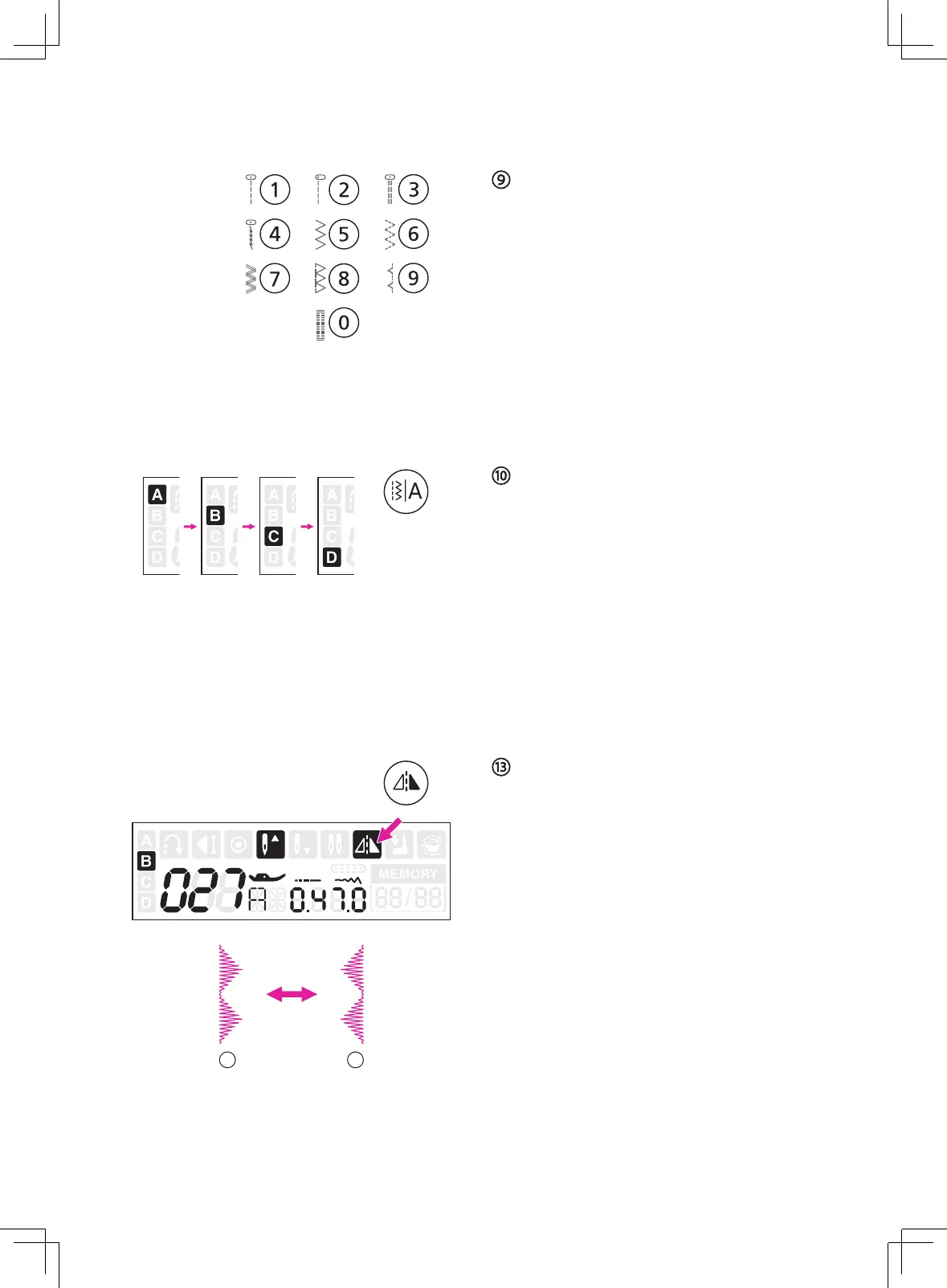
Direct stitch selection and number
buttons
Under A-Direct Pattern Group, press the
buttons to select the direct stitches shown
beside the number buttons.
Under B-Regular Pattern Group and Alphabet
Groups, refer to the stitch pattern plate and
use the number buttons 0-9 to select the
preference stitches.
Pattern group switch button
When machine is turned on, the LCD screen
will be set at A-Direct Pattern Group. By
pressing the pattern group switch button to
select the pattern group:
A-Direct Pattern Group
→
B-Regular Pattern Group
→
C-Alphabet Group-Block style
→
D-Alphabet Group-Script style
→
Mirror button
The mirror function is to create the horizontal
mirror image of selected stitch.
Except the A-Direct Pattern Group number
0, the B-Regular Pattern Group number 008-
020, C-Alphabet Group and D-Alphabet
Group, the other stitchs can be mirror imaged
by pressing the mirror button.
The LCD screen will display the mirror icon
and the machine will continue to sew the
mirror stitch until the mirror button is pressed
again.
The mirror function also will be canceled if the
s
titch changed.
①
Normal stitch
②
Mirror image stitch
1 2


 To Next Page