EasyManua.ls Logo

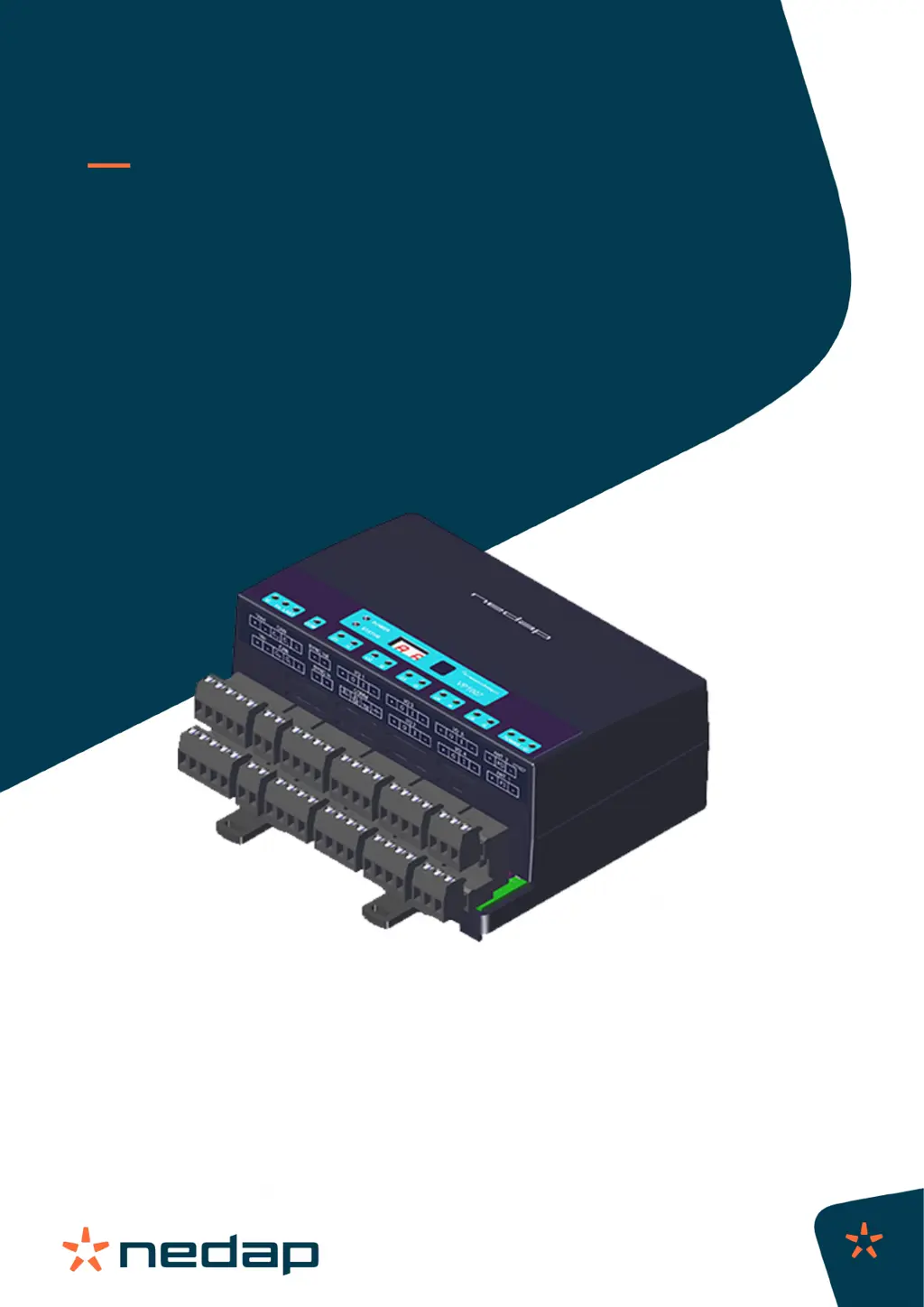
Nedap VP1007-B - User Manual

Nedap VP1007-B
34 pages
Print Icon
To Next Page IconTo Next Page
Loading...
Instruction Manual
VP1007-B
Installation manual
Version 01.000 / November 2020 / EN
Original instructions
Livestock Management

Questions and Answers

  • E
    Emily JacksonAug 16, 2025
    What to do if the current is too high in Nedap VP1007-B?
    • A
      Anthony CantrellAug 16, 2025
      If the current is too high (over 8 A) for the next V-packs, the power to the next V-pack will be switched off. To resolve this, disconnect all the next V-packs. Then, reconnect them one by one, checking the Vi LED (green) each time.
  • C
    Christina EvansAug 19, 2025
    What to do if the output voltage to the next V-pack is too low in Nedap Rfid Systems?
    • H
      Holly TurnerAug 19, 2025
      If the output voltage to the next V-pack is too low upon activation, the power to the next V-packs will be switched off. To solve this, disconnect all the next V-packs. Then, reconnect them one by one, checking the Vi LED (green) each time.
  • V
    Vincent Colon Jr.Aug 22, 2025
    What to do if CAN bus high voltage in Nedap Rfid Systems?
    • B
      Brandon MorrowAug 22, 2025
      If the CAN bus high voltage is greater than 10 V, the CAN terminator will shut off. To resolve this, check the CAN cable for any damages or shortcuts and inspect the connectors.
  • D
    Diamond MunozAug 25, 2025
    What to do if offset voltage on CAN bus too high in Nedap VP1007-B Rfid Systems?
    • J
      Jeffrey CampbellAug 26, 2025
      If there is an offset voltage on the CAN bus that is too high, check the CAN cable for damages or shortcuts and inspect the connectors.
  • N
    Nathaniel ColeAug 28, 2025
    What to do if output 1 shows an error in Nedap VP1007-B?
    • C
      Christopher NguyenAug 28, 2025
      If you are experiencing an output error on Output 1, possibly caused by error 01 to 08, check the device connected to Output 1.
  • D
    David MerrittAug 31, 2025
    What to do if output 2 shows an error in Nedap VP1007-B Rfid Systems?
    • H
      Heidi WoodAug 31, 2025
      If you are experiencing an output error on Output 2, possibly caused by error 01 to 08, check the device connected to Output 2.
  • M
    Max PowellSep 3, 2025
    What to do if output 3 shows an error in Nedap Rfid Systems?
    • L
      Laurie FuentesSep 3, 2025
      If you are experiencing an output error on Output 3, possibly caused by error 01 to 08, check the device connected to Output 3.
  • C
    Caleb SantiagoSep 6, 2025
    What to do if output 4 shows an error in Nedap VP1007-B?
    • H
      hmartinSep 6, 2025
      If you are experiencing an output error on Output 4, possibly caused by error 01 to 08, check the device connected to Output 4.
  • J
    johnsonabigailSep 9, 2025
    What to do if output 5 shows an error in Nedap VP1007-B Rfid Systems?
    • G
      gina01Sep 9, 2025
      If you are experiencing an output error on Output 5, possibly caused by error 01 to 08, check the device connected to Output 5.
  • D
    Dana VasquezSep 12, 2025
    What to do if power to next V-pack switched off in Nedap VP1007-B?
    • T
      theodoresanchezSep 12, 2025
      If the power to the next V-pack is switched off due to maximum current and time, refer to error code 13 or 19 for further guidance.

Summary

Safety Precautions and Guidelines

Symbols Used in Manual

Explains warning and information symbols used throughout the document for hazard identification.

General Safety Instructions

Provides crucial guidelines for safe installation, operation, and maintenance of the VP1007-B.

Working Environment and Animal Safety

Covers precautions for installation areas, animal proximity, and specific environmental factors like ammonia.

VP1007-B Product Introduction

Extended Functionality and Features

Details advanced features like Notch Filter and new V-pack B capabilities.

Installation Guide

Installation Requirements

Outlines necessary electrical, electromagnetic, and tool requirements for successful installation.

Mounting the VP1007-B

Step-by-step instructions for physically installing the VP1007-B unit, including V-box mounting.

Wiring and Connections

Guidance on connecting cables and understanding terminal blocks for the VP1007-B.

Configuration and Setup

Initial VP1007-B Configuration

Procedures for powering up, checking LEDs, and setting the device's logic address.

Firmware Update Procedure

Instructions on how to update the VP1007-B firmware using the Nedap Velos software.

Commissioning and Testing

Input;Output Testing

Tests to verify the functionality of inputs, outputs, and connected equipment like motors and relays.

Antenna Tuning and Adjustment

Steps to tune and adjust antennas for optimal tag read range and performance.

Tag Identification Tests

Procedures for testing the VP1007-B's ability to identify animal tags accurately.

Troubleshooting and Diagnostics

LED Indicators and Display Codes

Interpretation of LED status lights and display codes for diagnosing operational problems.

Error Codes and Solutions

Lists common error codes, their meanings, and recommended solutions for resolving issues.

Performance Issues and Interference

Guidance on identifying and mitigating external factors affecting tag identification performance.

Glossary of Terms

Technical Specifications

Handling and Disposal

Product Storage Guidelines

Recommendations for proper storage conditions to maintain product integrity.

Product Disposal Requirements

Information on the correct and environmentally compliant disposal of the VP1007-B.

Regulatory Compliance Information

FCC and ISED Compliance Statements

Details on the device's adherence to regulations from FCC and Innovation, Science and Economic Development Canada.

Compatible Antennas and CE Declaration

Lists compatible antennas and the EU Declaration of Conformity for the equipment.

Appendix and References

VP1007-B LED Indicator Guide

A detailed chart explaining the meaning of each LED on the VP1007-B reader.

VP1007-B Menu Navigation

Overview of the VP1007-B's menu structure and how to navigate its settings.

Wiring Color Coding Reference

A table mapping wire color codes to their respective functions for installation purposes.

Nedap VP1007-B Specifications

General IconGeneral
BrandNedap
ModelVP1007-B
CategoryRfid Systems
LanguageEnglish

Related product manuals