21Chapter 5 .
Messages
Messages
Use Messages to keep in touch with your friends.
• Type of messages
• Send messages
• Reply to messages
• Search for messages
• Manage your messages
• Message settings
5. 1 Type of messages
Text Messages (SMS)
The Short Messaging Service (SMS) lets you send and receive text messages to and from other mobile phones.
Multimedia Messages (MMS)
The Multimedia Messaging Service (MMS) lets you send and receive multimedia messages (such as pictures,
videos, and audio messages) to and from other mobile phones.
5. 2 Send messages
Spice up your messages by adding emoticons, images, videos, music, recordings, and more.
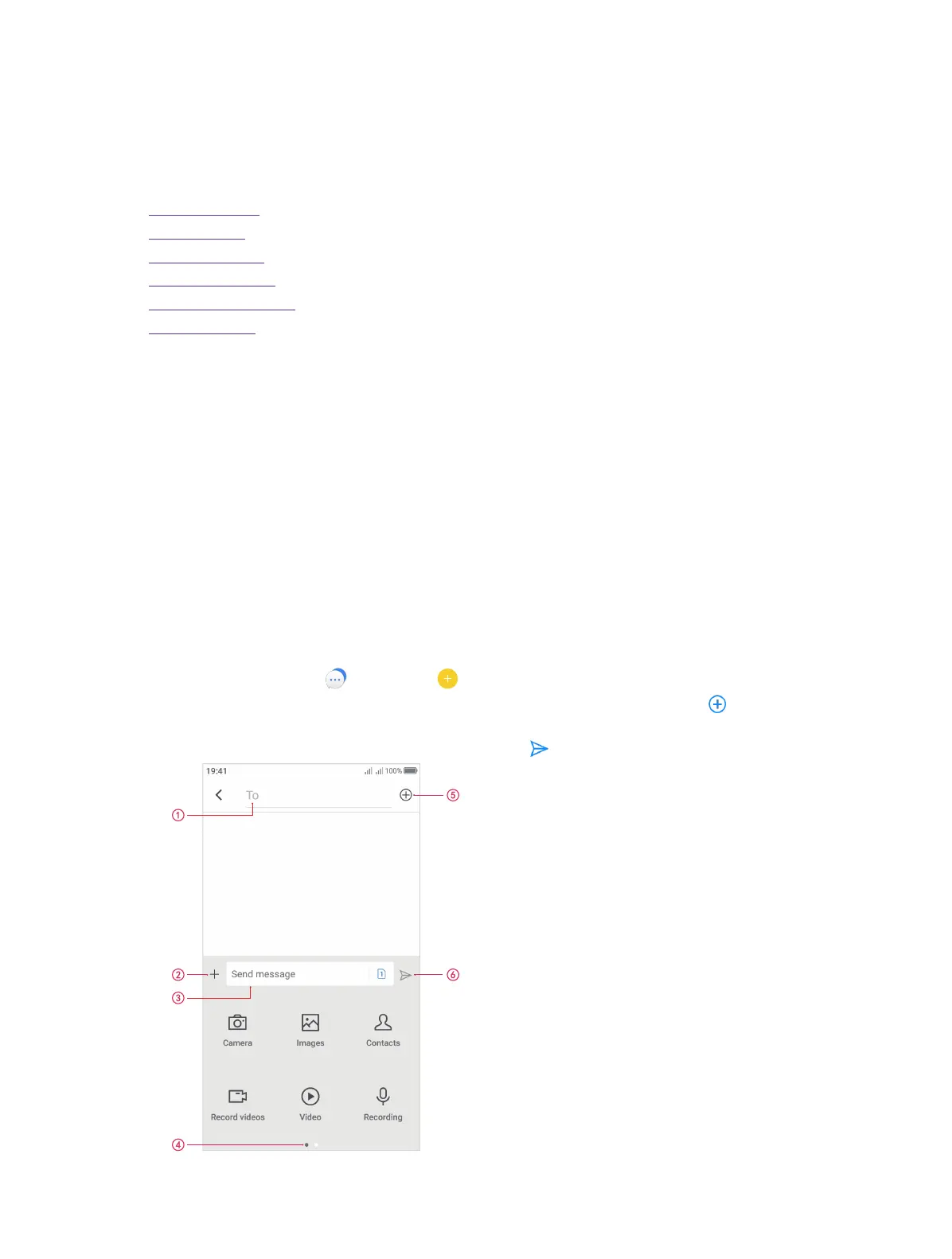
1. On the Home screen, tap Messages -> to start a new message.
2. Enter the contact name or phone number in the recipient box. You can also touch to open your
contact list and choose a contact.
3. Select the text field and enter your message, and then tap .
5



 To Next Page