33Chapter 10 .
Browser
Browser
Use your phone browser to surf the Internet and find out all that you are curious about.
• Go to a webpage
• Browser tabs
• Browser settings
10. 1 Go to a webpage
View a webpage
1. On the Home screen, tap Chrome
TM
, then tap the address bar and enter the web address you want
to visit.
2. Tap .
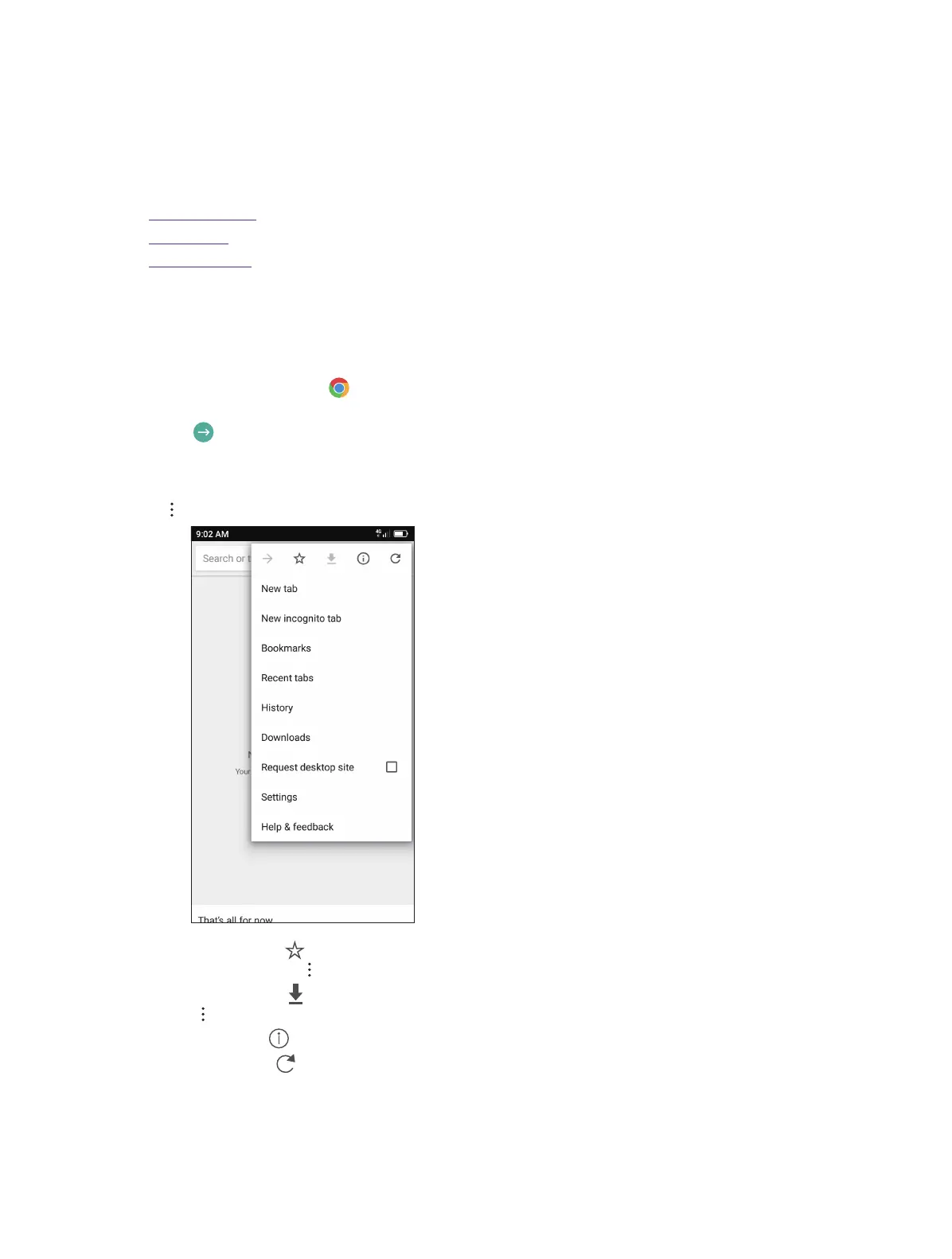
Do more options about the web page
Tap and choose the options that you want to configure.
• Add a bookmark: Tap to add a bookmark for the site you want to collect so that you can quickly find the
site next time by taping -> Bookmarks.
• Download a site: Tap to download the site you want so that you can quickly find the site next time by
taping -> Downloads.
• Check the site: Tap to check whether the website you open is safe or not.
• Refresh the site: Tap to refresh the site.
• New tab: Open a new tab.
• New incognito tab: Open a new incognito tab.
• Bookmarks: View your bookmarks.
10



 To Next Page