27Chapter 7 .
Camera and Photos
Camera and Photos
Use multiple features of your camera to capture your precious moments.
• Camera at a glance
• Take a photo
• Record a video
• Shooting modes
• Camera and video settings
• Photos
7. 1 Camera at a glance
Launch your camera
• On the Home screen: Tap Camera.
• On the Lock screen: Just swipe up.
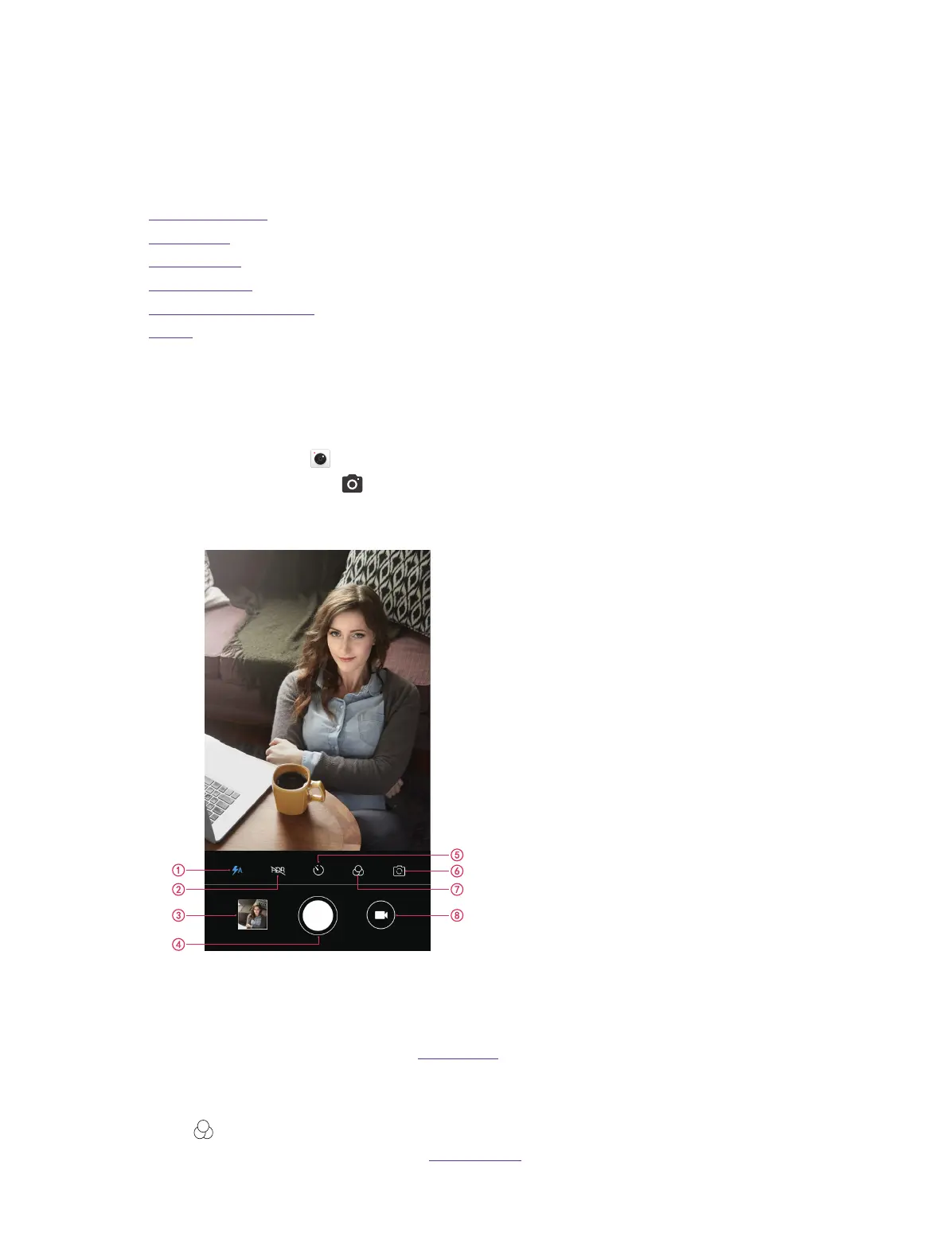
Camera home screen
1. Flash mode.
2. HDR mode.
3. View images or videos you have taken.
4. Take a photo. For more information, see Take a photo.
5. Take a timed photo. It is also available for the front camera.
6. Switch between the back camera and front camera.
7. Tap to apply a filter.
8. Record a video. For more information, see Record a video.
7



 To Next Page