46Chapter 16 .
Settings
Settings
This chapter contains the following sections.
• SIM cards
• Airplane mode
• Display
• Sounds and vibration
• Storage
• Battery
• Apps
• Location
• Accounts
• Language and input
• Backup and reset
• System updates
• Date and time
• Accessibility
• About phone
16. 1 SIM cards
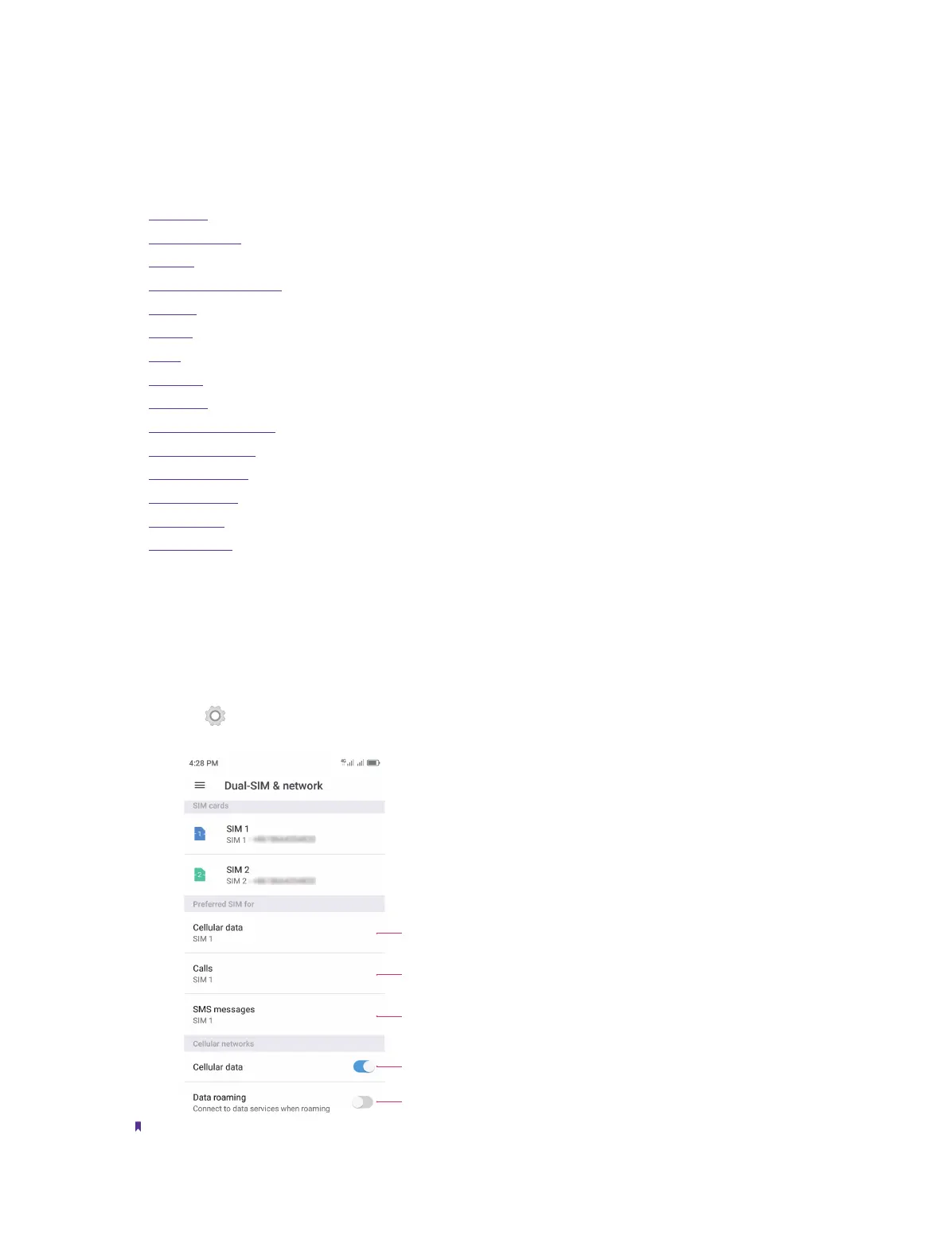
Dual SIM settings
When two SIM cards are inserted, you can configure the default card for mobile data, phone calls and SMS
messages according to your plan.
1. Go to Settings -> Dual-SIM and network.
2. Choose the preferred SIM for cellular data, calls or SMS messages.
Select default SIM for data services
Enable or disable cellular data
Enable or disable data roaming
Select default SIM for phone calls
Select default SIM for messages
Note:
1. If you disable a SIM card, you will be unable to use it to make calls, send messages, or use mobile data.
16



 To Next Page