EN
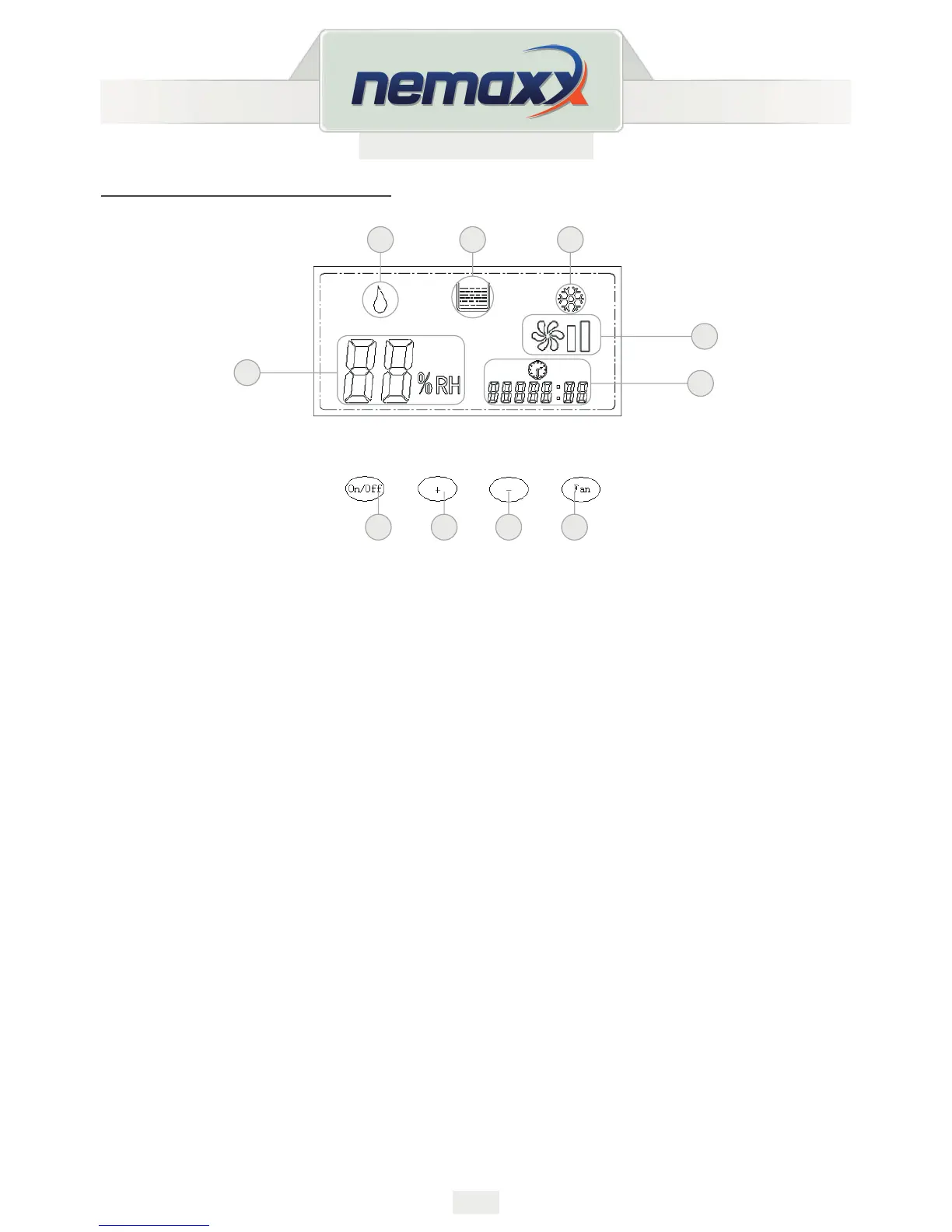
KEYS AND DISPLAY SYMBOLS
Functions of Keys:
1. On-/O-Key:
Turn the device on and o.
2. “Plus/Minus”-Keys:
Set the desired Moisture Level.
Keep pressing the plus- or minus- key (the value will run fluently towards the chosen
direction) and let go when the desired value is reached.
3. “FAN”-Key: Set the speed for the dehumidier.
A. Dehumidication Mode
B. Filling Level Indicator (Water Tank)
C. Automatic Defrosting
D. Moisture Indicator
E. Operating Hours Counter
F. On-/O-Key
G. “Rise Target Moisture”- Key
H. “Lower Target Moisture”- Key
I. Set Speed
J. Speed Display


 To Next Page