GB-21
Play from Bluetooth device
The unit has a Bluetooth function that can receive a signal within 10 metres.
Pairing the unit with a Bluetooth device to listen to music:
1.
Repeatedly press the FUNCTION button on the u
nit
or
directly
press the button on the
remote control to select the bluetooth source.
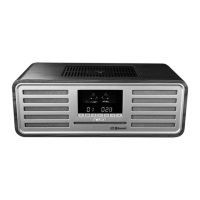
- The word “BT” will be displayed on the front panel.
2. Activate your Bluetooth device and select the search mode.
3. “MCB1533” will appear on your Bluetooth device.
4. Select “MCB1533” and enter “0000” for the password if necessary.
5. To disconnect the Bluetooth function, press and hold the PAIRING button on the remote
control or disable the function from your Bluetooth device.
Note:
• Ifthesignalstrengthisweak,yourBluetoothreceivermaydisconnect,butitwillre-enter
pairing mode automatically.
• ThisunitsupportsA2DP(AdvancedAudioDistributionProle).
Setting the Sleep Timer
Use the sleep timer to turn the unit off after a certain number of minutes when in play mode. By
setting the sleep timer, you can fall asleep to music and know that your unit will turn off by itself
rather than play all night.
When the unit is turned on, press SLEEP button repeatedly to select a set period of time (in
minutes):
- [SLEEP120]
- [SLEEP90]
- [SLEEP60]
- [SLEEP45]
- [SLEEP30]
- [SLEEP15]
When sleep timer is activated, the “
” is displayed.
To deactivate sleep timer
Press the SLEEPbuttonrepeatedlyuntil[SLEEPOFF]isdisplayed.
When sleep timer is deactivated, the “ ” is disappears.


 To Next Page