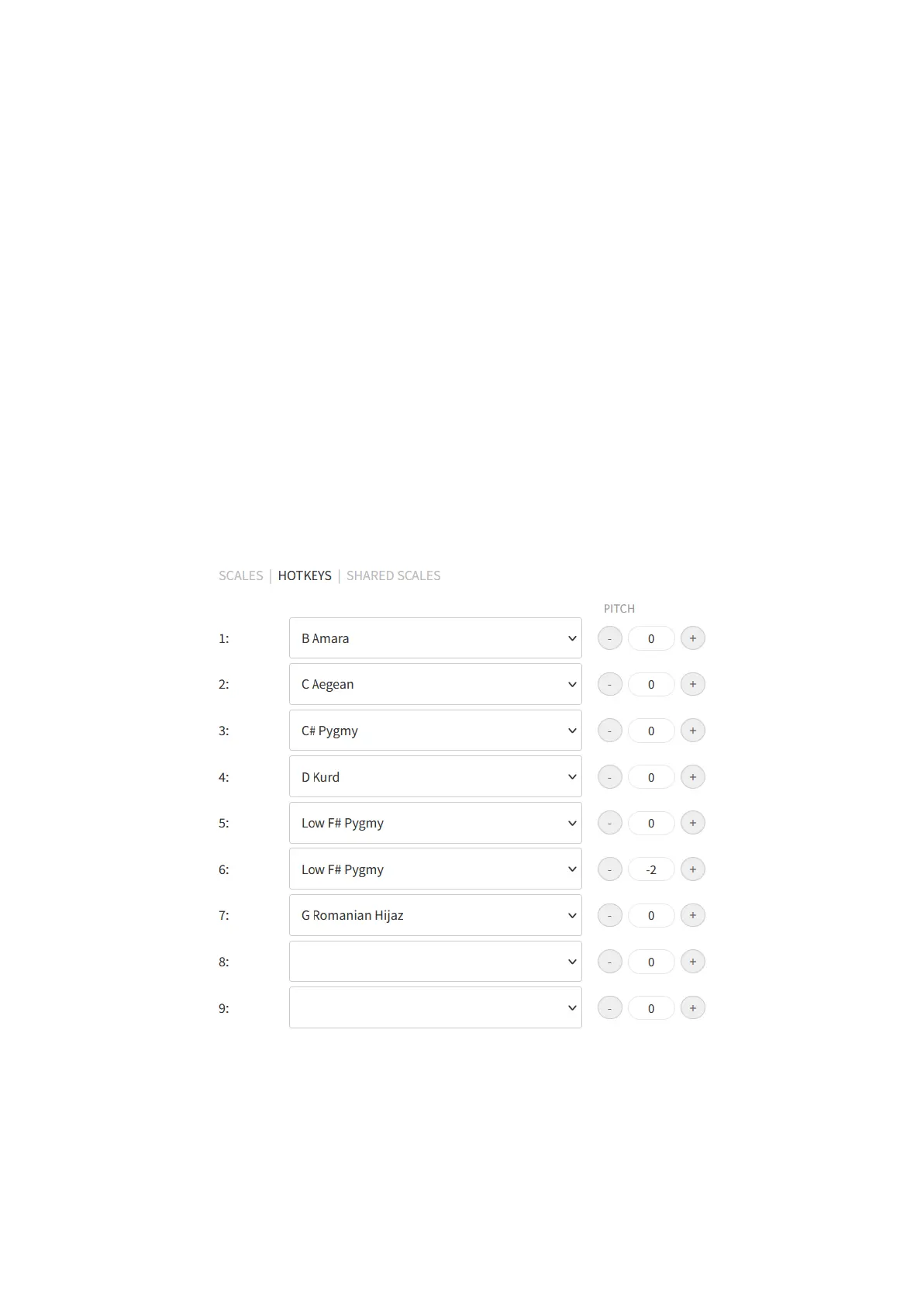
HOTKEY editing
When you are editing the hotkeys of the instrument you can set yourself an easy, offline way
to swap between the scales of the instrument. When you are in the SCALES menu point
simply select the HOTKEYS submenu on the top of the page to begin the editing of the
hotkeys of the instrument.
The usage of the hotkeys is very easy: you just need to press the dome and one of the
tonefields at the same time for 2 seconds. Following this, the loading of a scale will begin.
Each tonfield can bear a separate scale which you can edit and set in the HOTKEYS
submenu. All together you can set hotkeys to nine scales, each for one from the nine
tonefields of the instrument. These scales can be both live scales and custom scales.
The pitch fields on the right side of the submenu make you available to set the tuning of the
scale assigned to a tonefield. You can pitch them up or down, going half a note with every
set, both ways. This pitching is practical, because this way it is possible to duplicate scales
with only half-note (or more) differences and assign them to hotkeys of the instrument.


 To Next Page