11
Nera ISDN Handset
USER GUIDE
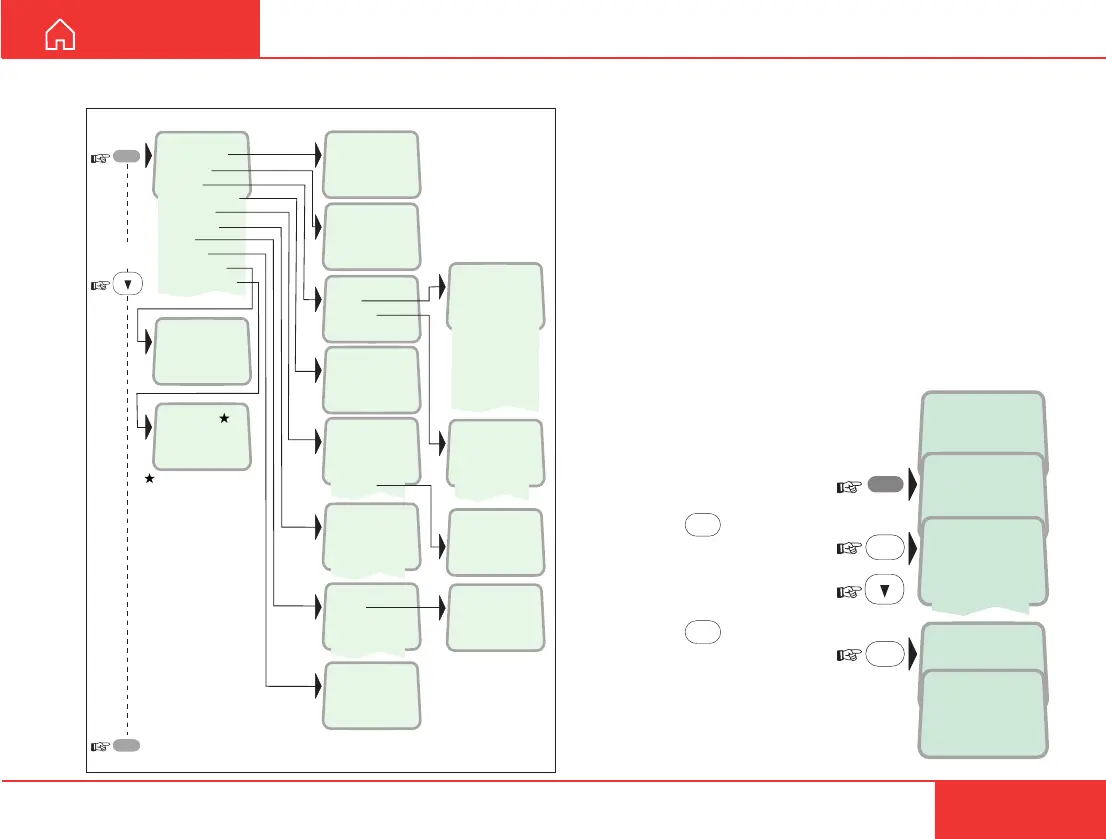
MENU FUNCTIONS
>Active MSN
Keyclick
Ringer
Answer beep
Backlight
Language
MSN
Protocol
SW version
Reset to fleet
>#1:
#2:
#3:
>On
Off
>Tone
Volume
>On
Off
>Tone#1
Tone#2
Tone#3
Tone#4
Tone#5
Tone#6
Tone#7
Tone#8
Tone#9
>Euro-ISDN
NI-1
>#1:20
#2:31
#3:41
>English
Norsk
Deutsch
Nera
20 #1
>On
Off
30 second
Dimmer
Dimmer [ 100%]
>Low
Medium
High
Increasing
MENU
ESC
reverts to idle
V1.3.00 270103
Set to fleet?
If connected to a fleet
terminal, set Handset
to fleet mode
Overview
May 01 09:15
4.8 Speech
MENU
>Active MSN
Keyclick
Store ...
OK
May 01 09:15
64K Speech
OK
>#1: 4.8 Speech
#2: 64K Speech
#3: 64K Audio
Active MSN (Multiple Subscriber Number)
When making a call the Nera ISDN Handset identi-
fies itself by its MSN number. Although specific MSN
numbers may be programmed for 3 different serv-
ices, only one can be active at one time for outgoing
calls. An ISDN Handset will always respond to all 3
MSNs for incoming calls.
Default numbers and names:
Handset identity MSN number Name/speech quality
#1: 20 4.8 Speech
#2: 30 64K Speech
#3: 40 64K Audio
To change active MSN:
1 Open the MENU:
2 Pressing
OK
lists the default
handset id/speech quality:
Scroll down to the required
handset identity:
3 Pressing
OK
selects the
chosen id/speech quality:
Note!
To change MSN numbers and
name, see MSN programming.
MENU FUNCTIONS
Overview



 To Next Page