13
Nera ISDN Handset
USER GUIDE
MENU FUNCTIONS CONT’D
Tone
>Volume
>Low
Medium
High
Increasing
OK
Store ...
OK
Ringer cont`d
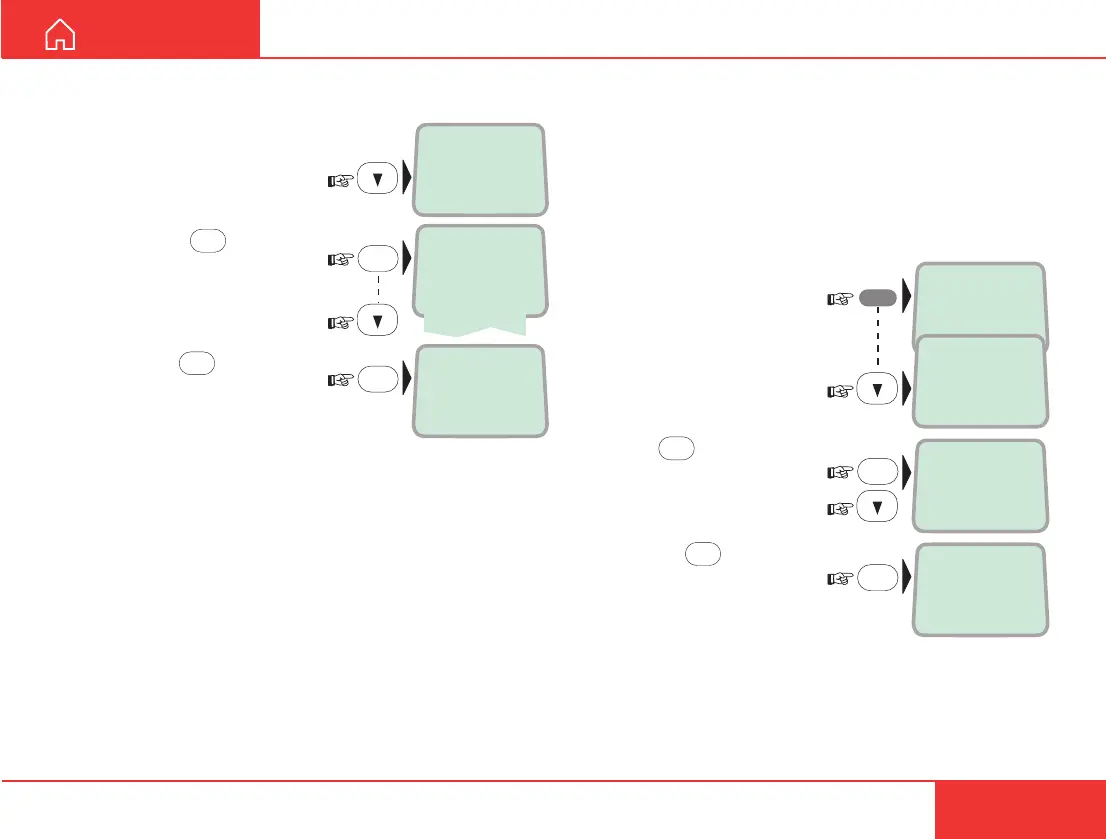
5 Select the Ringer function
again and scroll down to
the Volume function:
6 Pressing
OK
lists the
choices:
Scroll down to required
sound level:
and press
OK
to store the
level:
Answer beep
The Nera ISDN Handset may be set to emit a signal
when an outgoing call is answered (with loudspeaker
off). The signal will also sound when a call is trans-
ferred at the remote end.
The signal is not active during handsfree calls.
The answer beep can be turned on/off as follows:
1 Open the MENU:
2 Scroll down to the
Answer beep function:
3 Press
OK
and scroll to
On or Off, as required:
4 Pressing
OK
selects
the chosen mode:
>Active MSN
Keyclick
OK
Ringer
>Answer beep
>On
Off
Store ...
OK
MENU



 To Next Page