14
Nera ISDN Handset
USER GUIDE
Store ...
>Active MSN
Keyclick
OK
Backlight
>Language
OK
>English
Norsk
Deutsch
MENU
Display language
The Nera ISDN Handset is delivered with the display
language set to English. The following languages can
be selected:
• English
• Norwegian
• German
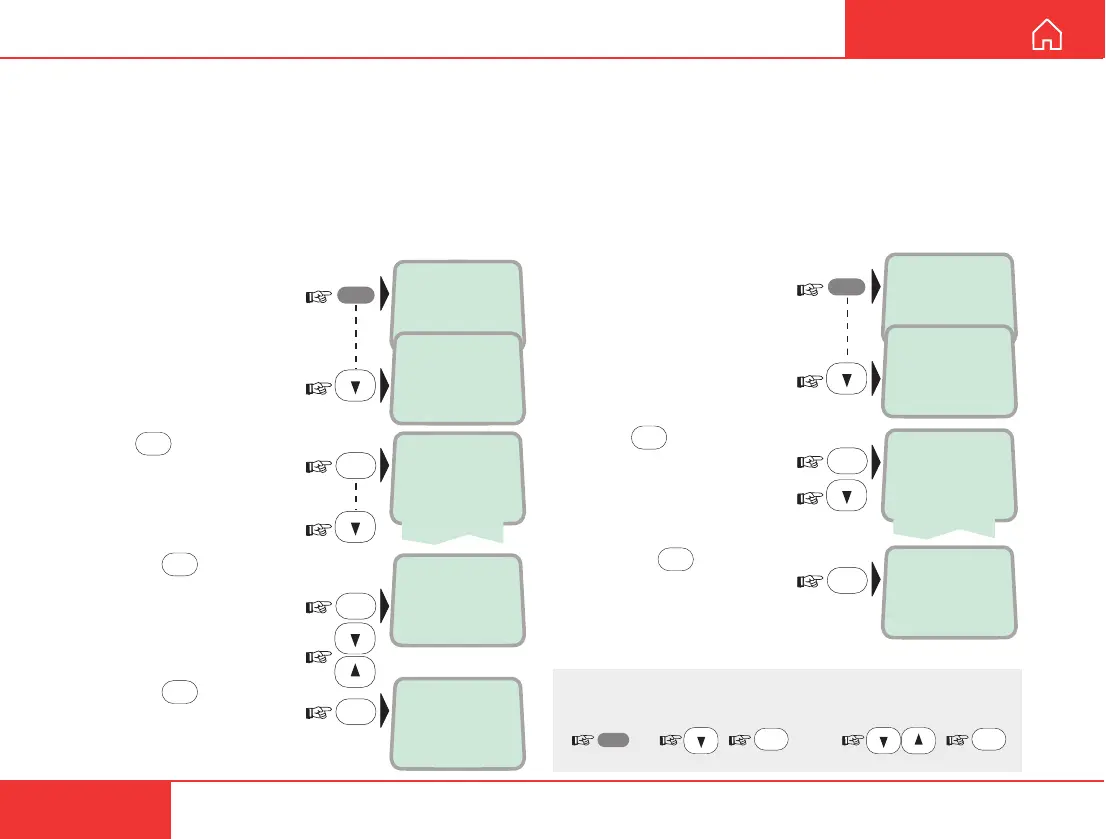
1 Open the MENU:
2 Scroll down to the Lan-
guage function:
3 Press
OK
and scroll down
to the required language:
4 Pressing
OK
changes
the display language:
If accidentally choosing an unfamiliar language, use
the following procedure to revert:
MENU FUNCTIONS CONT’D
Backlight On/Off
The display and keypad backlight can be set to:
• On, permanently ON
• Off, permanently OFF
• 30 seconds ON when pressing a key or receiving
a call, and stays ON 30 secs after last event.
• Dimmer, intensity adjustable in 10 steps.
Changing the setting:
1 Open the MENU:
2 Scroll down to the
Backlight function:
3 Press
OK
and scroll
down to required setting:
4 Pressing
OK
at Dimmer
opens the backlight adjust-
ment window:
Adjust with up/down arrows:
5 Pressing
OK
stores the
chosen setting:
>Active MSN
Keyclick
Answer beep
>Backlight
>On
Off
30 second
Dimmer
OK
Dimmer [ 100%]
OK
Store ...
OK
LIST
MENU
5x
OK
select
language
OK
MENU
LIST



 To Next Page