16
Nera ISDN Handset
USER GUIDE
MENU FUNCTIONS CONT’D
Protocol
The Nera ISDN handset allows selection between the
following ISDN protocols:
• Euro ISDN for connection to equipment conform-
ing to the European ISDN standard.
• NI-1 protocol for equipment conforming to the NI-1
standard (National ISDN-1).
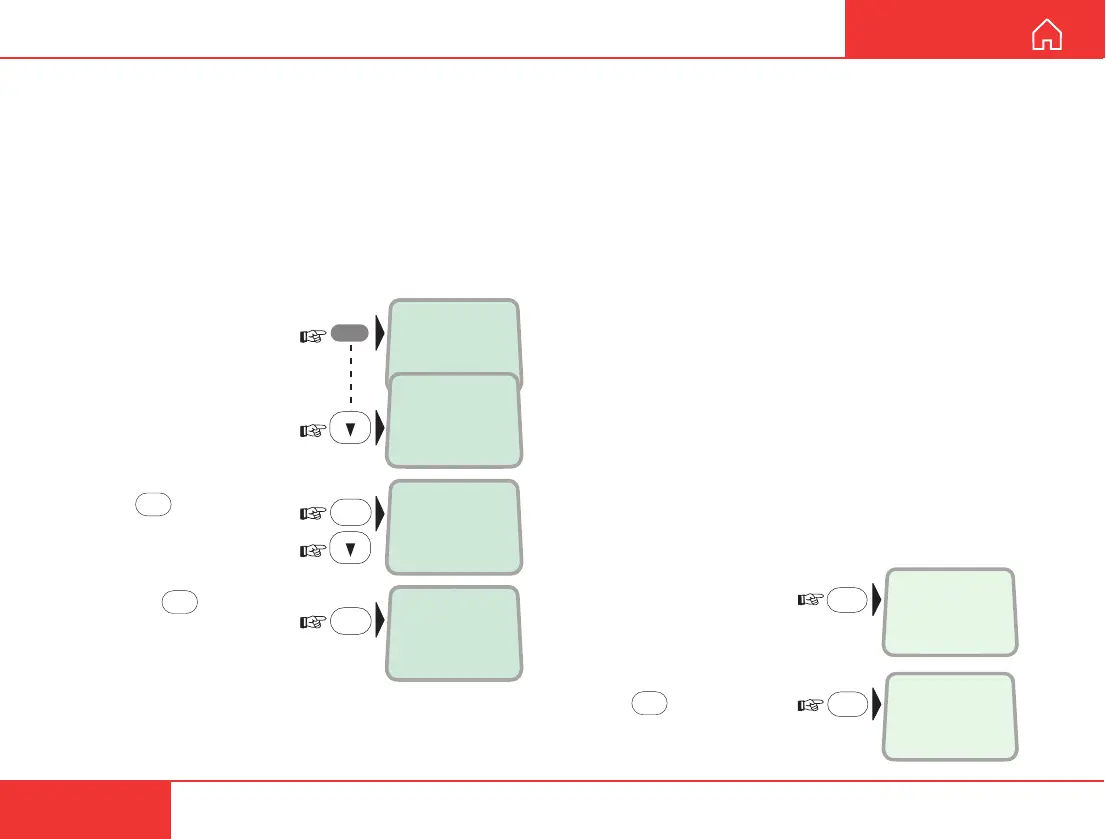
The protocol can be changed as follows:
1 Open the MENU:
2 Scroll down to the
Protocol function:
3 Press
OK
and scroll
required protocol:
4 Pressing
OK
stores the
chosen ISDN protocol:
>Active MSN
Keyclick
OK
MSN
>Protocol
>Euro-ISDN
NI-1
Store ...
OK
MENU
Resetting to default
The Nera ISDN Handset is programmed with the
following default settings:
• Phone book cleared
• Ringing tone #1
• Ringing volume MEDIUM
• English language
• Answer beep OFF
• Backlight 30 seconds ON
• Keyclick ON
• MSN#1: 20 "4.8 Speech"
• MSN#1: 30 "64K Speech"
• MSN#1: 40 "64K Audio"
The default settings can be recovered as follows:
1 Disconnect the handset.
2 Reconnect and press
DEL while the display
momentarily shows the
software version:
3 Press
OK
to confirm:
Normal mode
RESET?
Normal mode
Euro-ISDN
OK
DEL



 To Next Page