5
Nera ISDN Handset
USER GUIDE
May 01 09:15
4.8 Speech
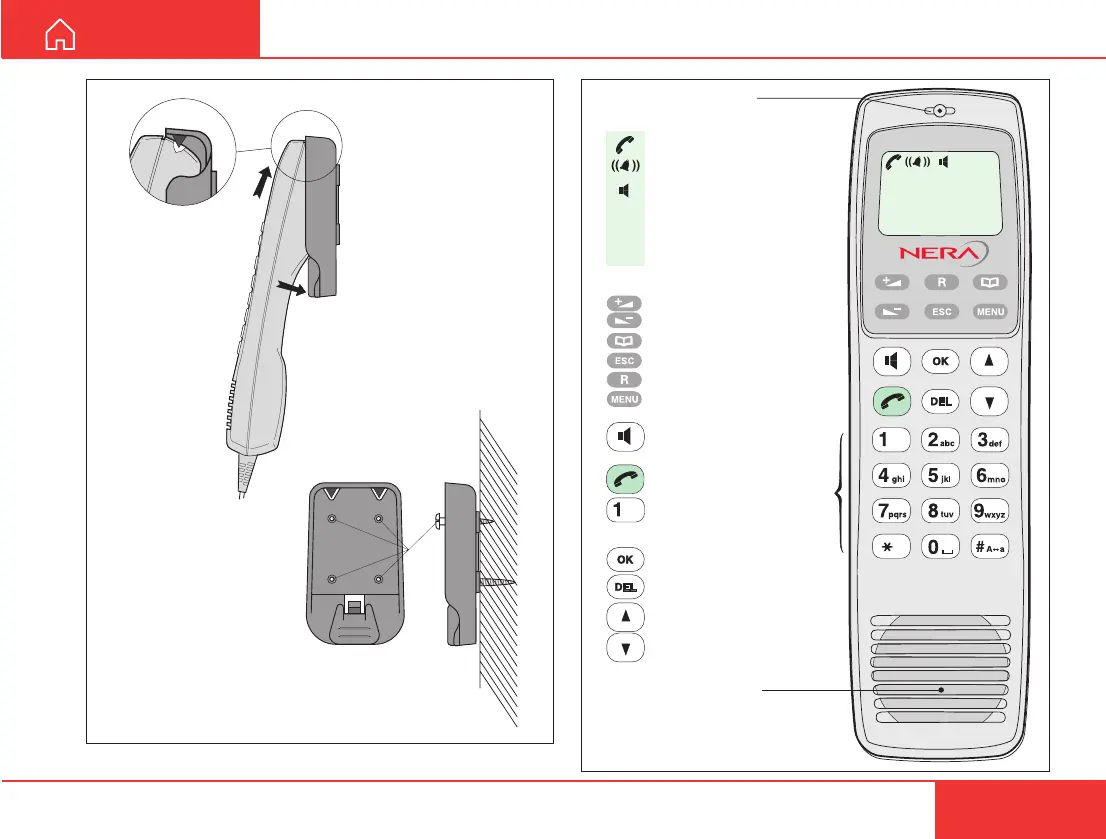
Handsfree microphone
Display indicators:
appears at hook OFF
flashes when receiving a call
appears when loudspeaker
is ON
appears when selecting
letters on the keypad, f.ex.
for Phone Book entries
Function keys:
allows adjusting the earpiece
volume during conversation
opens/closes Phone Book
reverts to previous position
used to transfer a call
selects function menu
handsfree microphone/
loudspeaker ON/OFF (hook
ON/OFF when in cradle)
hook ON/OFF
. . . . . number keys.
The keys include letters
for Phone Book entries.
enters selected choice
deletes last character or
complete entry
scrolls up/down through
function menu/choices
Handsfree loudspeaker
ALPHA
LIST
ALPHA
ISDN
Figure 4 Display and keys.
Figure 3 Holder/cradle wallmounted.
click!



 To Next Page