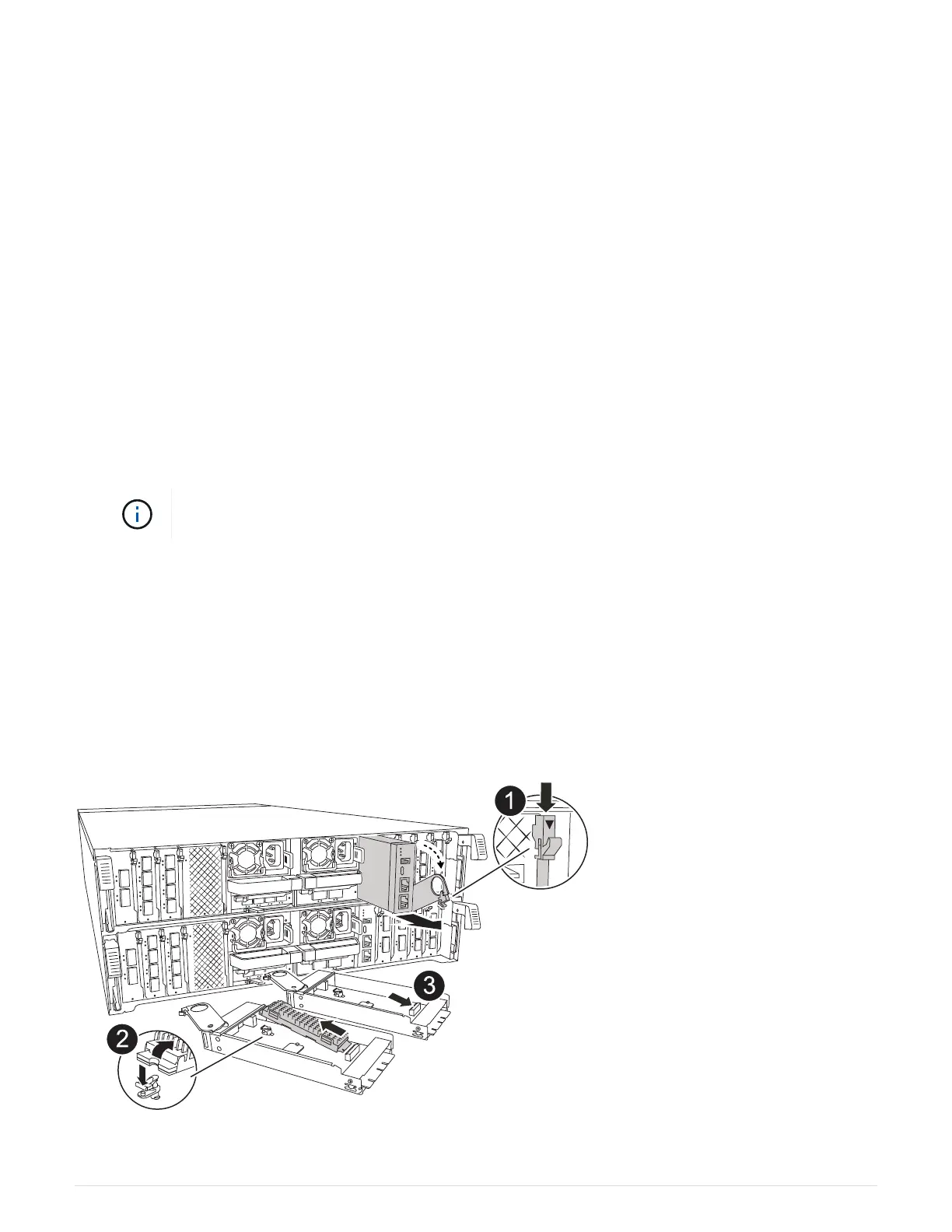
2. Rotate the cable management arm down by pulling the buttons on the inside of the cable management arm
and rotating it down.
3. Remove the I/O modules from the controller module:
a. Depress the target I/O module cam latch button.
The cam lever moves away from the controller module.
b. Rotate the cam latch down as far as it will go. For horizontal modules, rotate the cam away from the
module as far as it will go.
c. Remove the module from the controller module by hooking your finger into the cam lever opening and
pulling the module out of the controller module.
Make sure that you keep track of which slot the I/O module was in.
d. Install the replacement I/O module into the replacement controller module by gently sliding the I/O
module into the slot until the I/O cam latch begins to engage with the I/O cam pin, and then push the
I/O cam latch all the way up to lock the module in place.
4. Repeat these steps to move the remaining I/O modules, except the modules in slots 6 and 7, to the
replacement controller module.
To move the I/O modules from slots 6 and 7, you must move the carrier containing these I/O
modules from the impaired controller module to the replacement controller module.
5. Move the carrier containing the I/O modules in slots 6 and 7 to the replacement controller module:
a. Press the button on the right-most handle on the carrier handle. ..Slide the carrier out of the impaired
controller module insert it into the replacement controller module in the same position it was in the
impaired controller module.
b. Gently push the carrier all the way into the replacement controller module until it locks into place.
Step 7: Move the System Management module
Move the System Management module to the replacement controller module.
36



 To Next Page