System Management module cam latch
Boot media locking button
Replacement System Management module
1. Remove the System Management module from the impaired controller module:
a. Depress the system management cam button. The cam lever moves away from the chassis.
b. Rotate the cam lever all the way down.
c. Loop your finger into the cam lever and pull the module straight out of the system.
2. Install the system management module into the replacement controller module in the same slot that it was
in on the impaired controller module:
a. Align the edges of the System Management module with the system opening and gently push it into the
controller module.
b. Gently slide the module into the slot until the cam latch begins to engage with the I/O cam pin, and then
rotate the cam latch all the way up to lock the module in place.
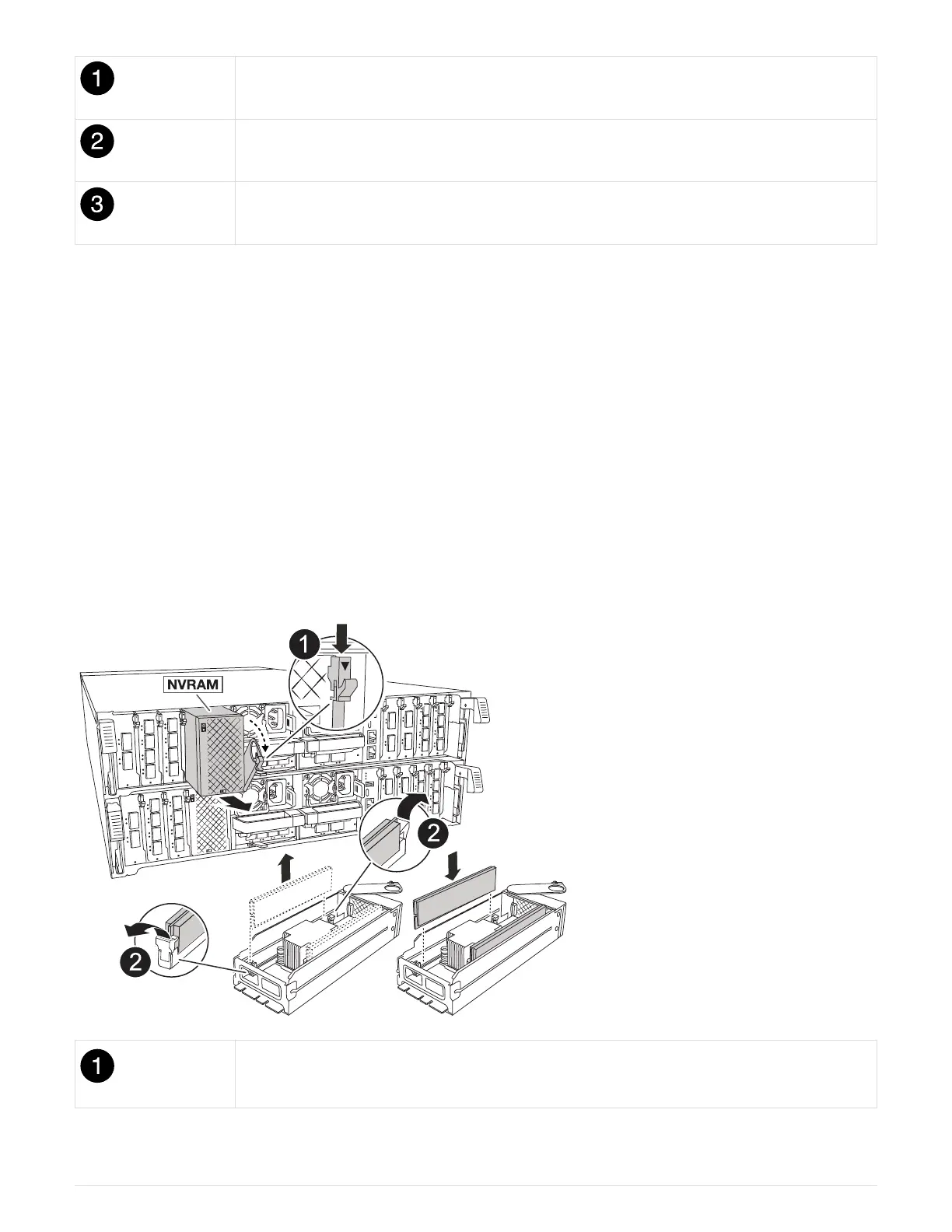
Step 8: Move the NVRAM module
Move the NVRAM module to the replacement controller module.
Cam locking button
37



 To Next Page