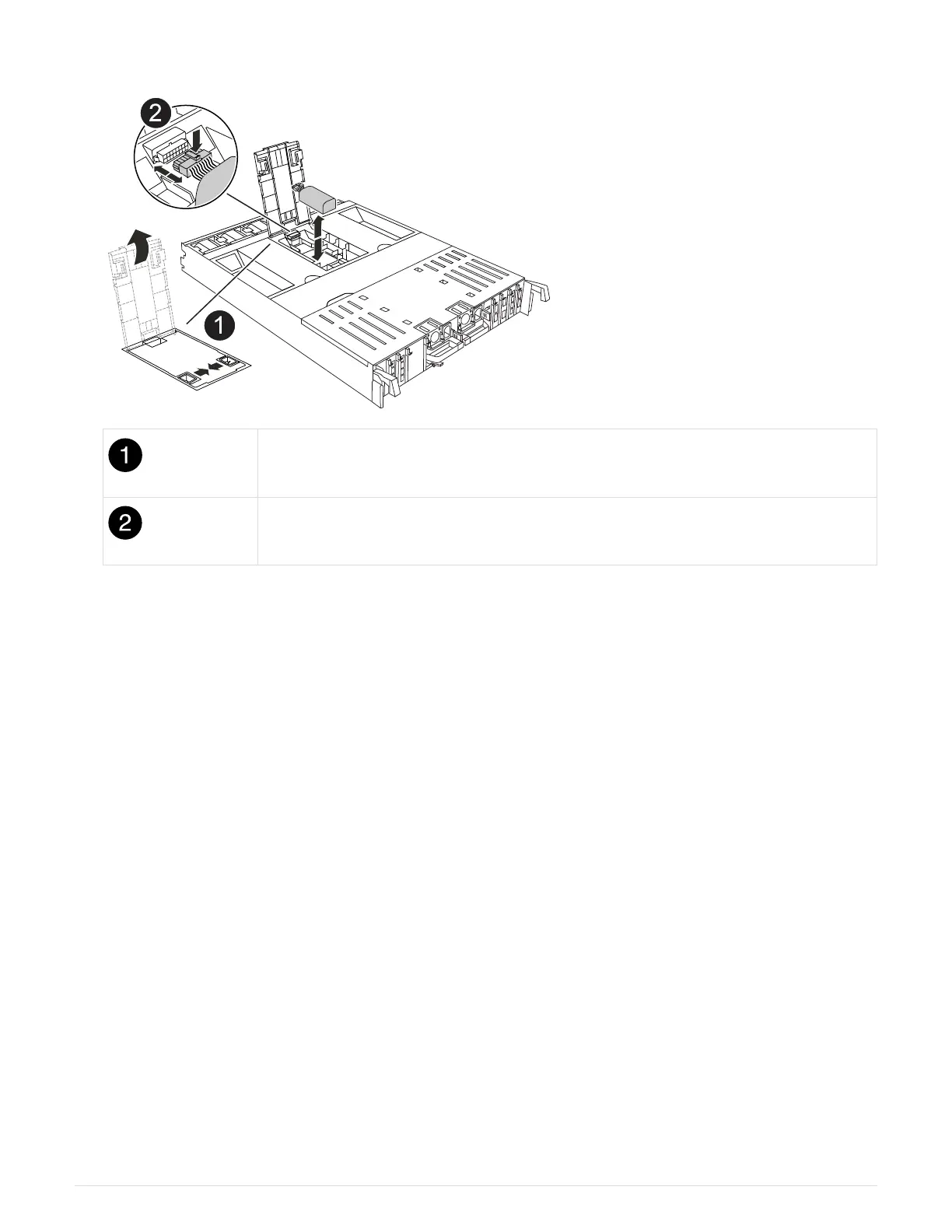
1. Open the air duct cover and locate the NV battery.
NV battery air duct cover
NV battery plug
2. Lift the battery up to access the battery plug.
3. Squeeze the clip on the face of the battery plug to release the plug from the socket, and then unplug the
battery cable from the socket.
4. Lift the battery out of the air duct and controller module, and then set it aside.
5. Remove the replacement battery from its package.
6. Install the replacement battery pack into the controller:
a. Plug the battery plug into the riser socket and make sure that the plug locks into place.
b. Insert the battery pack into the slot and press firmly down on the battery pack to make sure that it is
locked into place.
7. Close the NV air duct cover.
Make sure that the plug locks into the socket.
Step 4: Reinstall the controller module
Reinstall the controller module and reboot it.
1. Ensure the air duct is completely closed by rotating it down as far as it will go.
It must lie flush against the controller module sheet metal.
2. Align the end of the controller module with the opening in the chassis, and then gently push the controller
module halfway into the system.
71



 To Next Page