Be sure to check the direction of the cable pull-tabs when inserting the cables in the ports. Cable pull-tabs
are up for all networking module ports.
As you insert the connector, you should feel it click into place; if you do not feel it click,
remove it, turn it over and try again.
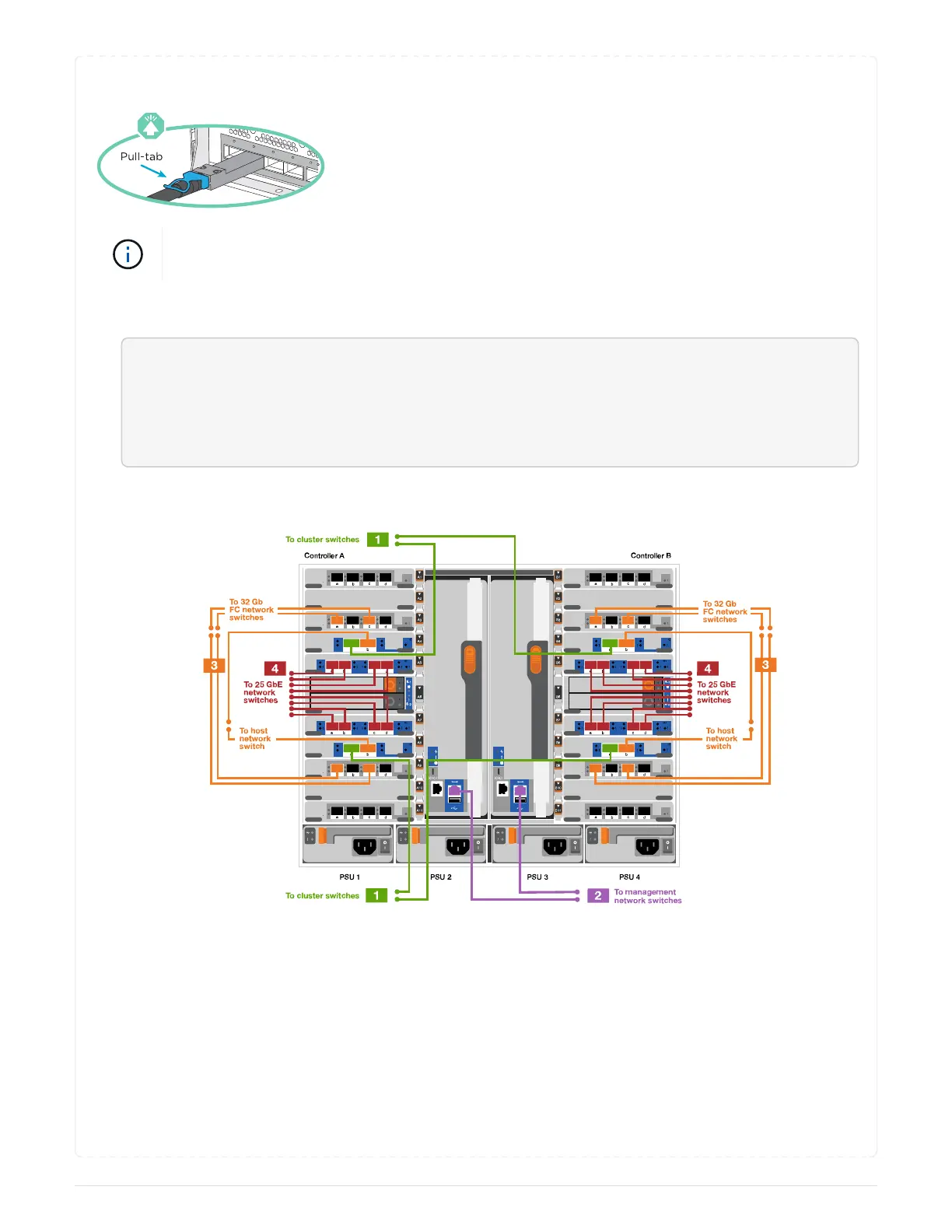
1. Use the animation or illustration to complete the cabling between the controllers and to the switches:
<div class="aspect-ratio"><iframe frameborder="1" height="400"
scrolling="auto"
src="https://netapp.hosted.panopto.com/Panopto/Pages/embed.aspx?id=3
ad3f118-8339-4683-865f-ae7c0170400c" width="711"> </iframe></div>
Animation - Switched cluster cabling
690



 To Next Page