For more SAS cabling information and worksheets, see SAS cabling rules, worksheets, and
examples overview - shelves with IOM12 modules
Before you begin
• Complete the SAS cabling worksheet for your system. See
SAS cabling rules, worksheets, and examples
overview - shelves with IOM12 modules
.
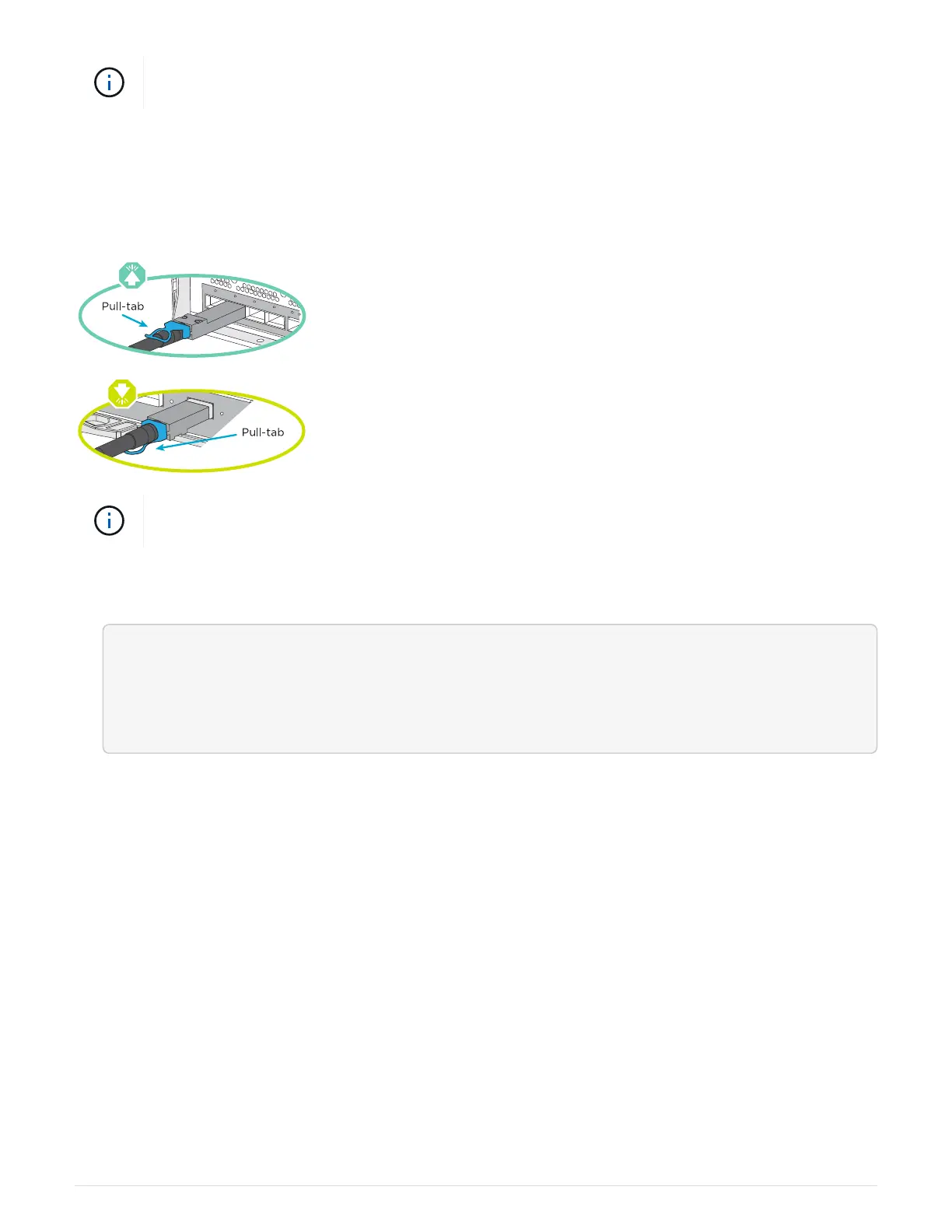
• Be sure to check the illustration arrow for the proper cable connector pull-tab orientation. The cable pull-tab
for the storage modules are up, while the pull tabs on the shelves are down.
As you insert the connector, you should feel it click into place; if you do not feel it click, remove
it, turn it over and try again.
1. Use the following animation or drawings to cable your controllers to three (1 stack of one drive shelf and
one stack of two drive shelves) DS224C drive shelves.
<div class="aspect-ratio"><iframe frameborder="1" height="400"
scrolling="auto"
src="https://netapp.hosted.panopto.com/Panopto/Pages/embed.aspx?id=c958a
ae6-9d08-4d3d-a213-ae7c017040cd" width="711"> </iframe></div>
Animation - Cabling your drive shelves
692



 To Next Page