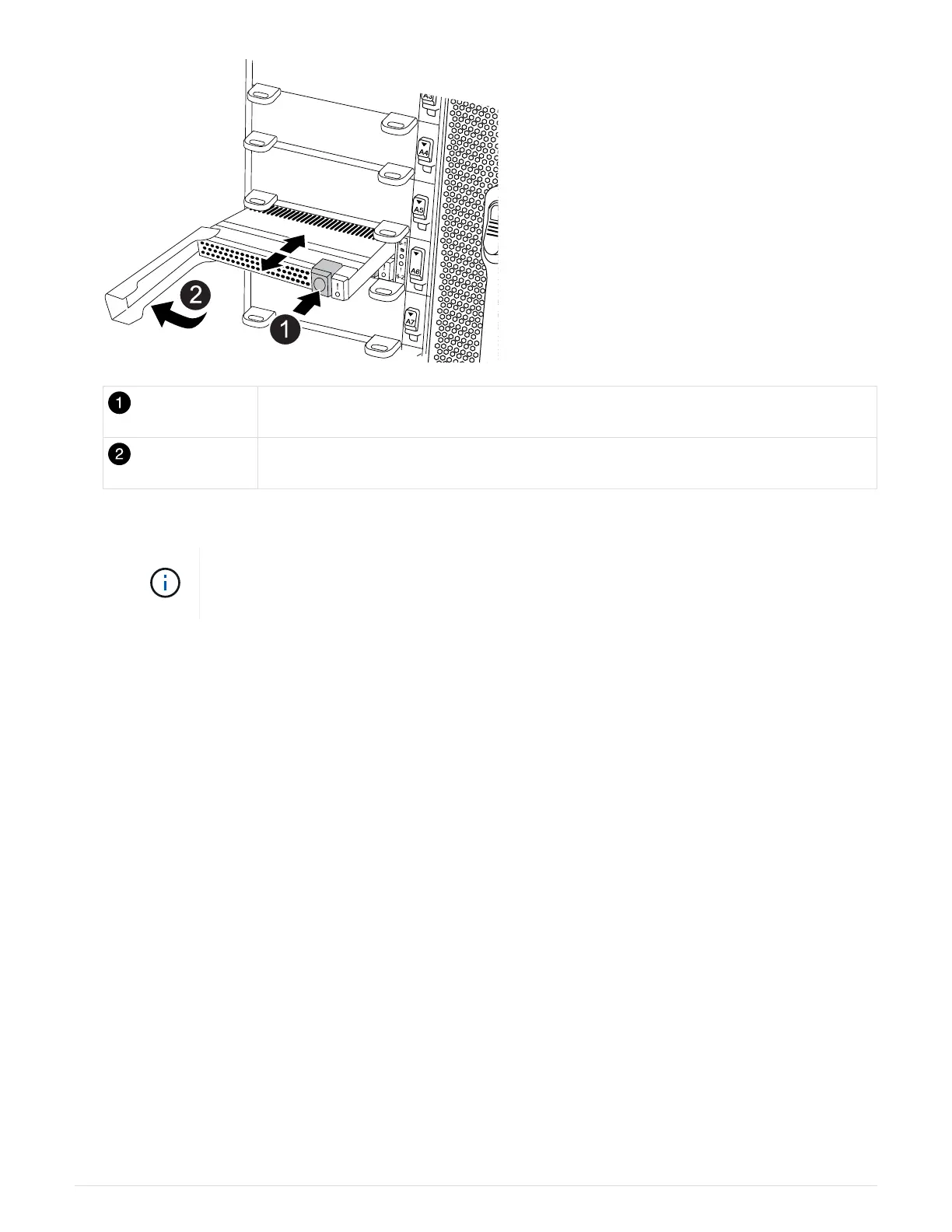
Terra cotta release button.
Caching module cam handle.
a. Press the terra cotta release button on the front of the caching module.
Do not use the numbered and lettered I/O cam latch to eject the caching module. The
numbered and lettered I/O cam latch ejects the entire NVRAM11 module and not the
caching module.
b. Rotate the cam handle until the caching module begins to slide out of the NVRAM11 module.
c. Gently pull the cam handle straight toward you to remove the caching module from the NVRAM11
module.
Be sure to support the caching module as you remove it from the NVRAM11 module.
5. Install the caching module:
a. Align the edges of the caching module with the opening in the NVRAM11 module.
b. Gently push the caching module into the bay until the cam handle engages.
c. Rotate the cam handle until it locks into place.
6.
Bring the replacement caching module online by using the
system controller slot module
insert
command as follows:
The following command prepares slot 6-1 on node1 for power-on, and displays a message that it is
powered on:
722



 To Next Page