e. Placing your finger at the end of the caching module by the blue button, firmly push down on the
caching module end, and then lift the locking button to lock the caching module in place.
Step 7: Move the DIMMs
You need to locate the DIMMs, and then move them from the impaired controller module
to the replacement controller module.
You must have the new controller module ready so that you can move the DIMMs directly from the impaired
controller module to the corresponding slots in the replacement controller module.
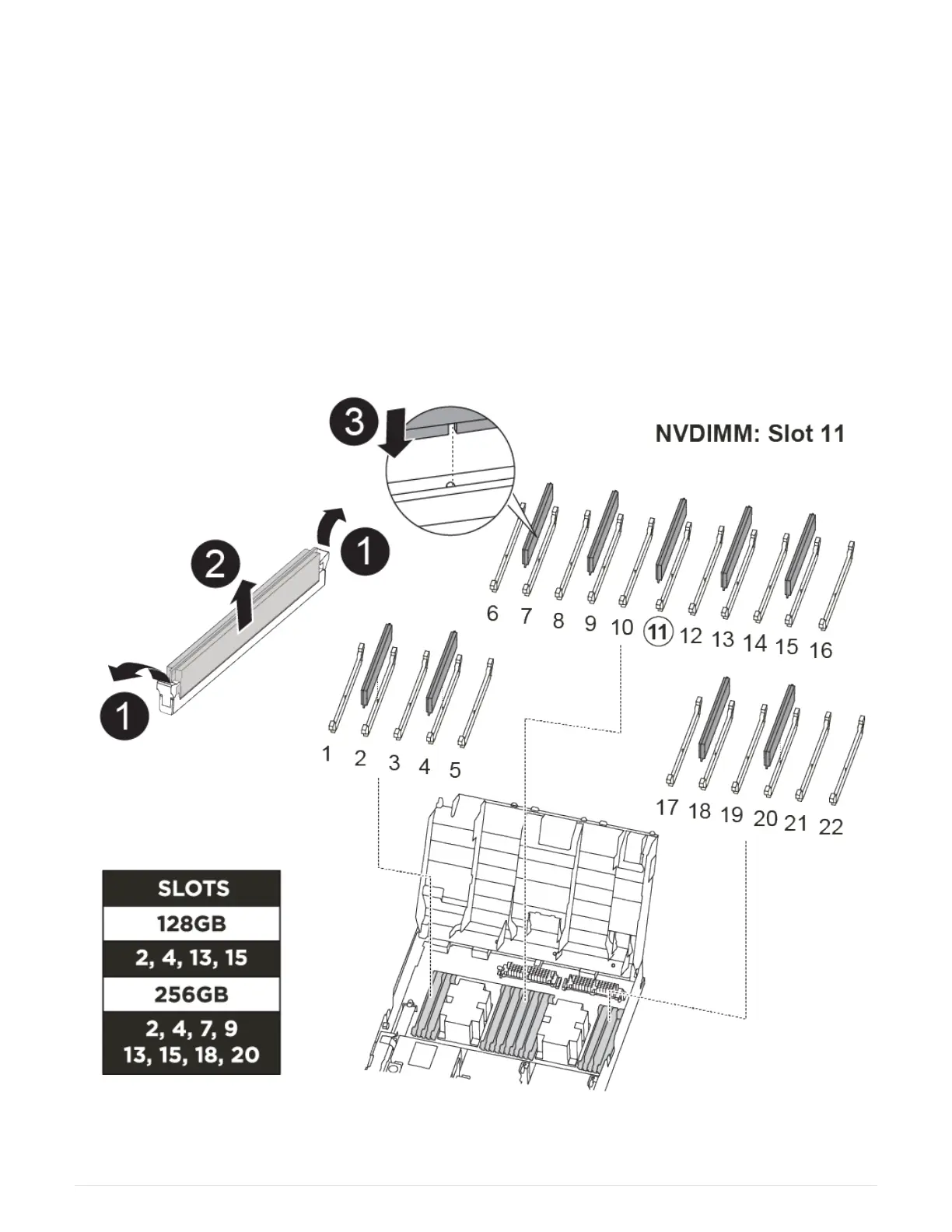
You can use the following animation, illustration, or the written steps to move the DIMMs from the impaired
controller module to the replacement controller module.
Moving the DIMMs
1. Locate the DIMMs on your controller module.
63



 To Next Page