NL1901ACV – Wireless Security Setup Guide
FQ001125 v. 1.1 March 2019
Wireless – Basic (Change SSID)
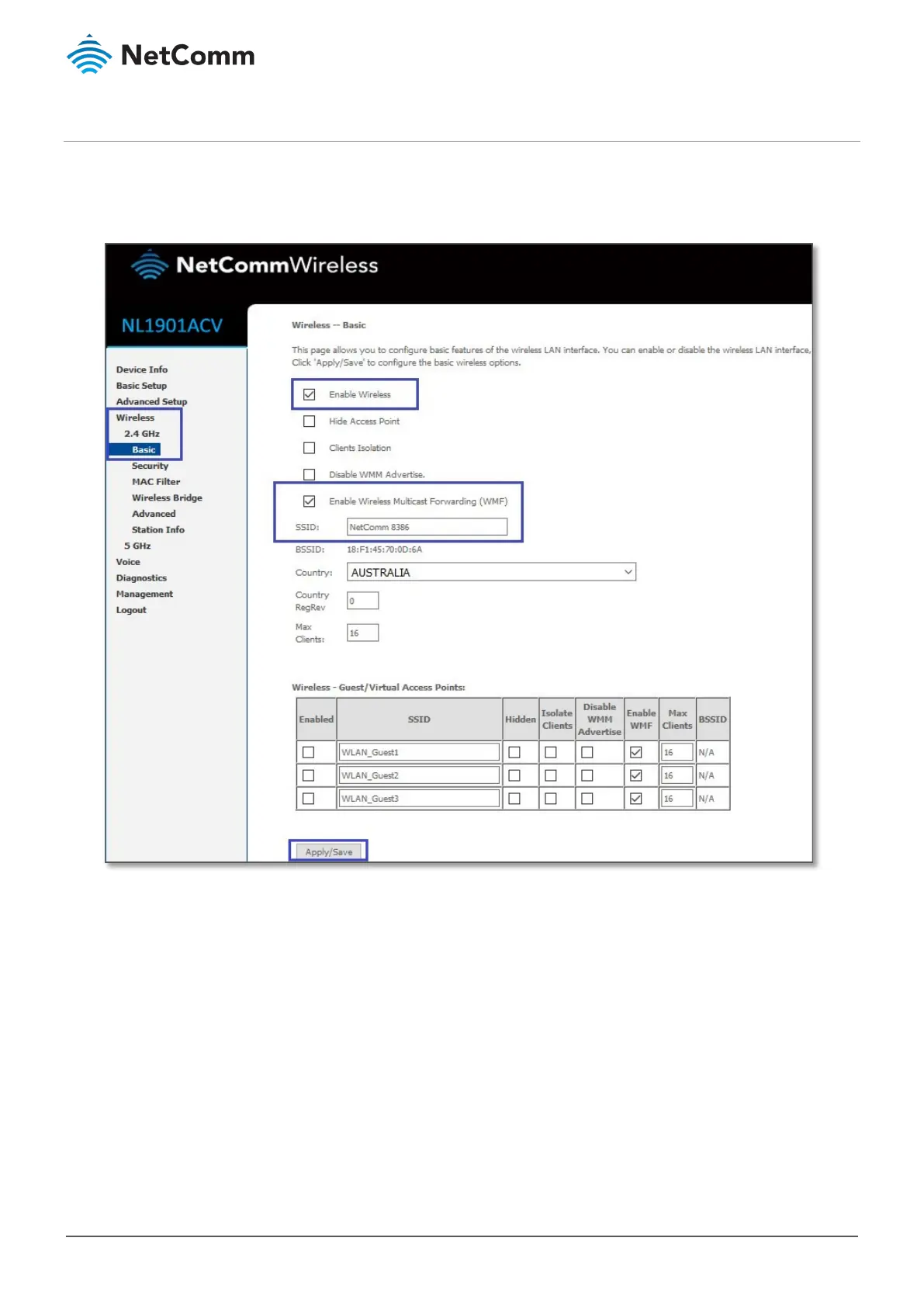
1 Navigate to Wireless > 2.4 GHz/5 GHz > Basic.
2 Confirm that
Enable Wireless and Enable Wireless Multicast Forwarding (WMF) are selected.
3 The old WiFi network name/SSID on this example is “NetComm 5354”.
Delete the old WiFi network name/SSID and enter a new SSID (For example:
NetComm 8386).
4 Press the “
Apply/Save” button.





 To Next Page