FS728TP Smart Switch Software Administration Manual
4-46 Configuring Switching Settings
v1.1, September 2009
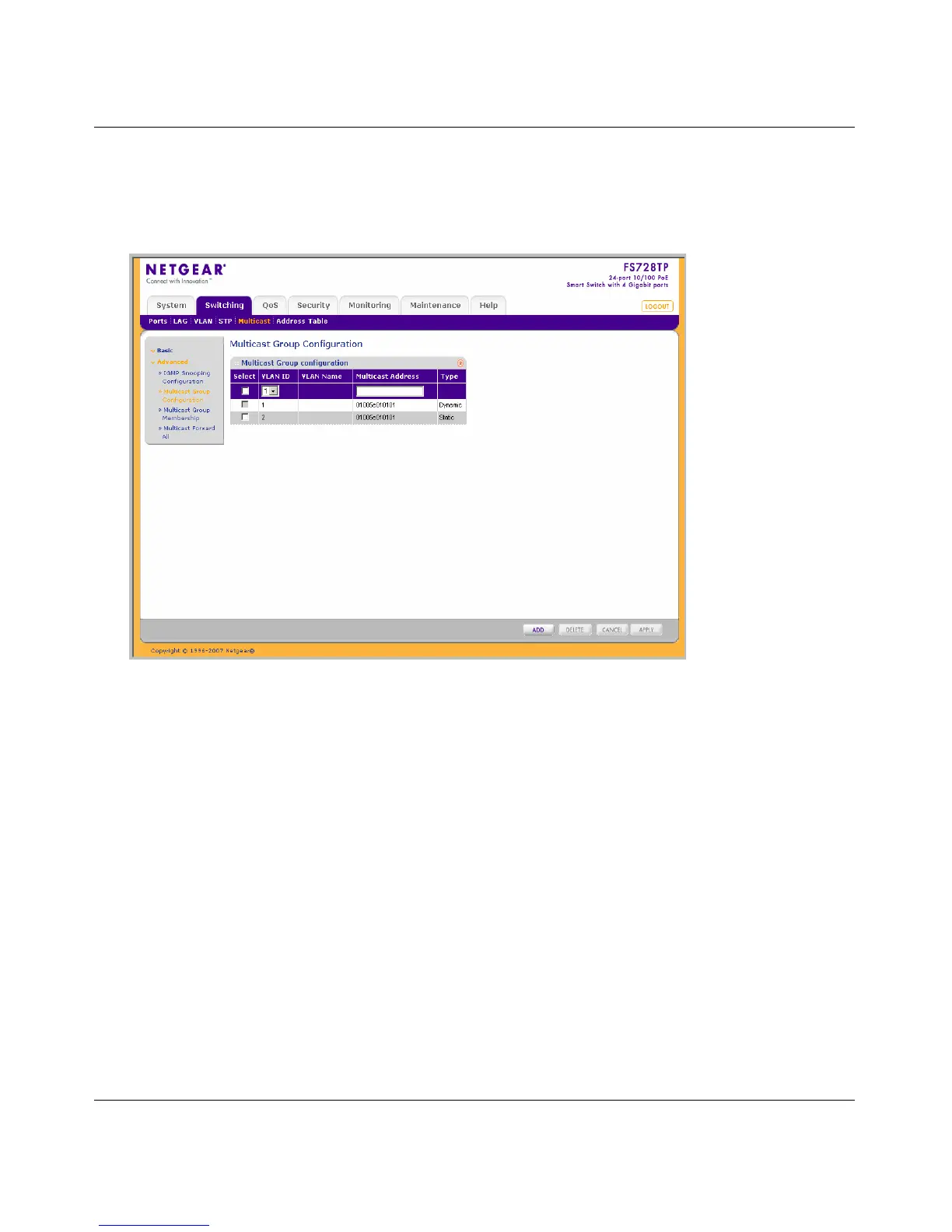
To configure Multicast groups:
1. Click Switching > Multicast > Advanced > Multicast Group Configuration.
The Multicast
Group Configuration screen displays:
The Multicast Group Configuration screen contains the following information:
• VLAN ID – Displays the VLAN ID.
• VLAN Name – Displays the user-defined VLAN name.
• Multicast Address – Enter the Multicast group MAC Address associated with the VLAN.
• Type – Indicates the VLAN ID status in relation to the Multicast group.
– Static – Attaches the VLAN ID to the Multicast group as static member.
– Dynamic – Dynamically joins the VLAN ID to the Multicast group.
2. Select the group entry.
3. Enter the Multicast Address in the provided field in the first row.
4. Click APPLY to update the device.
Figure 4-25






 To Next Page