EasyManua.ls Logo

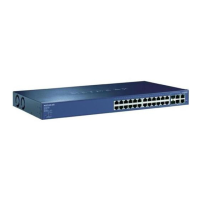
NETGEAR ProSafe FS726T - User Manual

NETGEAR ProSafe FS726T
23 pages
Print Icon
To Next Page IconTo Next Page
Loading...
Page 1 of 1
© 2004 by NETGEAR, Inc. All rights reserved.
Trademarks
@2004 NETGEAR, Inc. NETGEAR, the Netgear logo, The Gear Guy and Everybody’s connecting are
trademarks of Netgear, Inc. in the United States and/or other countries. Other brand and product names
are trademarks of their respective holders. Information is subject to change without notice. All rights
reserved.
Statement of Conditions
In the interest of improving internal design, operational function, and/or reliability, NETGEAR reserves the
right to make changes to the products described in this document without notice. NETGEAR does not
assume any liability that may occur due to the use or application of the product(s) or circuit layout(s)
described herein.

Other manuals for NETGEAR ProSafe FS726T

Questions and Answers

  • M
    Melissa JohnsonJul 31, 2025
    What to do if ACT LED is flashing continuously on all connected ports on my NETGEAR Switch?
    • V
      Valerie ZimmermanJul 31, 2025
      If the ACT LED is continuously flashing on all connected ports and the network is disabled, it indicates a network loop (redundant path) has been created. To resolve this, ensure there is only one path from any networked device to any other networked device, breaking the loop.
  • M
    Michelle MooreAug 7, 2025
    What to do if a device is not recognized on NETGEAR ProSafe FS726T Switch?
    • D
      Dale CainAug 7, 2025
      If a segment or device is not recognized as part of the network when using your NETGEAR Switch, it could be due to improper connections or cabling that doesn't meet Ethernet guidelines. Verify that the cabling is correct and that all connectors are securely positioned in the required ports. Ensure that equipment has not been accidentally disconnected.
  • T
    Todd YoungAug 14, 2025
    How to fix NETGEAR ProSafe FS726T when Link LED is off?
    • C
      crossmelissaAug 15, 2025
      If the Link LED is off or intermittent on your NETGEAR Switch, the port connection may not be working. Check the crimp on the connectors and ensure that the plug is properly inserted and locked into the port at both the switch and the connecting device. Make sure all cables used are correct and comply with Ethernet specifications. Check for a defective adapter card, cable, or port by testing them in an alternate environment where all products are functioning.
  • M
    Michael HamiltonAug 22, 2025
    Why is the power LED off on my NETGEAR ProSafe FS726T?
    • N
      Nicholas TaylorAug 22, 2025
      If the Power LED is off on your NETGEAR Switch, it means no power is being received. Check the power cord connections for the switch at both the switch and the connected device. Make sure all cables used are correct and comply with Ethernet specifications.

Summary

Switch Management Overview

Management Access Overview

Discusses methods for managing the switch, including Smartwizard Discovery and web browser.

Getting Started

Web Management Access

Switch Menu Configuration Options

Overview of Port Configuration, Statistics, VLAN, and Trunking options within the Switch menu.

Port Configuration Details

Explains how to set port speed, flow control, and QoS for individual network ports.

VLAN Configuration: Port-based and 802.1 Q Tag

Details configuration for Port-based VLANs and IEEE 802.1Q Tag VLANs.

VLAN Group Management and PVID Settings

Covers adding/removing ports, creating/deleting VLANs, and setting PVID.

Trunking and Firmware Menu

Details port trunking configuration and access to firmware backup/reset.

Software Upgrade Procedure

NETGEAR ProSafe FS726T Specifications

General IconGeneral
BrandNETGEAR
ModelProSafe FS726T
CategorySwitch
LanguageEnglish

Related product manuals