ADSL2+ Modem Router User Manual
73
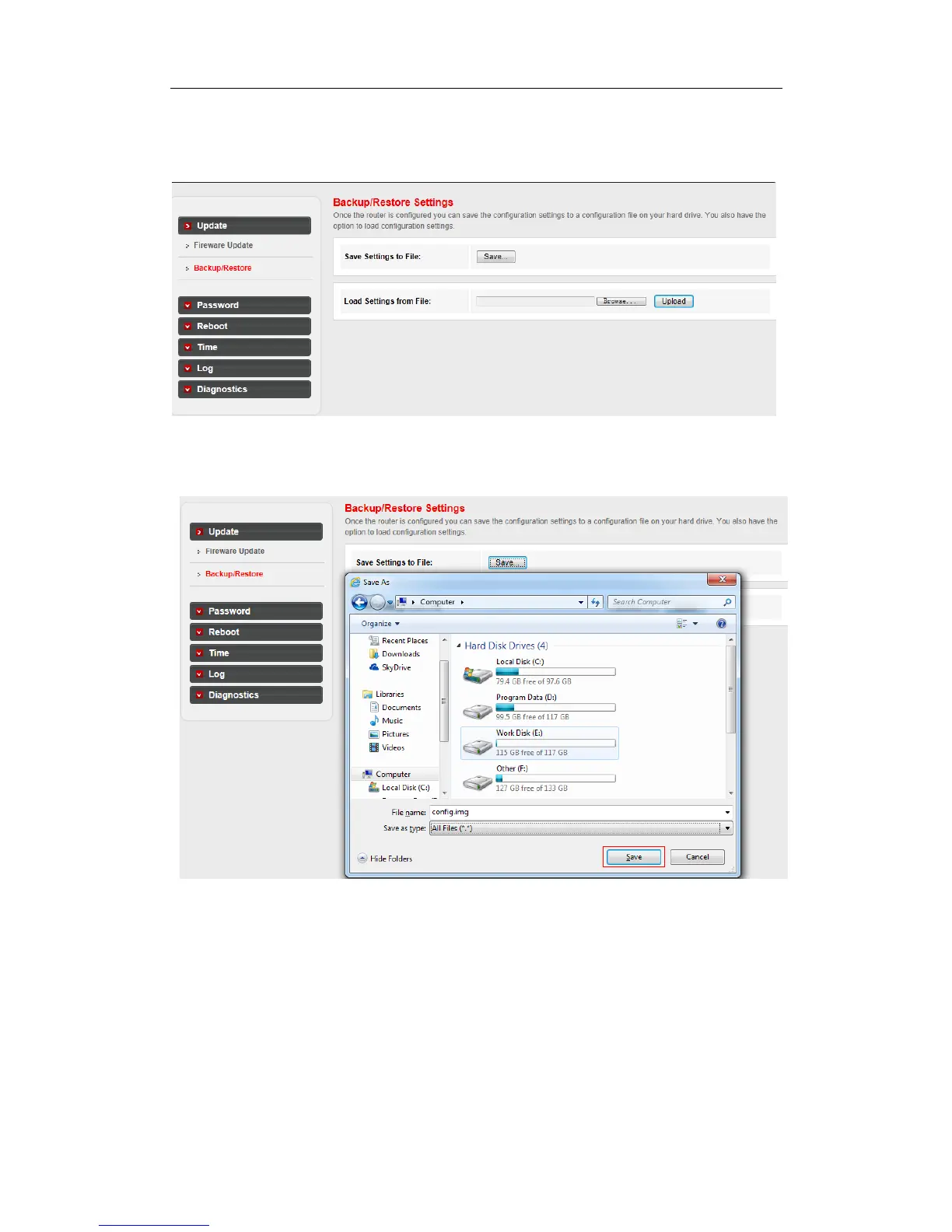
Go to Maintenance->Update->Backup/Restore page, you can save the current configuration
settings to a file, and you can also restore the settings from a configuration file.
To back up the Modem Router’s current settings:
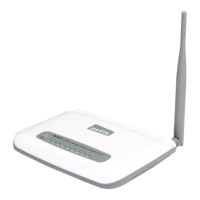
Step 1: Click the Save button, you can see:
Step 2: Click Save button to save the file as the appointed file.
To restore the Modem Router’s settings:
Step 1: Click the Browse button, you can see:



 To Next Page