ADSL2+ Modem Router User Manual
74
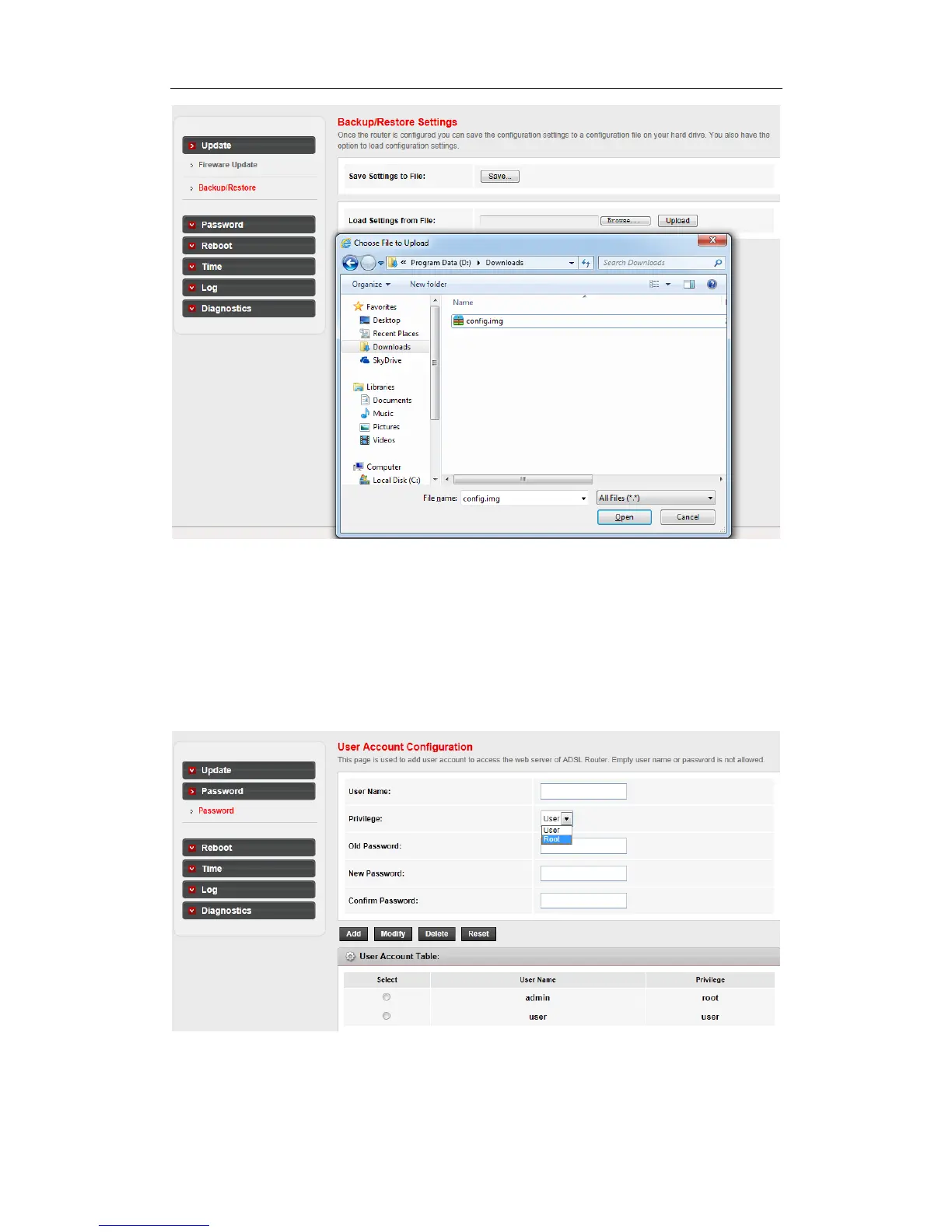
Step 2: Choose the file which you have saved and Click Open button to restore the settings
4.5.2 Password
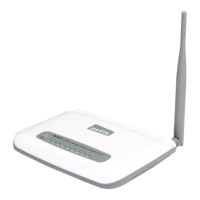
Go to Maintenance->Password page, you can configure the user account of the router. Here
you can add user account to access the web server, and modify the password of the
specified user.
To create a account:
Step 1: Type a user name and it’s password which you have remembered



 To Next Page