ADSL2+ Modem Router User Manual
76
Note:
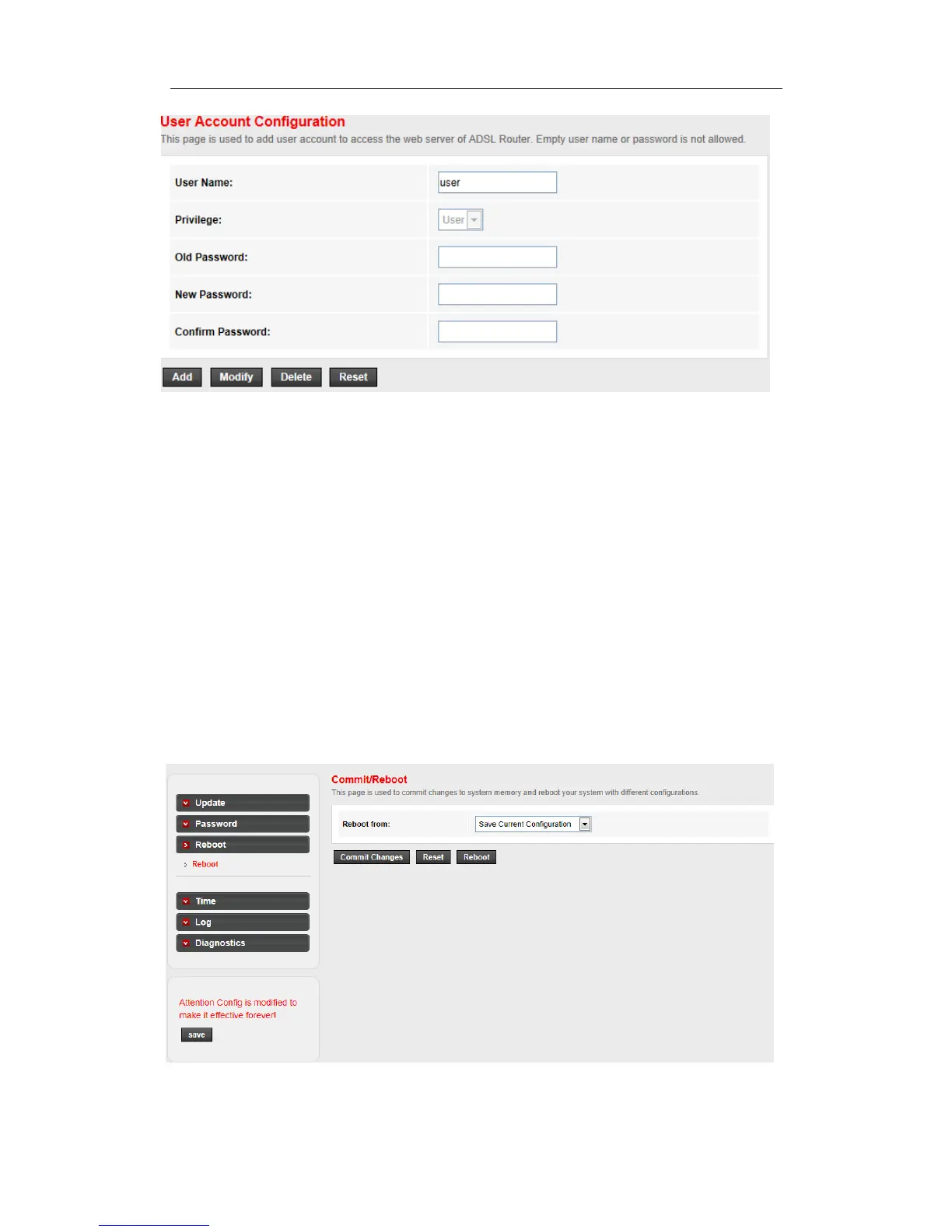
1) If you login the router by root account you can change all accounts’ password , There is only
root account that can access Web-Management interface. The default User Name is admin, and
the password is admin.
2) When you change the password, you should enter the new password twice, and then click
Add to make the new password take effect.
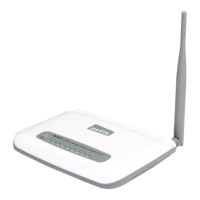
4.5.3 Reboot
Go to Maintenance->Reboot page, you can commit changes to system memory and reboot
your device with different configuration.
Here you can also reset the current setting to the default settings.



 To Next Page